AI Video Generator
 AI Image to Video
 AI Text to Video
 AI Image Generator
 AI Image to Image
 AI Text to Image
 AI Video Generator
 AI Image Effects

 Bring your imagination to life with powerful Viyou AI tools.
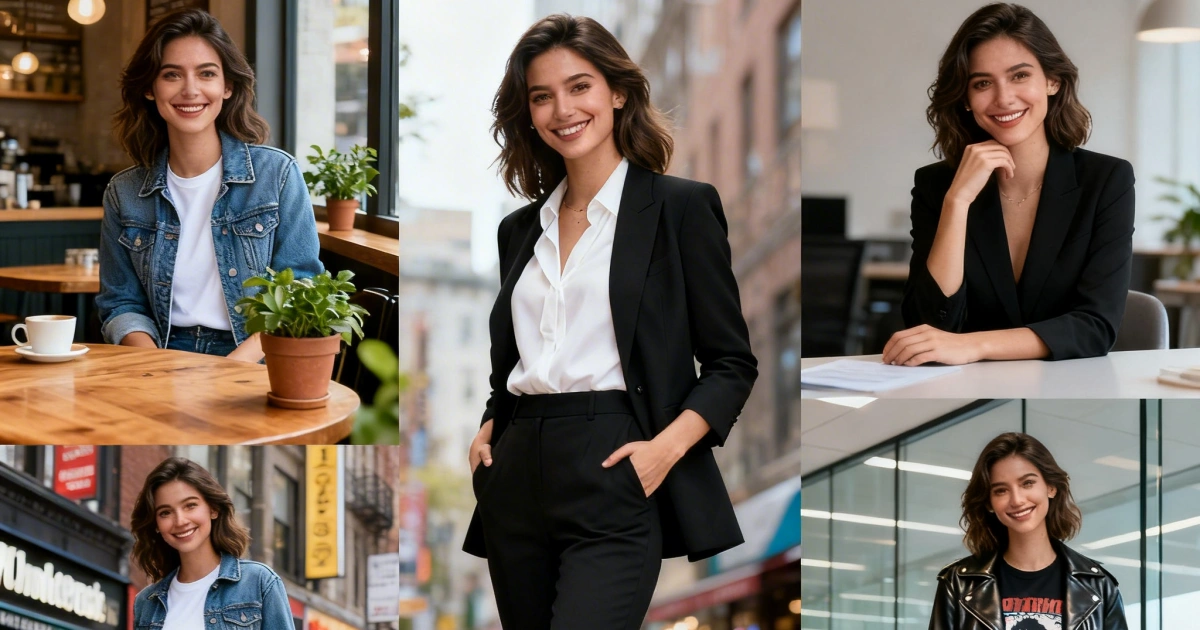
AI does not remember your character. Every generate is a new draw. That gap is the whole AI character consistency problem: the hoodie survives, the jaw does not.
If you want how to make a consistent AI character that can walk into a new street and still be her, stop adding adjectives. Save one master still. Reuse it. On Viyou that path is text to image for the lock file, image to image for new places, image to video for motion. Stills-only detail lives in the older image guide. This piece runs the face into the next shot.

How to make a consistent AI character without a new biography
The usual failure is recasting her every prompt: a new age, a new “beautiful,” extra jewelry. The model reads that as a different person.Write identity once. Paste it unchanged.
Then add only the new fact: night convenience store, looking at a can, not at camera.
Useful negatives: different face, age change, new hairstyle, extra jewelry, extra fingers. Do not ban “realistic” if the still is live-action. Pick a lane.
The master still is the spec
A paragraph is a wish. A picture is a spec.
Generate until the face is specific, then stop hunting a prettier cousin. Save girl-red-clip-master.jpg.
- Eyes visible. Nothing covering the landmark.
- Light from the front or front-side. Hard rim light looks good and travels badly.
- One cheap landmark: clip, lace, a bead bracelet. Cheekbones do not survive a model swap.

Image-to-image: change one variable
Upload the master. Describe the world, not the skull.
| Keep | Change this pass |
|---|---|
| Face, hair, clip, hoodie color | Location |
| Body proportion | Time of day |
| Age | One action |
New city and new coat in one pass, and you will not know what broke the face. If the result is “almost her,” run again from the master, not from the almost-her file. Copies of copies drift.
Create animated video using AI — only write what moves
When the still holds, send it to image-to-video. Do not paste the novel. The picture already has the person. That is how you create animated video using AI without a second casting session.
Motion Control on Viyou follows the same order: upload first, identity sentence first, action second. A longer biography will not replace the file.
Models will disagree. The file should not.
Viyou routes more than one engine. A face that locks on one checkpoint can loosen on another. Keep the master. Keep the same identity block. If a model slurs the clip or the lace, switch engine before you rewrite her age.
Two people in one frame: generate each from their own master, then composite. Two full biographies in one prompt average both faces.
FAQ
How do I make a consistent AI character?
Lock one still until it is boringly correct. Reuse that file. Change place or action, not the face.
How long does AI character consistency take?
A handful of tries for the master. New scenes should take minutes after that.
Can I age her or change style?
One axis per pass: older or more cel-shaded, not both. Keep the landmark.
Why does video retouch the face?
The prompt asked for acting instead of wind. Shorten the motion. Repeat “do not change her face.”