AI Video Generator
 AI Image to Video
 AI Text to Video
 AI Image Generator
 AI Image to Image
 AI Text to Image
 AI Video Generator
 AI Image Effects

 Bring your imagination to life with powerful Viyou AI tools.
Want to stretch out a cool clip but scared it’ll look blurry or weird? We get it. Using an AI video extender is the move, and it's way easier than you think. This guide will walk you through how to do it seamlessly using Viyou AI, complete with a fun example.
How It Works: The Magic Behind the Scenes
First off, let's break down how this tech actually works. It's not just slowing down or freezing the frame. Think of it like a smart assistant that understands your video and then imagines what should happen next, frame by frame. It analyzes everything: the people, the colors, the movement, and even the mood. Then, based on your instructions, it generates new seconds of video that match perfectly, keeping the quality crispy.
Your Simple 3-Step Workflow
Here's exactly how to turn a 10-second video into a 20-second story.
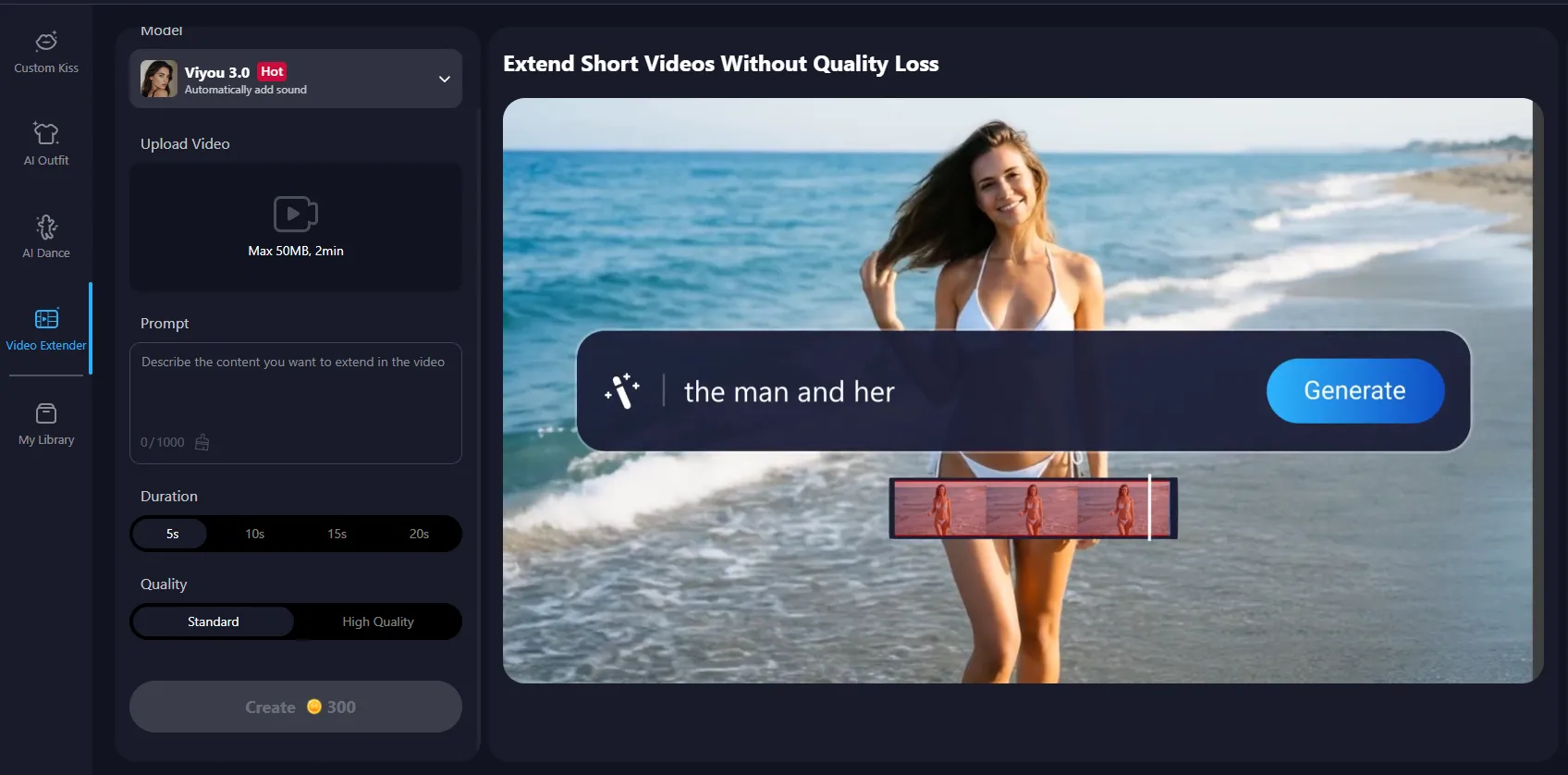
Step 1: Fire Up the Tool
Head over to Viyou AI's website and find their AI Tools section. It's usually in the main menu. Click into it and look for the tool called "AI Video Extender." That’s your goldmine.
Pro Tip: Before you start, have your video ready. For the best results, use a clip that’s already clear and steady. Good lighting in the original = a better-looking extended version.
Step 2: Upload & Set Your Goal
Click "Upload Video" and pick your file. Once it's up, you’ll see the main control panel.
Look for the setting called "Duration" or "Target Length." This is where you decide how long you want the final video to be. If your original is 10 seconds and you want 20, just type in "20s."
Step 3: Describe the Magic (This is the Key Part!)
Now for the fun part—telling the AI what to create. Find the text box labeled "Description," "Prompt," or "What happens next?" Your instructions here make all the difference.
Let's Build an Example Together:
- The Original Clip: A guy is standing in a sunny park, smiling and looking to the right, like he's waiting for someone.
- Your Mission: Add 10 more seconds where someone joins him.
- The Perfect Prompt:
"Seamlessly extend the video. Have a woman in a casual summer dress walk into the frame from the right side where the guy is looking. She walks up to him, they share a happy smile, and then give each other a warm hug. Make sure the lighting, colors, and how they look stay perfectly consistent with the start of the clip."
Why This Prompt Works:
- It tells a clear story: Walk in > approach > smile > hug. It gives the AI a logical sequence to follow.
- It’s specific: "Summer dress," "from the right side." Details help the AI get it right.
- It locks in the style: The line about keeping lighting and colors consistent is crucial for a smooth, high-quality blend.
Hit "Create" and let the AI work its magic. Render time is usually just a few minutes!
Pro Tips & Things to Avoid
Do This:
- Be a director: Use detailed prompts. Instead of "they meet," describe the action.
- Follow the visual clues: Since the guy is already looking right, having the entrance come from that direction feels natural.
- Take baby steps: For longer extensions, try extending it in smaller chunks (like 5 seconds at a time) for more control.
Avoid This:
- Breaking the scene: Don't ask for a beach to appear in a park video. Keep the extension logical.
- Being super vague: Prompts like "make something cool happen" will give you random—and often weird—results.
- Ignoring the edges: If your subject is at the edge of the frame, plan an exit or a panning shot, not a new person popping out of nowhere.
Cool Ideas to Try
Once you've got the basics, get creative!
- Add a plot twist: Extend a conversation scene with someone's surprised reaction to unexpected news.
- Enhance the vibe: Lengthen a landscape shot by having birds fly through or leaves rustling in the wind.
- Change up the pace: Extend a fast dance clip with a slow-motion finish for a dramatic effect.
Bottom Line
The secret to a flawless, longer video is you. Viyou AI's Video Extender is a powerful tool, but your prompt is the director's shout of "Action!". Clear, detailed instructions guide the AI to give you exactly what you imagine—a longer, awesome-looking video that feels like it was always meant to be.