AI Video Generator
 AI Image to Video
 AI Text to Video
 AI Image Generator
 AI Image to Image
 AI Text to Image
 AI Video Generator
 AI Image Effects
 Custom Kiss Generator
 AI Outfit Generator
 AI Dance Generator
 AI Video Extender
 AI Background Remover
'%3e%3cpath%20id='Star%20138'%20d='M25%203L25.8103%205.18973L28%206L25.8103%206.81027L25%209L24.1897%206.81027L22%206L24.1897%205.18973L25%203Z'%20fill='%232CB1FA'/%3e%3cpath%20id='Star%20140'%20d='M6%2024L6.54018%2025.4598L8%2026L6.54018%2026.5402L6%2028L5.45982%2026.5402L4%2026L5.45982%2025.4598L6%2024Z'%20fill='%232CB1FA'/%3e%3cpath%20id='Star%20139'%20d='M26.5%2010L26.9051%2011.0949L28%2011.5L26.9051%2011.9051L26.5%2013L26.0949%2011.9051L25%2011.5L26.0949%2011.0949L26.5%2010Z'%20fill='%232CB1FA'/%3e%3cpath%20id='Rectangle%2034625650'%20d='M14.8525%206.07666C18.3363%206.07674%2021.3822%208.42462%2022.2695%2011.7935L22.9141%2014.2407C23.3874%2016.0383%2025.0132%2017.2915%2026.8721%2017.2915H28.5254L27.7578%2018.7554L26.8223%2020.5396C26.1194%2021.8794%2024.9405%2022.8742%2023.5527%2023.3638L24.6221%2023.8989L22.833%2024.7925L21.3984%2025.5103C17.1972%2027.6109%2012.1194%2026.7374%208.86133%2023.356L8.49121%2023.1323C6.40465%2021.8717%205.45681%2019.3424%206.20117%2017.021L6.8291%2015.062C6.92852%2014.752%207.00215%2014.434%207.04883%2014.1118L7.26074%2012.6479C7.80696%208.8756%2011.0409%206.07666%2014.8525%206.07666Z'%20stroke='%232CB1FA'%20stroke-width='2'/%3e%3cpath%20id='Subtract'%20d='M13.0029%2013.0664C13.4146%2014.2856%2014.5579%2015.1063%2015.8447%2015.1064H19.1768C19.5643%2015.1065%2019.8789%2015.421%2019.8789%2015.8086V17.2734C19.8789%2019.7587%2017.8642%2021.7734%2015.3789%2021.7734C12.8936%2021.7734%2010.8789%2019.7587%2010.8789%2017.2734V15.8086C10.8789%2015.421%2011.1935%2015.1065%2011.5811%2015.1064H12.5664C11.8867%2014.0994%2011.8866%2012.7805%2012.5664%2011.7734L13.0029%2013.0664ZM13.9961%2018.2002C13.9961%2018.7525%2014.4438%2019.2002%2014.9961%2019.2002H15.9961C16.5484%2019.2002%2016.9961%2018.7525%2016.9961%2018.2002H13.9961Z'%20fill='%232CB1FA'/%3e%3c/g%3e%3c/g%3e%3c/svg%3e) AI Character Generator
AI Character Generator Language
  My Library
 Refer & Earn
  Feedback
 Sign Out


 Bring your imagination to life with powerful Viyou AI tools.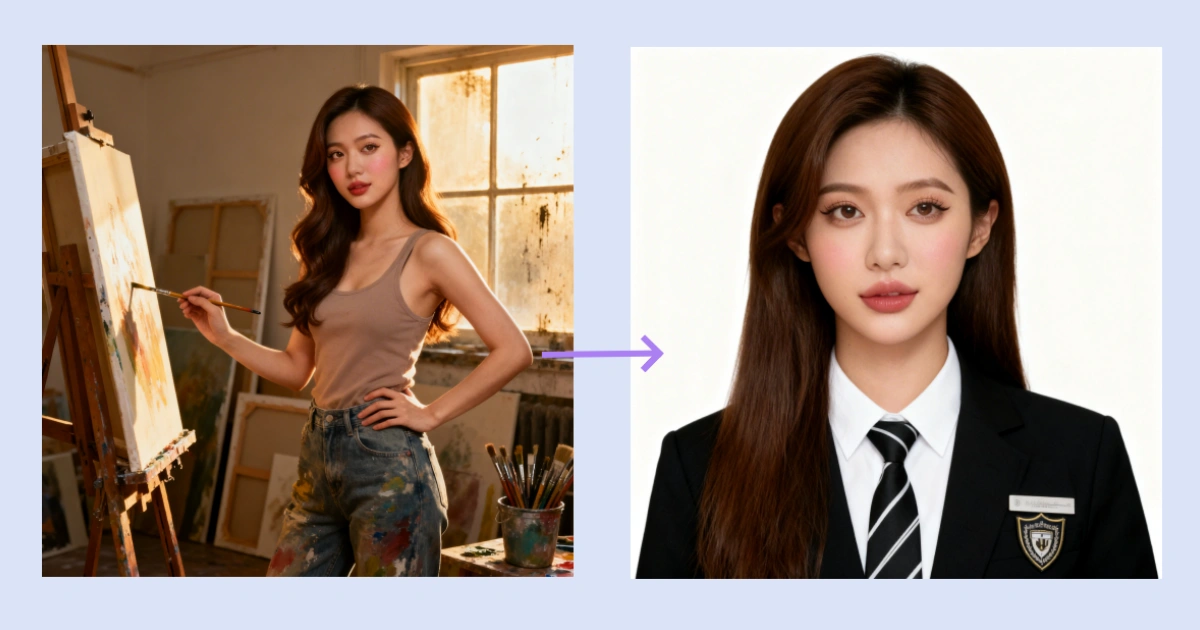
 Contents
It's graduation season. Job applications are flying out, but interviews aren't coming back? Your resume might be solid, but a professional headshot can make all the difference. A lot of us haven't had time to get proper identification photo taken. Or the photos we do have just don't cut it—wrong background, casual clothes, messy hair.
Good news: Viyou AI's "image to image" feature has your back.
Just upload a clear photo of yourself, paste in one of the prompts below, and hit create. The AI handles the rest—fixes the background, swaps your outfit, cleans up your hair, even adds a school logo if you want. Two versions below (one for women, one for men). Copy, paste, done.
How It Works: 3 Steps
1. Open Viyou AI and select the image to image tool.
2. Upload a clear front-facing photo (good lighting, face visible, no weird angles).
3. Copy the right prompt below, paste it in, and click create.
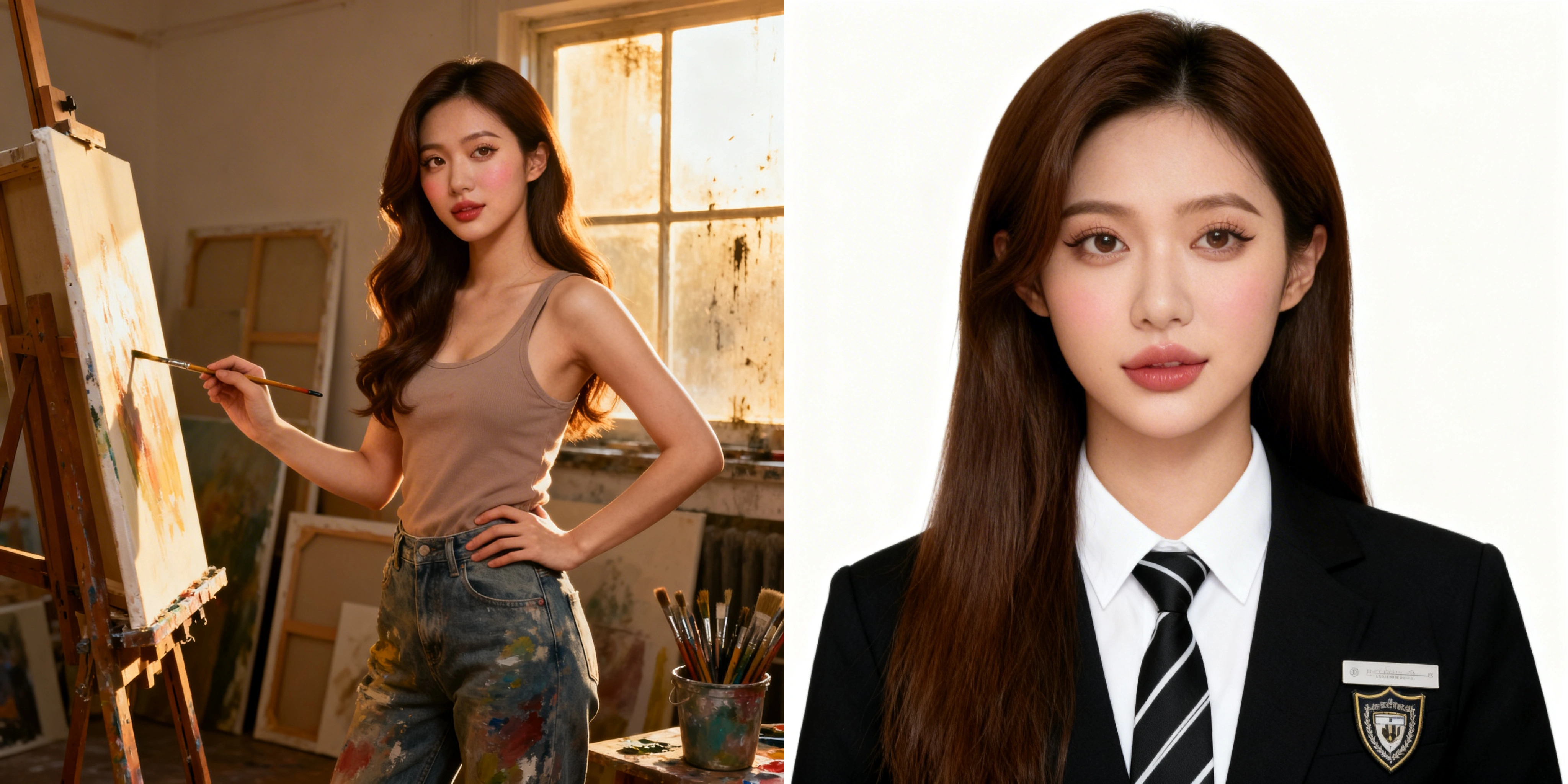
That's literally it. Wait a few seconds, and your new headshot is ready.
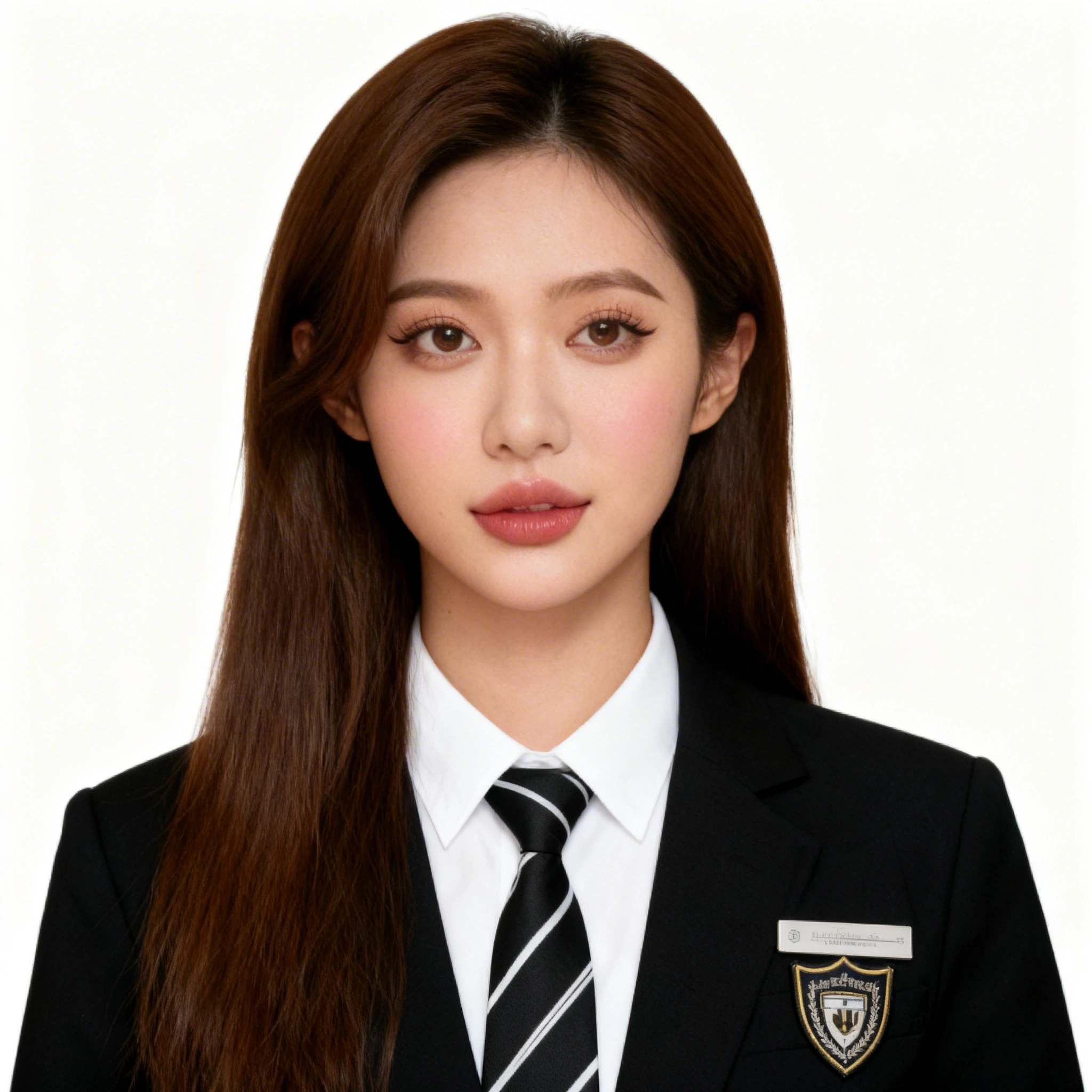
For Women: Copy This Prompt
Take this front-facing photo and turn it into a standard 1-inch ID photo with a clean white background. Make sure the person is sharp, skin tone is even and natural, and there are no harsh shadows. Head size should be properly proportioned to the frame. Both ears need to be visible. Keep subtle, natural makeup. Change my current outfit to a black blazer over a white button-up shirt, with a black-and-white striped tie. Add a name tag on my chest with a school logo (shield design). My hair should stay my natural color, long and straight, falling over one shoulder with a bit of volume—clean, not greasy.
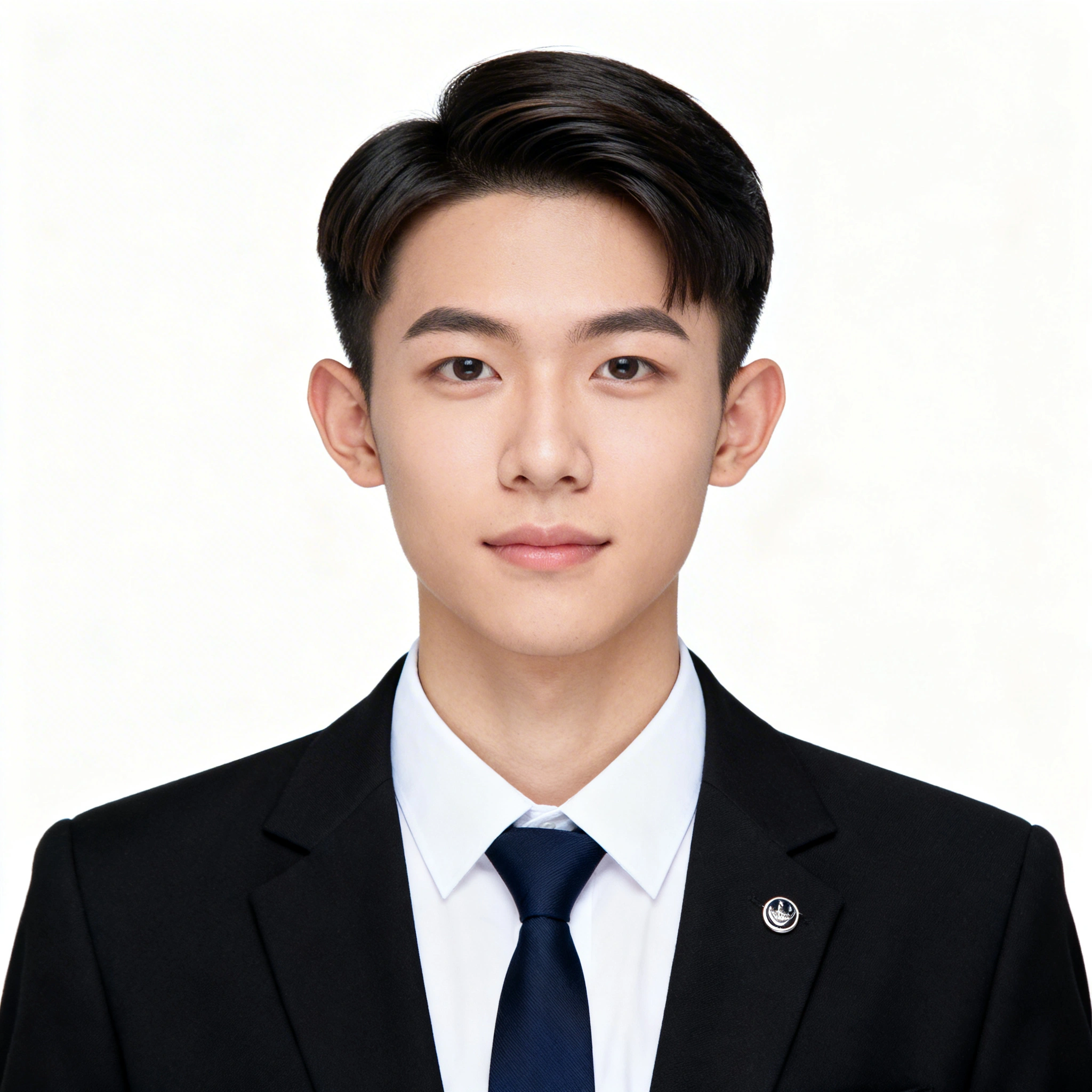
For Men: Copy This Prompt
Take this front-facing photo and turn it into a standard 1-inch ID photo with a clean white background. The face should be sharp with natural, even skin tone and no shadows. Head size should be properly proportioned. Both ears visible. Keep the look clean and professional—minor touch-ups are fine, but don't erase natural features. Change my current clothes to a fitted black blazer with a white dress shirt underneath. Add a solid navy or black tie (Windsor knot preferred). If appropriate, add a simple metal school or company pin on the lapel. Hair should stay my natural color (short), neatly combed back or to the side with forehead visible—clean and sharp.
Quick Tips
- Upload a photo with even lighting and a straight-on gaze. The AI works best when it can clearly see your face.
- Not happy with one part of the result? Tweak the prompt and run it again. Want a different tie color? Change "navy" to "burgundy." Easy.
- Once generated, you can crop the image to standard 1‑inch size or use it directly in resumes and online applications.
Go give it a shot. Let Viyou AI help you put your best face forward this job season.