AI Video Generator
 AI Image to Video
 AI Text to Video
 AI Image Generator
 AI Image to Image
 AI Text to Image
 AI Video Generator
 AI Image Effects

 Bring your imagination to life with powerful Viyou AI tools.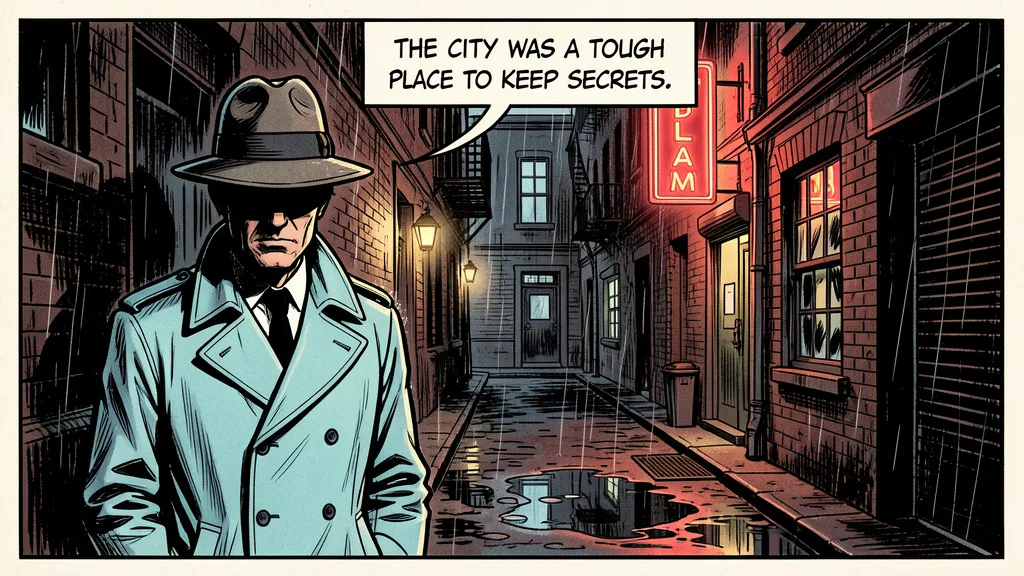
Got a story in your head, but find that single AI images feel flat, disjointed, and fail to capture the flow, emotion, and drama of a scene? You’re not just creating an image—you’re capturing a moment in a narrative. Whether for a comic, a storyboard, or a visual pitch, the challenge is making a static frame feel alive with backstory and tension.
What if you could direct your own visual narrative, generating cohesive panels that look like they’re from the same world, telling your story beat by beat?
The shift you need is from generating an illustration to directing a cinematic panel. With Nano Banana on Viyou AI, you can become a virtual comic artist by describing not just what’s seen, but the story behind it. Here’s how to build your visual story.
The Storyteller's Lens: Beyond a Single Image
A powerful comic panel or storyboard frame is a frozen moment loaded with context. To generate one, you must define:
- Narrative Context: What’s happening before and after this moment?
- Character & Emotion: Who is in the frame, and what are they feeling? Posture and expression are key.
- Composition & Perspective: How is the frame composed to guide the eye and enhance the mood?
- Graphic Style & Lettering: Is it gritty ink, clean anime, or painterly style? How is dialogue or narration integrated?
- Lighting as Emotion: Light sets the tone—harsh shadows for noir, soft glow for romance, chaotic beams for action.
Viyou excels when you provide it with this cinematic, contextual brief, rendering panels rich with implied story.
Your Template for a Storytelling Panel
Forget "a detective in the rain." Here is your director's script template for Viyou AI:
A single [STYLE] comic book panel. [CHARACTER DESCRIPTION] is [ACTION/EXPRESSION] in the [FOREGROUND/MIDGROUND]. The background shows [DETAILED SETTING]. [CAPTION/DIALOGUE POSITION] reads: "[EXACT TEXT]". The lighting is [LIGHTING DESCRIPTION], creating a [MOOD] atmosphere. [ASPECT RATIO].
From Script to Storyboard: A Scene in Action
Let’s adapt a classic noir moment. Watch how depth is added.
The Static Description:
A detective in a trench coat under a streetlight.
Result: A simple, likely generic character portrait with little narrative pull.
The Cinematic Panel:
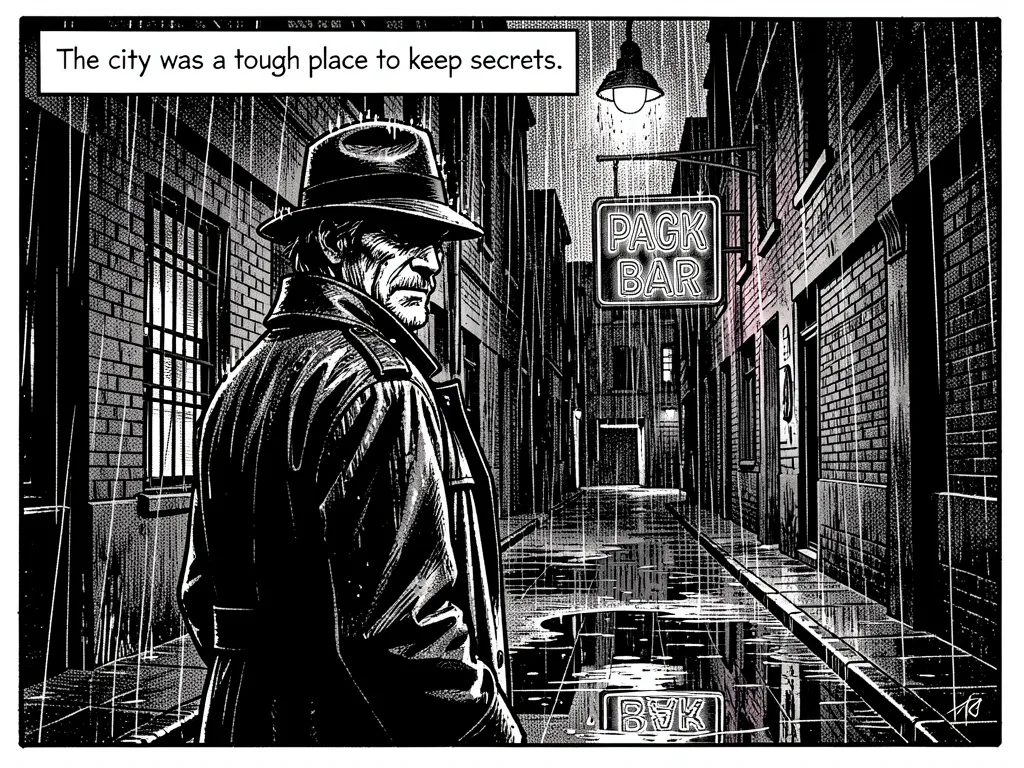
A single gritty, noir-style comic panel with high-contrast black and white inkwork. A weary detective in a rain-slicked trench coat stands in the foreground, his face half in shadow as he glances over his shoulder. The background shows a haunting, rain-drenched alley with the flickering neon sign of a bar reflecting in a puddle. A caption box at the top reads: "The city was a tough place to keep secrets." The lighting is a harsh, single streetlamp from above, casting long, dramatic shadows and creating a mood of paranoia and isolation. Wide 16:9 cinematic aspect ratio.
Why This Builds a World:
- Style as Genre: "Gritty, noir-style... high-contrast inkwork" instantly sets the visual tone.
- Action & Implication: "Glancing over his shoulder" suggests pursuit or fear, adding narrative tension.
- Setting as Character: The detailed alley and reflective puddle build the environment.
- Text Integration: The caption provides the internal monologue, marrying text and image.
- Lighting for Mood: "Harsh, single streetlamp" visually reinforces the themes of exposure and secrecy.
Ready-to-Use Prompts for Your Viyou AI Story
1. Sci-Fi Discovery:
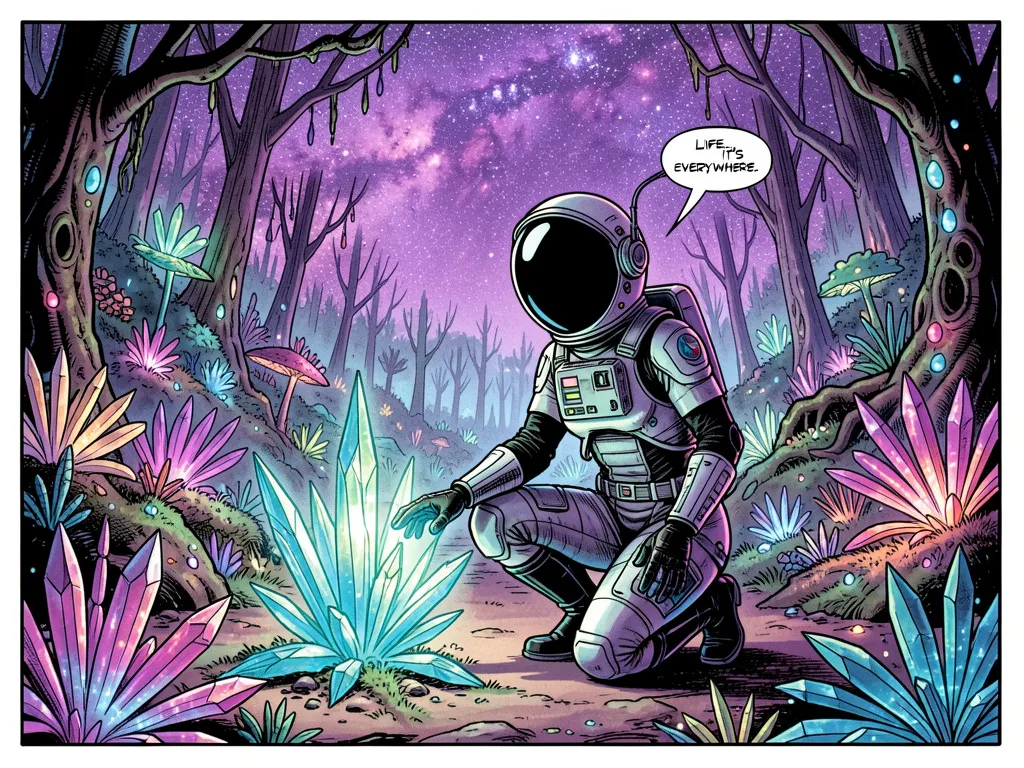
A single wide, detailed sci-fi comic panel in a Moebius-inspired style. An astronaut in a sleek suit kneels in the midground, gently touching a glowing, crystalline alien flora. The background reveals a vast, bioluminescent alien forest under a purple nebula-filled sky. A small dialogue balloon from her helmet radio reads: "Life... it's everywhere." The lighting is the soft, multicolored glow from the flora and nebula, creating a sense of awe and wonder. Cinematic 2.35:1 ratio.
2. Fantasy Confrontation:
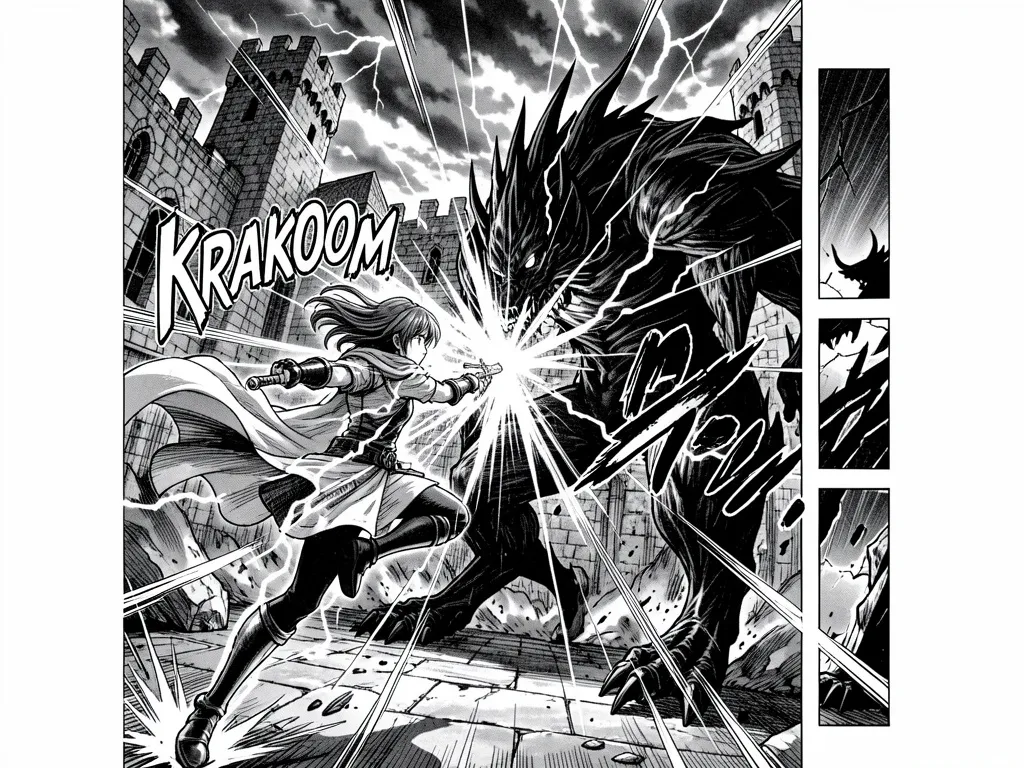
A single dynamic, fantasy battle panel in a style reminiscent of epic manga. A young warrior, magic crackling around her sword, leaps from the foreground toward a towering shadowy beast. The background is a crumbling castle courtyard under a stormy sky. A bold impact sound effect "KRAKOOM" is integrated into the composition near the clash. The lighting is chaotic, from magical bursts and lightning, casting stark, dramatic shadows and creating intense, chaotic energy. Vertical portrait layout.
3. Quiet Emotional Moment:
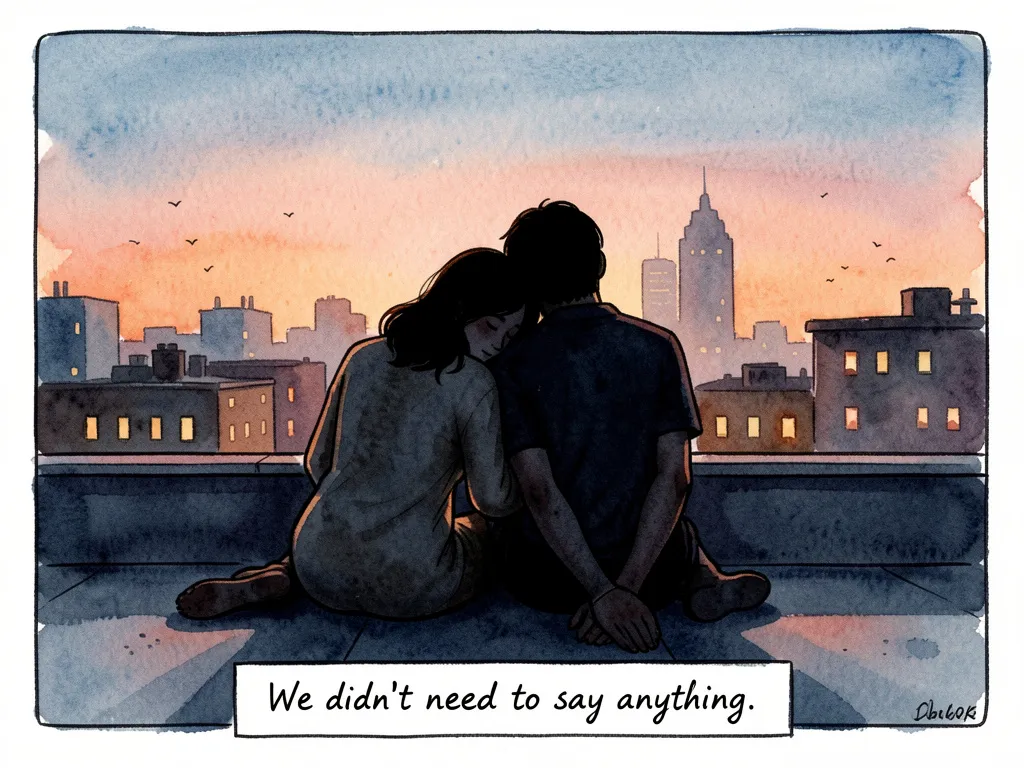
A single intimate, watercolor-style graphic novel panel. Two characters sit close together on a rooftop at dusk, silhouetted against a city skyline, one resting their head on the other's shoulder. The background is soft and painted, with distant lit windows. A handwritten-style narration box at the bottom reads: "We didn't need to say anything." The lighting is the warm, fading twilight, casting everything in soft blues and oranges and creating a deeply peaceful, melancholic mood. Square composition.
Your Viyou AI Storyboarding Toolkit: Pro Tips
- Define a Consistent Style: For a multi-panel sequence, start your prompt with “In the same [style description] as the previous panel...”.
- Direct the "Camera": Use "low angle to make the hero look powerful," "extreme close-up on the eyes," "wide establishing shot," or "Dutch angle for tension."
- Integrate Graphic Elements: Command where the text goes: "caption box at the top," "whisper tail from off-panel," "bold sound effect overlapping the action."
- Control the Pace: Use detailed, crowded panels for action or intensity. Use minimalist panels with ample negative space for pauses, reveals, or emotional beats.
- Sequence Your Prompts: Write your story beat by beat. Generate Panel 1, then use its description as a base for Panel 2 to ensure visual continuity.
Stop Creating Random Images. Start Directing Your Story.
Stop struggling to connect disjointed visuals. Start building compelling, consistent narratives frame by frame.
Open Viyou AI, and use the storyteller’s template. Storyboard your film script, draft your comic’s key scene, or visualize a pivotal moment for your novel—all with the control of a director and the consistency of a seasoned artist.
Your next great story isn't just written. It's waiting to be drawn. Frame it.