AI Video Generator
 AI Image to Video
 AI Text to Video
 AI Image Generator
 AI Image to Image
 AI Text to Image
 AI Video Generator
 AI Image Effects

 Bring your imagination to life with powerful Viyou AI tools.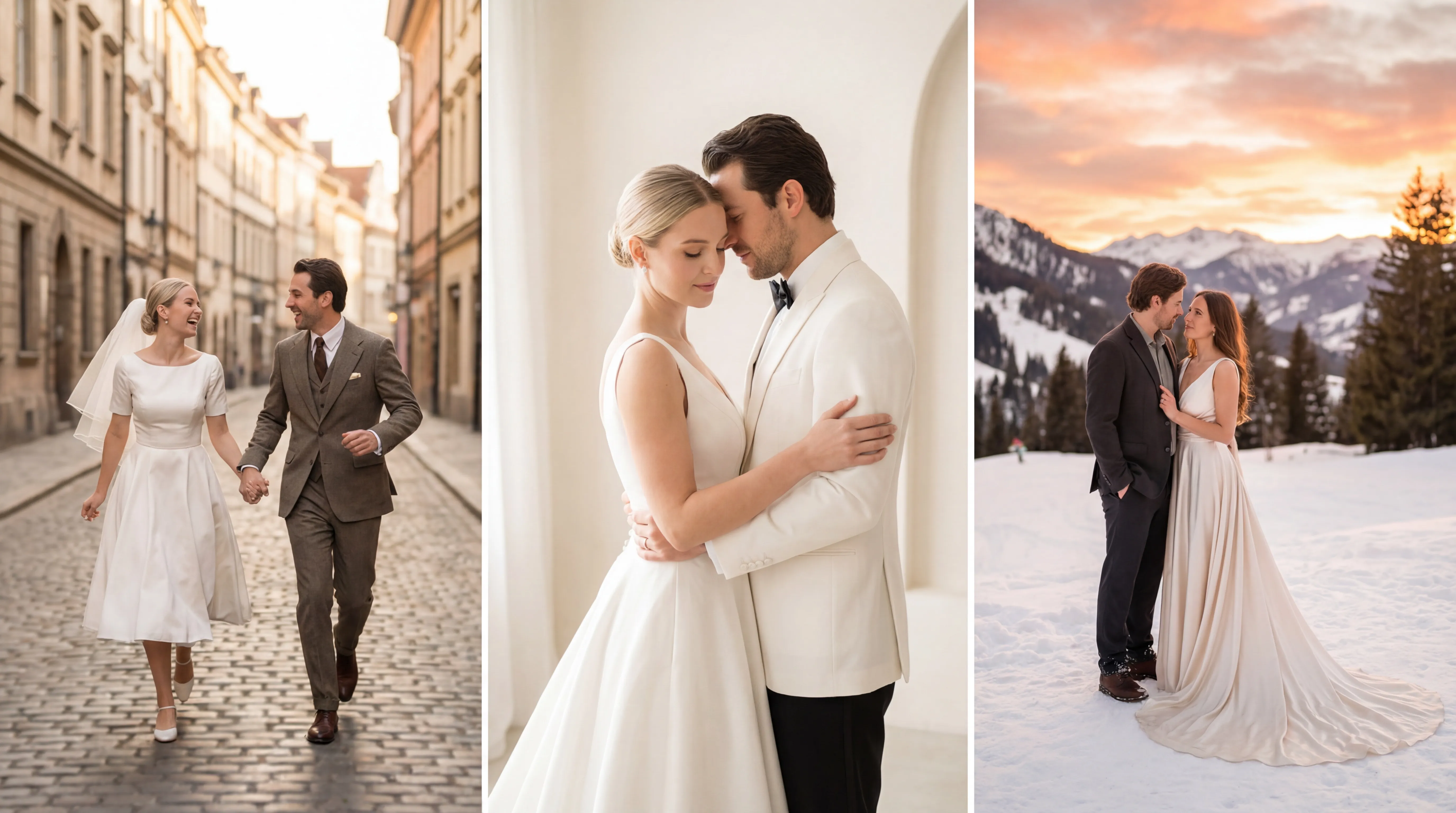
Tired of the same old studio backdrops? Dream of saying “I do” under the Eiffel Tower, in a shower of cherry blossoms, or beneath a galaxy of stars, but held back by reality? Now, you can visualize it all.
This is your guide to co-creating with Viyou AI image generator. By combining a simple photo of you two with a descriptive text prompt, you can generate breathtaking, one-of-a-kind wedding portraits that place you inside any scene you can imagine. This isn't just a filter—it's a collaborative art project.
How It Works: Your Likeness + Viyou’s image to image
This technology is like having a digital painter who uses your photo for reference. You provide a clear picture, and the AI learns your faces, expressions, and stance. Then, you write a "prompt"—a creative brief—describing the new world you want to inhabit. The AI blends the two, painting you into your fantasy.
The process has three simple parts: Prepare, Describe, and Refine.
Step 1: Prepare Your Source Photo (The Foundation)
The better the photo, the better the result. Follow these rules:
- Clear Faces: Use a well-lit, high-quality headshot or full-body photo where both faces are clearly visible. Avoid heavy shadows, extreme filters, or exaggerated expressions.
- Simple Background: A plain wall or uncluttered background is best. Busy backgrounds can confuse the AI.
- Pose Smartly: A classic pose of you two standing close, looking at each other or the camera, works universally. Make sure you're both well-framed.
- Format: JPG or PNG files usually work. Having 2-3 photos from different angles can help the AI learn your features better.
Step 2: Craft Your Creative Prompt (The Magic Spell)
Your prompt is the instruction manual. A great one is specific and vivid:
- The Core Action: Start with what you're doing. "Generate a wedding portrait where the couple is..."
- The Scene & Setting: Describe the backdrop. "...standing in front of a snow-covered, serene Kyoto shrine"/ "...floating within a vast, glittering nebula."
- Attire & Style: Define what you're wearing. "...wearing elegant traditional Chinese cheongsam and a Zhongshan suit" / "...in sleek, futuristic silver gowns that seem to flow with light."
- Lighting & Mood: Set the emotion. "Bathed in the warm, golden glow of late afternoon sun filtering through leaves, creating a nostalgic, intimate mood" / "Illuminated by the eerie glow of the northern lights, for a dreamlike and epic feel."
- Artistic Style & Quality: Name the look. "Cinematic film still style, with shallow depth of field and a film grain texture" / "Studio Ghibli-inspired animation style, with soft, bright colors."
- Formula in Action: A wedding portrait of a couple [action], in [scene], wearing [attire]. The scene is lit with [lighting], creating a [mood] atmosphere. Rendered in the style of [artistic style], high quality.
Your Inspiration Library: 4 Prompt Themes to Customize
Copy these prompts and swap the words in italics to make them your own.
The Timeless & Romantic Portrait
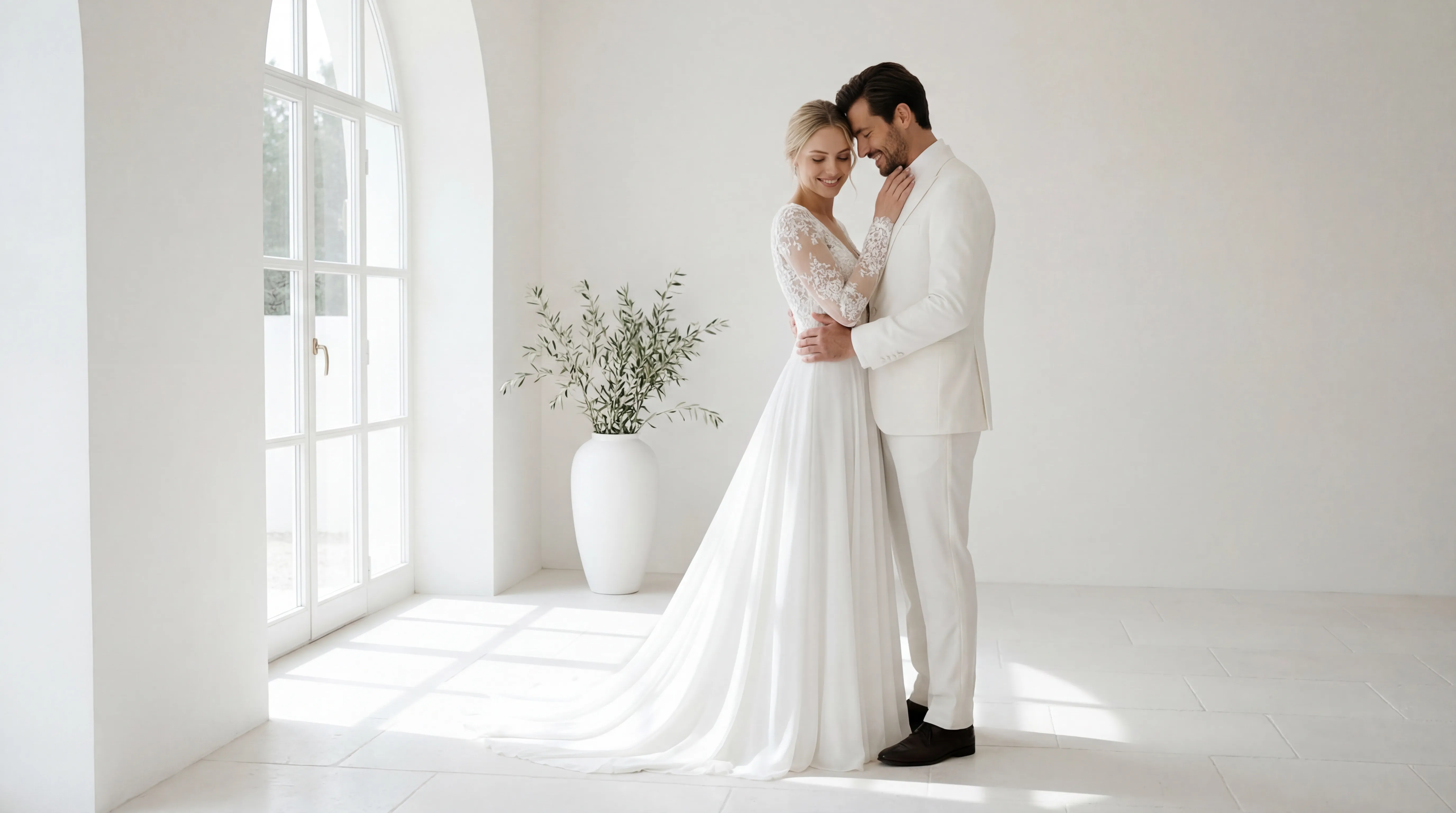
A classic, romantic wedding portrait. A gorgeous shot of a happy couple—she’s in a lace wedding dress, he’s in a sharp white suit—sharing a quiet, close moment in a bright, airy studio. Soft light is streaming in, catching the details in her veil and his smile. Think classic, glowing, and totally in love.
The Epic Adventure Shot
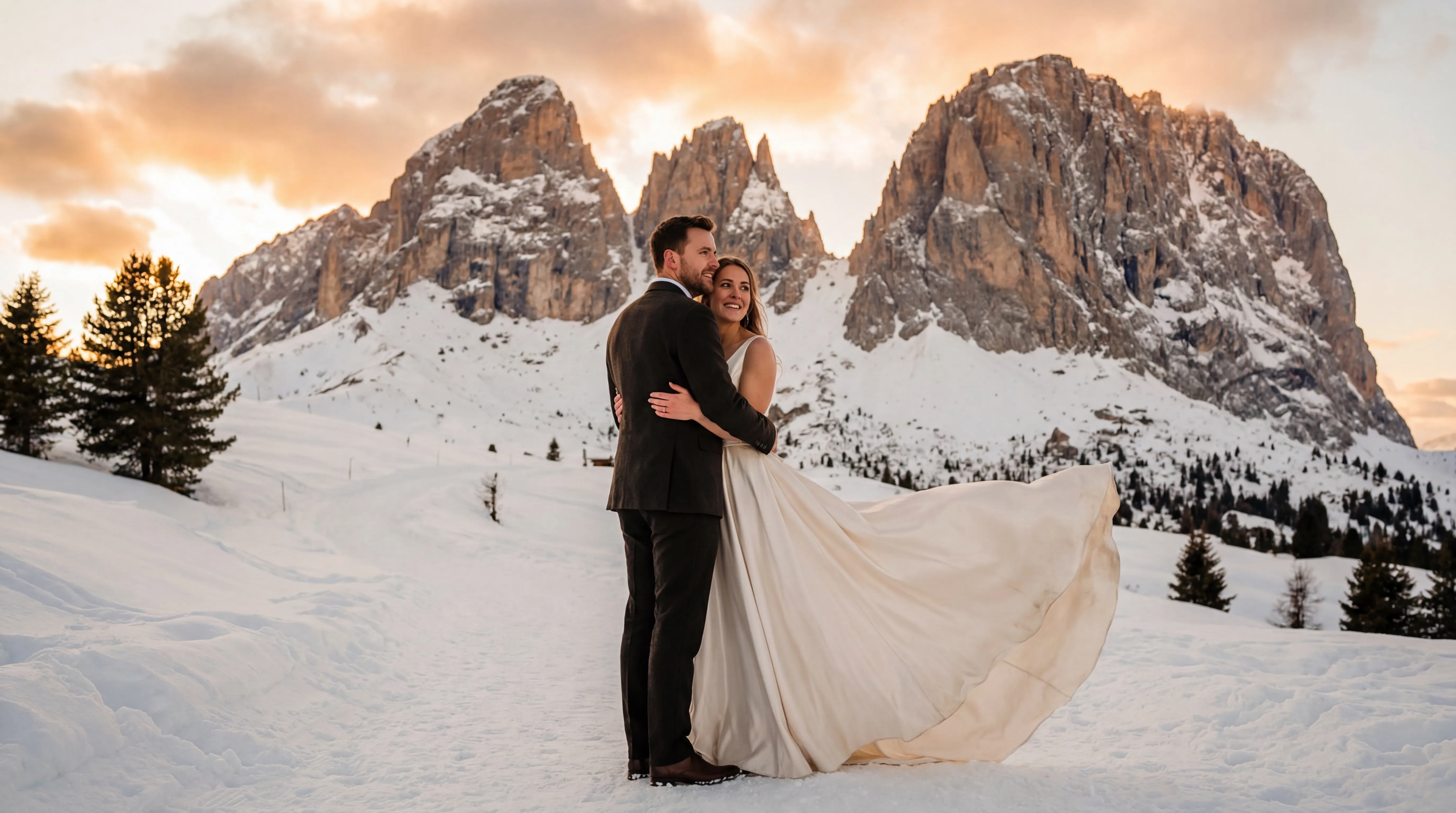
Wide-angle cinematic photo of a couple standing by a crystal-clear lake with huge snow-capped mountains behind them. She’s in a flowy gown, he’s in a relaxed suit, and the sun is breaking through the clouds like a spotlight. Total wanderlust goals.
Old-School Street Style
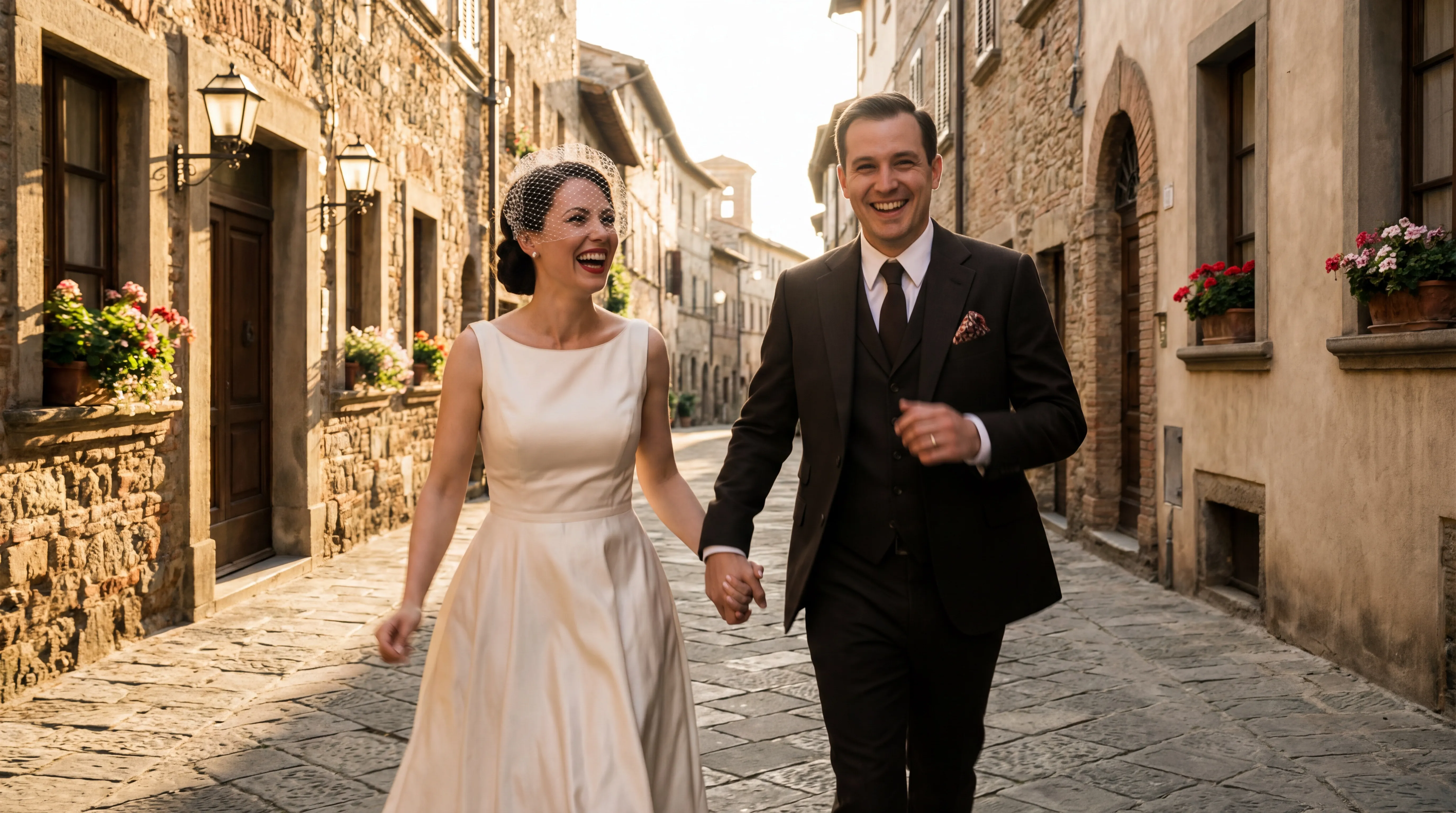
1950s-inspired photo of a joyful couple laughing and running down a cobblestone street in Paris. She’s got a vintage-style dress and a short veil; he’s rocking a classic suit. Feels like a snapshot from a old film—grainy, real, and full of joy.
Step 3: Generate, Refine & A Note on Ethics
1. Generate First: Upload your photo, paste your prompt, and create. The first results are a starting point.
2. Refine the Magic: This is key. Based on the output, tweak your prompt.
- Not looking like you? Emphasize likeness: Add: "Please strictly maintain the facial features and hairstyles from the original photo."
- Wrong scene? Change keywords: Swap "castle" for "a cozy cabin in a deep forest."
- Style off? Specify style: Add references like "Annie Leibovitz photography" or "oil painting brushstrokes."
3. Ethics & Use:
- Credit the Process: These are AI-assisted digital artworks. When sharing, it's good practice to mention they were created with AI.
- For Inspiration & Keepsakes: They are perfect for wedding inspiration, save-the-date cards, or a unique personal memento. They are not a replacement for a professional photographer's work, but a fantastic, creative complement.
Related Wedding Prompt Pages
Unlock the infinite possibilities of your love story. Start with a simple snapshot, describe your dream, and co-create a beautiful image that breaks the bounds of reality. This is more than tech—it's a shared, romantic experience of imagining your "what if" together.