AI Video Generator
 AI Image to Video
 AI Text to Video
 AI Image Generator
 AI Image to Image
 AI Text to Image
 AI Video Generator
 AI Image Effects

 Bring your imagination to life with powerful Viyou AI tools.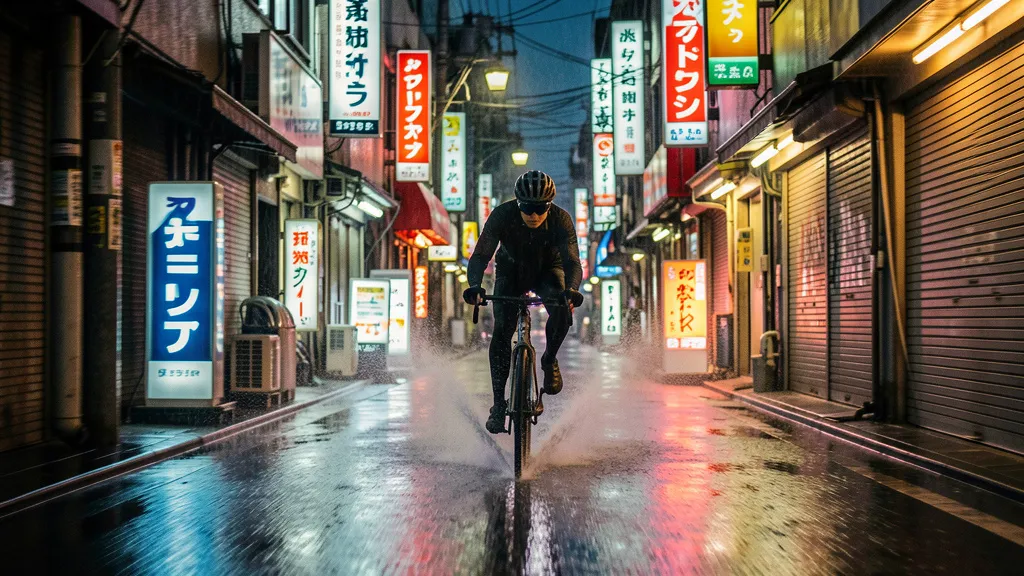
Ever spent ages tweaking an AI prompt, only to get an image that screams "digital art" when you needed a photograph? You’re not alone. One of the biggest frustrations with AI image generation is that synthetic, plasticky look—the telltale sign that what you’re looking at was made by a machine, not captured by a lens.
What if you could change that? What if you could generate images with the depth, texture, and soul of real photography?
The secret isn't adding more fancy style keywords. It’s changing how you think. Stop acting like a prompt engineer. Start thinking like a photographer.
On Viyou AI, with the powerful model, you can do exactly that. Here’s how to unlock photorealistic results by describing your scene like a pro behind the camera.
The Photographer's Mindset: It's All About Light, Lens, and Moment
Photography isn't just about pointing and shooting. It's a series of deliberate choices:
- Composition: What's in the frame, and where?
- Lighting: Where is the light coming from? What's its quality (hard, soft, warm, cool)?
- Lens Choice: Are you using a wide-angle to capture a scene or a telephoto to compress a portrait?
- Moment & Detail: What's the subject doing? What small texture or action tells the story?
Nano Banana understands this language. When you feed it a detailed, photographic scene description, it renders an image with remarkable realism.
Your Blueprint for Realism
Forget "photorealistic portrait of an old man." Here’s the structured template you can use right now in Viyou AI:
A photorealistic [SHOT TYPE: close-up, medium shot, wide shot, etc.] of [SUBJECT & ACTION], set in [ENVIRONMENT/DETAILED SETTING]. The lighting is [SPECIFIC LIGHTING DESCRIPTION], creating a [MOOD/ATMOSPHERE]. Shot on a [LENS & SETTINGS] to emphasize [KEY DETAIL OR TEXTURE]. [ASPECT RATIO].
Let's break down why each part matters and see it in action.
From Template to Masterpiece
Let's create a powerful character portrait. We’ll move from a basic prompt to a photographer’s brief.
The Basic Prompt (The "What"):
An old potter in a workshop.
Result: A generic, likely cartoonish or 3D-rendered image of a person with clay.
The Photographer's Prompt (The "How" & "Why"):
A photorealistic close-up portrait of an elderly Japanese ceramicist, his face a map of deep, earnest wrinkles, wearing a warm, knowing smile as he gently inspects the glaze on a freshly fired tea bowl. The scene is his sun-drenched, rustic workshop, with shelves of raw pottery in the background. The lighting is soft, golden-hour sunlight streaming through a dusty window, highlighting the fine, granular texture of the clay on his fingers and the subtle gloss on the bowl. Shot with an 85mm f/1.8 portrait lens to create a beautiful, soft bokeh effect behind him, isolating the subject. The overall atmosphere is one of quiet mastery and profound focus. Vertical portrait composition.
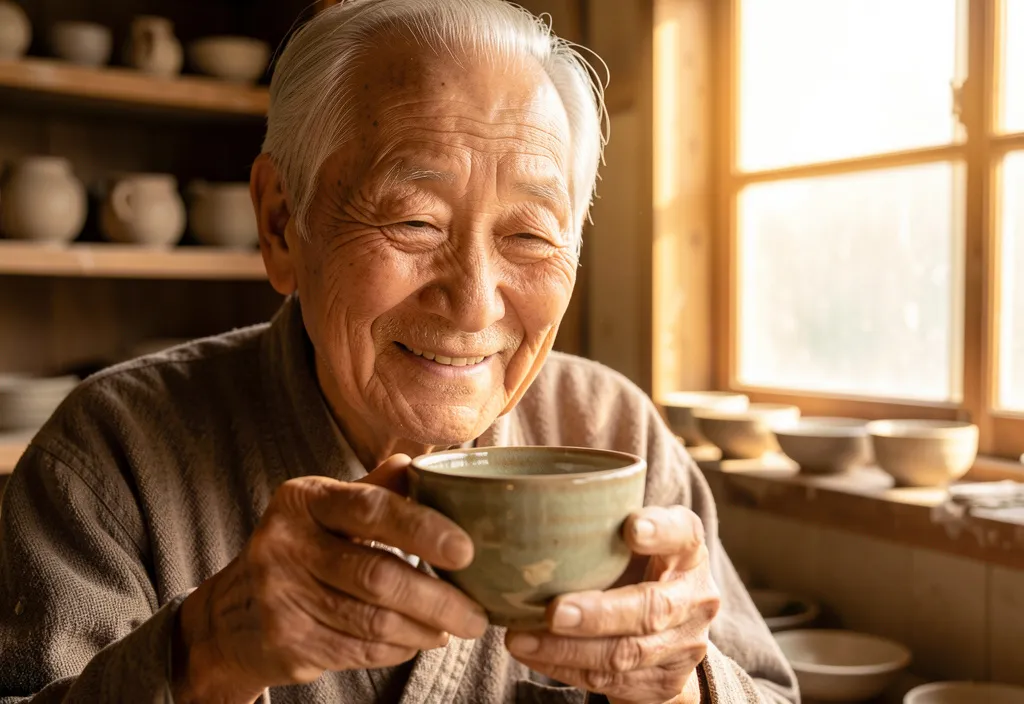
What changed?
- Shot Type & Subject: "Close-up portrait" tells the model the framing.
- Action & Detail: "Inspecting the glaze" adds a specific, human moment. "Granular texture of the clay" gives it tactile realism.
- Lighting & Mood: "Soft, golden-hour sunlight" is a specific, cinematic lighting condition that creates warmth and depth.
- Lens & Effect: "85mm f/1.8… soft bokeh" uses photographic terminology to control focus and background rendering.
- Atmosphere: "Quiet mastery" guides the emotional tone of the image.
This is the difference between describing an object and directing a scene.
More Prompts to Try in Viyou AI
Apply the template to any genre:
1. Dramatic Landscape:
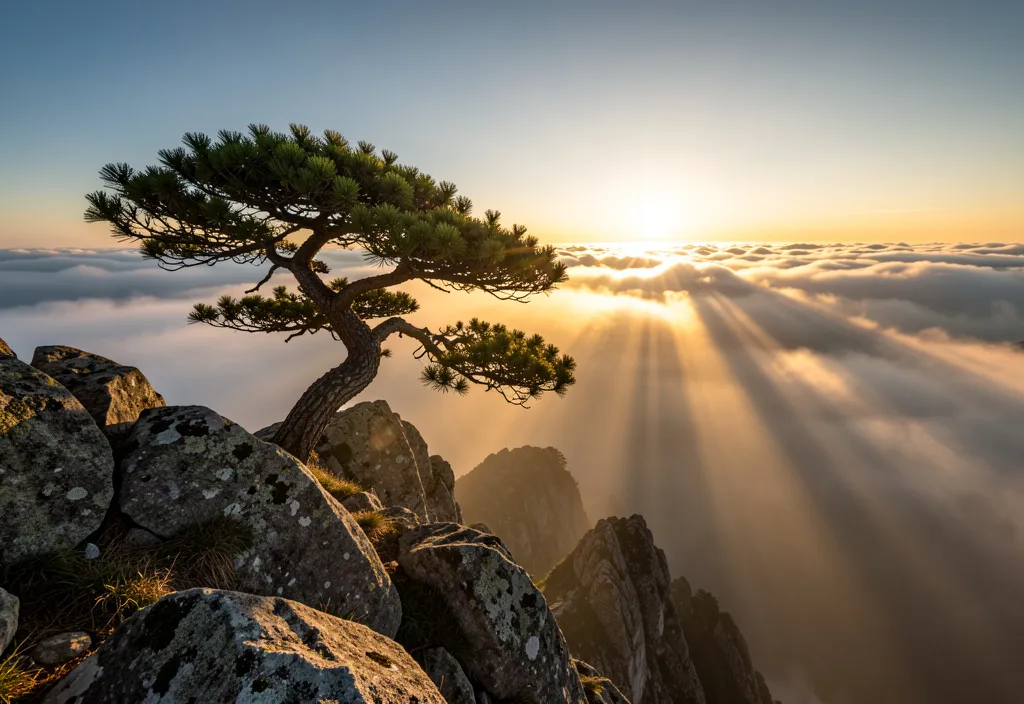
A photorealistic wide-angle landscape shot of a lone, gnarled pine tree clinging to a cliff's edge at dawn. The lighting is the first piercing rays of the sun breaking through low, misty clouds, creating long, dramatic shadows and a sense of immense scale. Shot on a 24mm lens at a small aperture for deep focus, emphasizing every rock and needle on the tree. Cinematic 16:9 ratio.
2. Dynamic Street Photography:
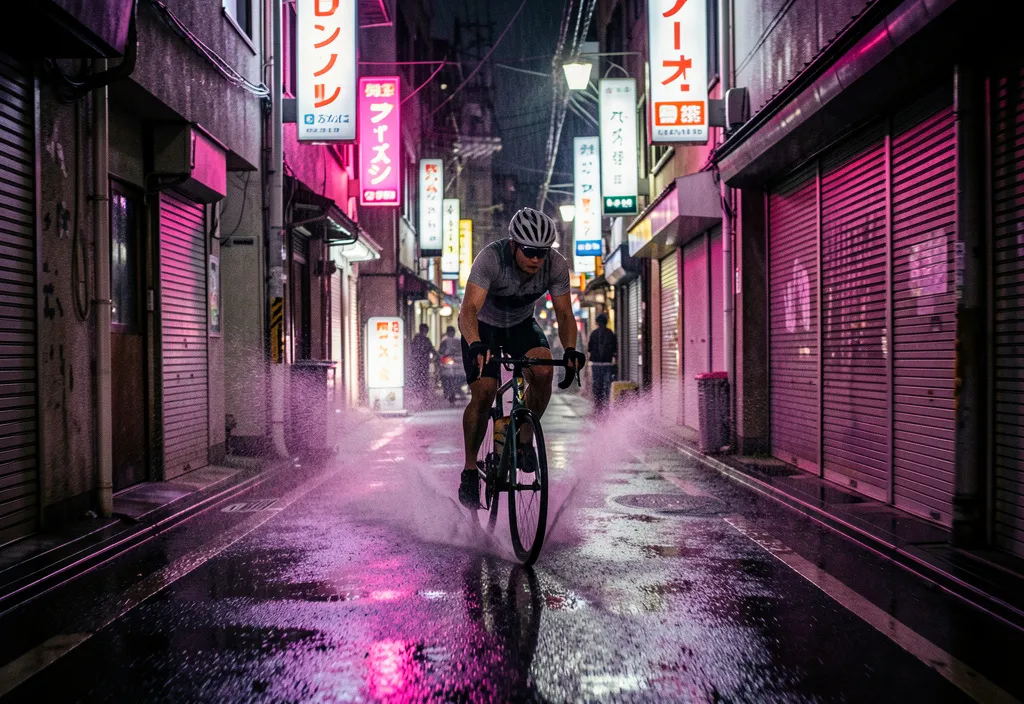
A photorealistic, candid street photo of a cyclist zipping through a rain-slicked alley in Tokyo at night. The lighting is the neon glow of vibrant signs reflecting off the wet pavement, with highlights catching the spray from the bike's wheels. Shot with a 35mm lens at a slightly slower shutter speed to introduce a subtle motion blur, conveying speed and energy. Moody, atmospheric feel. Square crop.
3. Product Detail Shot:
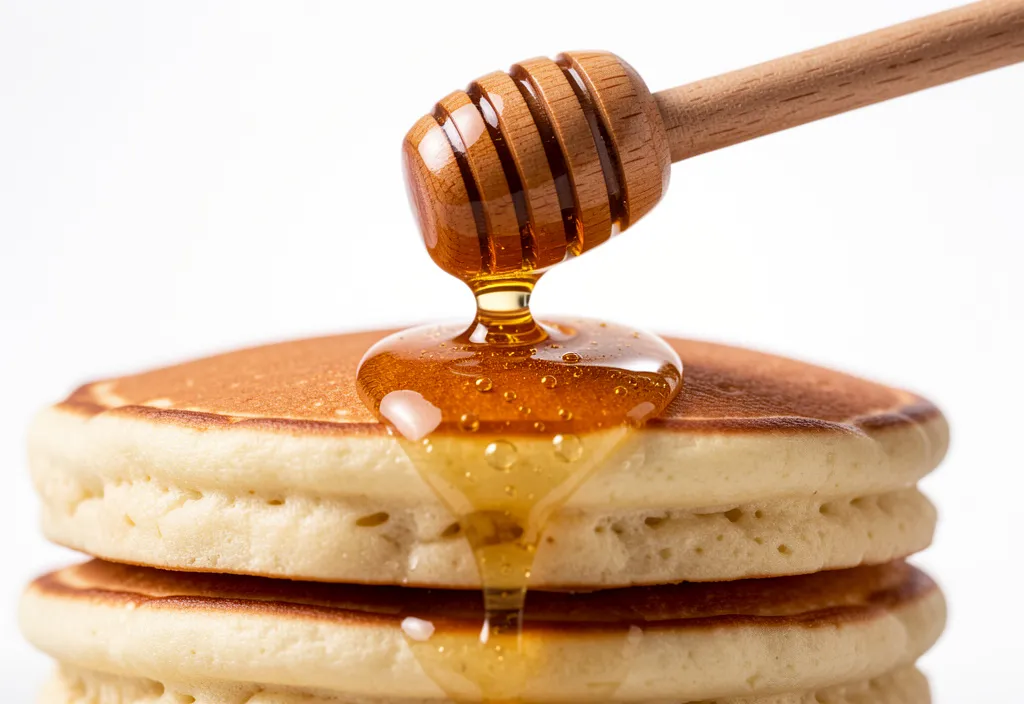
A photorealistic macro shot of a single drop of honey falling from a wooden dipper onto a stack of pancakes. The lighting is a bright, diffused studio light from above, making the honey droplet glow and refract light, with crisp detail on the bubbles inside the syrup and the fluffy texture of the pancakes. Shot on a 100mm macro lens, extreme close-up, focus stacked for perfect sharpness. Appetizing and hyper-realistic. 1:1 ratio.
Pro Tips for Your Next Viyou AI Session
- Be Specific with Light: Use terms like “backlight,” “rim light,” “dappled light,” “overcast diffused light,” or “candlelit.”
- Name the Lens: “Wide-angle (16mm),” “standard (50mm),” “telephoto (200mm),” “tilt-shift.” Each creates a different visual perspective.
- Direct the “Camera”: Use phrases like “shot from a low angle,” “bird’s-eye view,” “over-the-shoulder perspective.”
- Prioritize Texture: Mention “weathered wood,” “crumbling plaster,” “dewy skin,” “steaming liquid,” “frosted glass.”
Ready to See the Difference?
Stop settling for images that look “AI-generated.” Start creating images that look captured.
Head to Viyou AI, select the Nano Banana model, and paste one of the prompts above. Then, try building your own scene from the ground up, thinking like a director of photography. Describe the light, choose the lens, and capture the moment.
The most realistic image you generate today is just one detailed prompt away.