AI Video Generator
 AI Image to Video
 AI Text to Video
 AI Image Generator
 AI Image to Image
 AI Text to Image
 AI Video Generator
 AI Image Effects

 Bring your imagination to life with powerful Viyou AI tools.
 Contents
Image-to-video sounds simple: upload an image → type a prompt → get a video.
But in reality, most users face the same problems:
- The motion looks random
- The subject suddenly changes face or body
- The video feels like a slightly moving picture instead of a real animation
- The background becomes blurry or unrealistic
- The result looks nothing like what you imagined
The truth is: Kling 3.0 works extremely well — but only if your prompt is written correctly.
Why Prompts Matter So Much for Image-to-Video
Unlike text-to-video, image-to-video models already have a visual reference. That means your prompt is not describing the subject — it is telling the model how the image should move.
If the prompt is vague, Kling 3.0 will try to “guess” the motion, and the result often looks unnatural.
A good prompt must clearly control:
- Motion style
- Camera movement
- Scene atmosphere
- Animation realism
- Body movement (if the image contains a person)
The Perfect Kling 3.0 Prompt Structure
You don’t need long paragraphs. What you need is a structured prompt.
Use this format:
Subject movement + Camera movement + Scene details + Motion quality + Atmosphere
Here’s an example:
A beautiful woman gently turning her head and smiling, soft hair movement in the wind, cinematic camera slowly zooming in, realistic lighting, natural body motion, smooth animation, ultra-realistic video style
This works much better than something simple like:
make her move naturally
Example 1 — Realistic Character Animation
Use this when you want the person in the image to look alive instead of looking like a moving photo.
Copy-and-paste prompt:
The character slowly breathing and blinking naturally, subtle head movement, soft facial expression, gentle hair movement, realistic body motion, cinematic lighting, smooth and natural animation, ultra realistic video style, high detail
This prompt is perfect for:
- AI character photos
- Portrait images
- Fashion photography style images
- AI girlfriend style characters
Example 2 — Dance / Motion Animation
One of the most popular uses of Kling 3.0 is turning a still image into a dancing video. The key is to avoid “random movement” and make the motion look controlled.
Copy-and-paste prompt:
The girl performing a smooth dance movement, natural body motion, arms moving gracefully, slight body rotation, hair flowing naturally, cinematic camera tracking movement, realistic lighting, smooth animation, high-quality realistic video motion
This works especially well for:
- Full-body character images
- Fashion photos
- Stylish character designs
- Realistic female characters
Example 3 — Cinematic Shot Animation
If you want the video to feel like a movie shot instead of a social-media clip, the camera movement matters more than the character movement.
Copy-and-paste prompt:
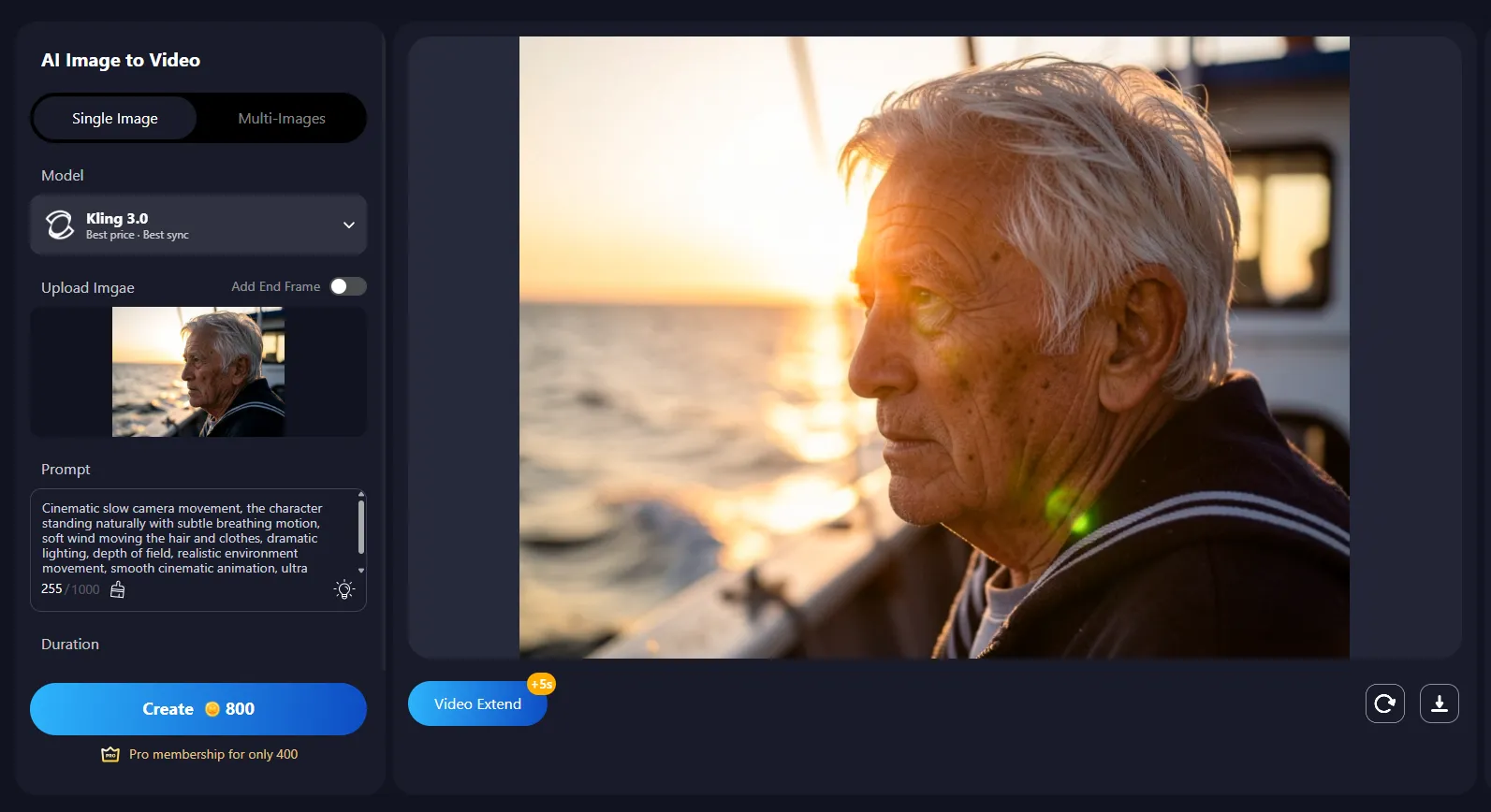
Cinematic slow camera movement, the character standing naturally with subtle breathing motion, soft wind moving the hair and clothes, dramatic lighting, depth of field, realistic environment movement, smooth cinematic animation, ultra realistic film style
Perfect for:
- Dramatic portraits
- Movie-style characters
- Fantasy characters
- High-detail AI images
The 5 Most Common Prompt Mistakes
If your results look strange, it’s usually because of one of these:
1. Asking for too much movement
Too much movement = unrealistic animation.
2. Not controlling the camera
If you don’t describe the camera, the model makes random choices.
3. Writing prompts that are too short
“make her move naturally” is not enough.
4. Forgetting motion quality keywords
Words like these matter a lot:
- smooth animation
- natural body motion
- realistic movement
- cinematic lighting
- high-quality video motion
5. Mixing too many ideas
Don’t ask for dancing + running + smiling + dramatic camera + wind + explosions in one prompt.
A Universal Prompt You Can Use Anytime
If you only want one prompt that works almost every time, use this:
Natural realistic motion, subtle breathing and blinking, soft head movement, gentle hair movement, cinematic camera slowly moving, realistic lighting, smooth animation, natural body motion, ultra realistic video style, high detail
You can use this for:
- Portrait photos
- AI characters
- Fashion images
- Anime-style realistic characters
- Social media content
Final Tips to Get Better Results With Kling 3.0
If you want consistently high-quality image-to-video results:
- Start with subtle motion first, then increase movement gradually
- Use cinematic keywords instead of random descriptions
- Avoid overly complex prompts
- Focus on realism, not dramatic effects
- Test small variations of the same prompt
Conclusion
Kling 3.0 is powerful — much more powerful than most users realize. The difference between a bad result and a cinematic-quality video is usually just the prompt.
Instead of guessing what to write, use structured prompts and ready-to-use templates like the ones above. Once you learn the pattern, you’ll be able to turn almost any image into a realistic animated video.