AI Video Generator
 AI Image to Video
 AI Text to Video
 AI Image Generator
 AI Image to Image
 AI Text to Image
 AI Video Generator
 AI Image Effects

 Bring your imagination to life with powerful Viyou AI tools.
 Contents
As artificial intelligence technology continues to integrate into daily learning scenarios, AI image generation, with its advantages of convenience, diversity, and efficiency in creation, has become an important auxiliary tool for contemporary students' academic creations. Today, I would like to recommend Viyou.AI. Whether it is for course design creation, topic presentation display, or creative homework, project plan beautification, its text-to-image technology can adapt to various academic scene needs and add new ideas to traditional learning creation methods. This article, based on students' real academic scenarios, has sorted out ten innovative application approaches of artificial intelligence image generation technology, helping everyone reasonably utilize AI tools to optimize the learning process, enrich the form of work presentation, and efficiently complete various academic project creations.
👍Ten common usage scenarios instructions (can be directly copied and used)
1.English Literature Class (ELA): Prepare a reading report on "The Great Gatsby" or "Macbeth".
Specific scenario: The teacher asks to analyze the core symbols or scenes in the book. If you simply search for images on Google, all you'll get are reused movie screenshots from others, lacking any originality.
Specific approach: Transform the classic quotes or scene descriptions from the book into prompts.
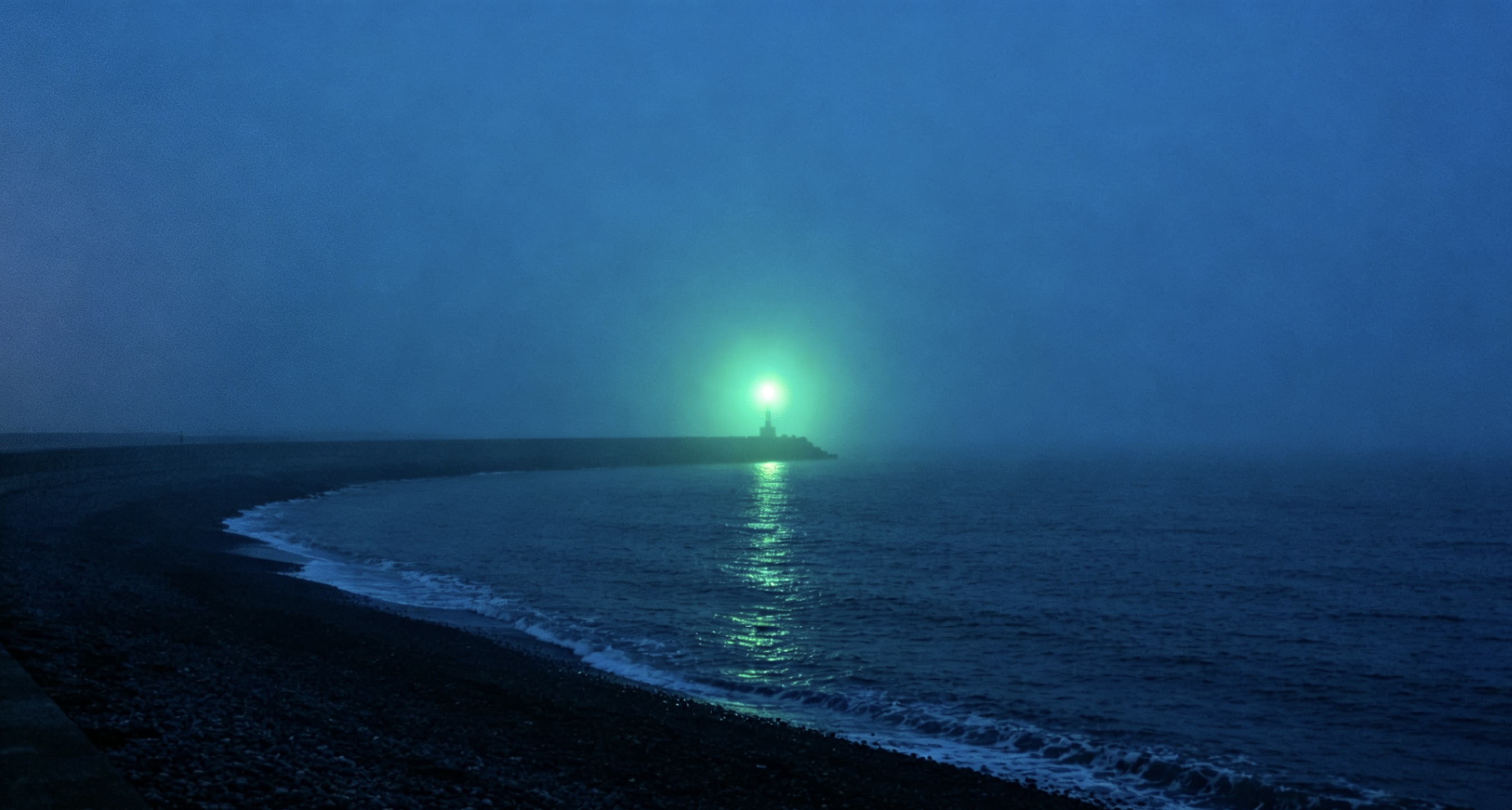
A dramatic wide shot of a green light shining across a dark, foggy bay at night, minimalist and moody, in the style of a 35mm film photograph.
Assignment presentation: You will receive an exclusive image with high quality texture that perfectly matches the mood of the novel. Place it on the front page of your Google Slides presentation, instantly elevating the overall tone of your presentation.
2.AP American History / World History Class: Create a physical poster about "The Roaring Twenties"
Specific Scenario: Your group needs to create a tri-fold board about the daily life of the working class in Chicago during the 1920s. However, it is extremely difficult to find high-quality historical photos of ordinary people from that era online.
Specific Approach: Let the AI help you restore a realistic historical document-like photo:
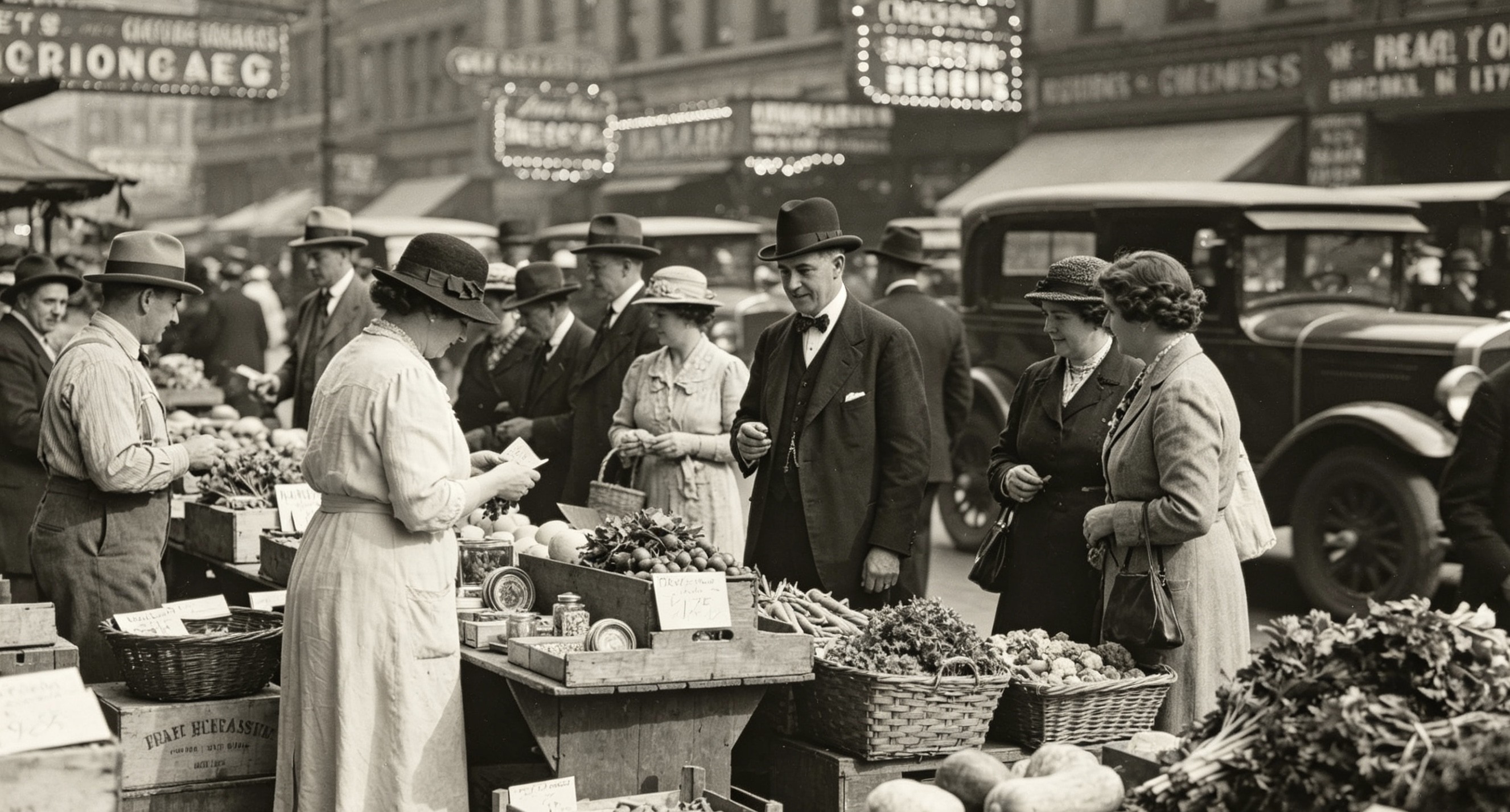
A candid, black-and-white documentary photograph of a bustling 1920s Chicago street market, ordinary people in vintage clothes, authentic historical details, grainy film texture.
Assignment Presentation: Print out these high-definition historical restoration photos and attach them to your display board. This will give your group assignment an amazing "time-traveling" feeling.
3.Biology/Chemistry Class: Presenting Experimental Reports at a Science Exhibition
Specific Scenario: You need to explain a complex microscopic process (for example: how T cells attack viruses), but the dry 2D diagrams in the textbook are difficult to capture the attention of the judges on the exhibition boards.
Specific Approach: Give the dull scientific concepts a futuristic visual makeover:
A 3D sci-fi medical illustration of a T-cell engaging a virus molecule, glowing neon proteins, dark background, cinematic lighting, ultra-detailed biology concept art.
Assignment Presentation: Print this picture as the cover of the experimental report, or stick it in the very center of the Science Fair display board. It will definitely catch the judges' attention.

4.Environmental Science/Civic Education Class: Design a "Green New Deal" Community Planning Proposal
Specific Scenario: Your social studies or environmental science class requires your group to design a "zero-emission, sustainable development" community transformation plan for your hometown.
Specific Approach: Create concept diagrams for your written proposal that depict architecture and urban planning:
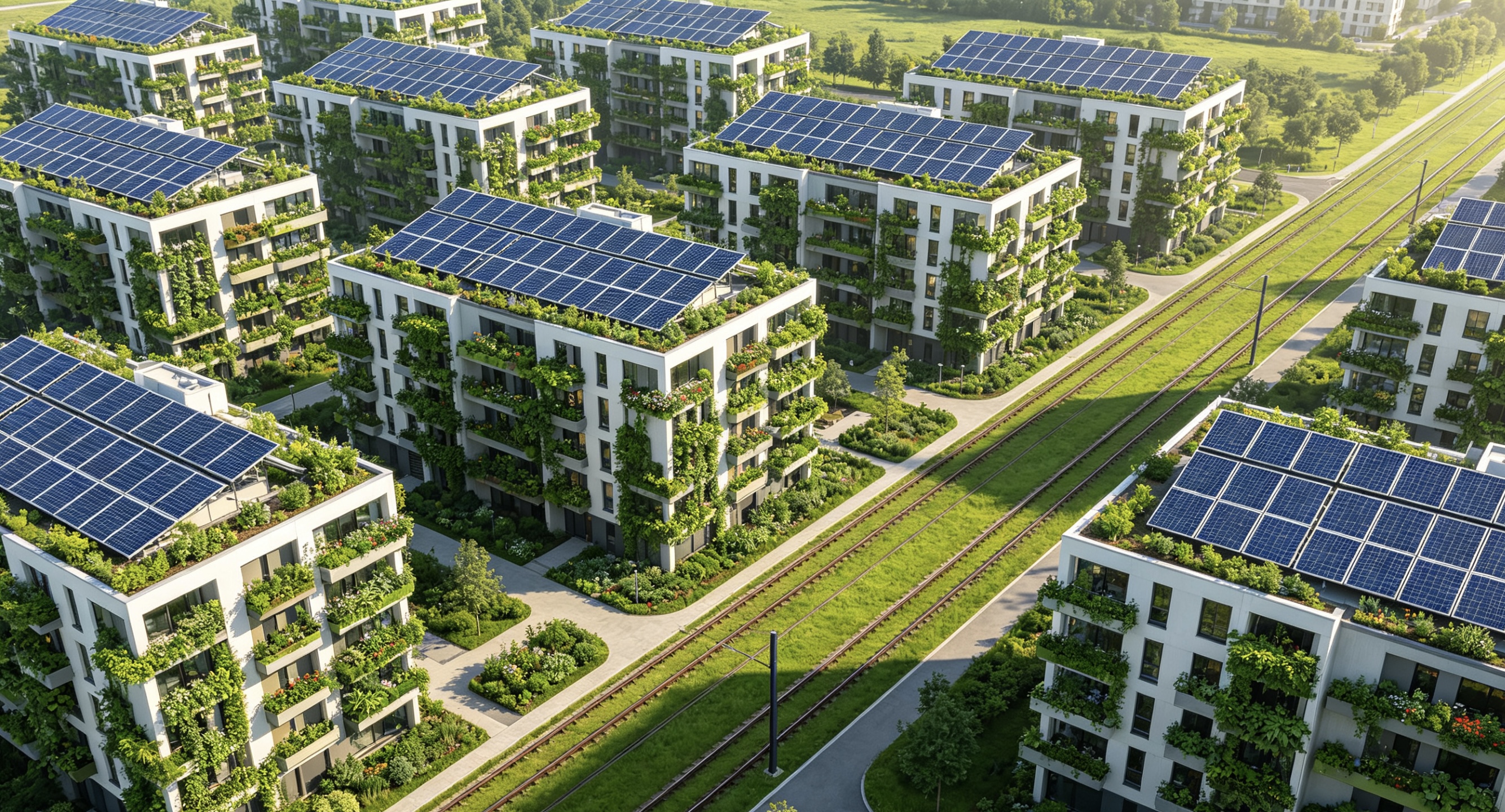
An aerial drone shot of a futuristic, eco-friendly suburban neighborhood, solar panels on every roof, vertical community gardens on apartment walls, a clean electric tram line, photorealistic.
Assignment Presentation: Place these diagrams in your proposal plan book and present them to your teacher to prove that your environmental concept has a very intuitive and avant-garde visual implementation effect.
5.Art History/Studio Art Class: Side-by-side Comparison of Different Art Movements
Specific Scenario: You are writing a short analytical essay comparing "Impressionism" and "Surrealism" in art, and you want to use a unique example to support your argument.
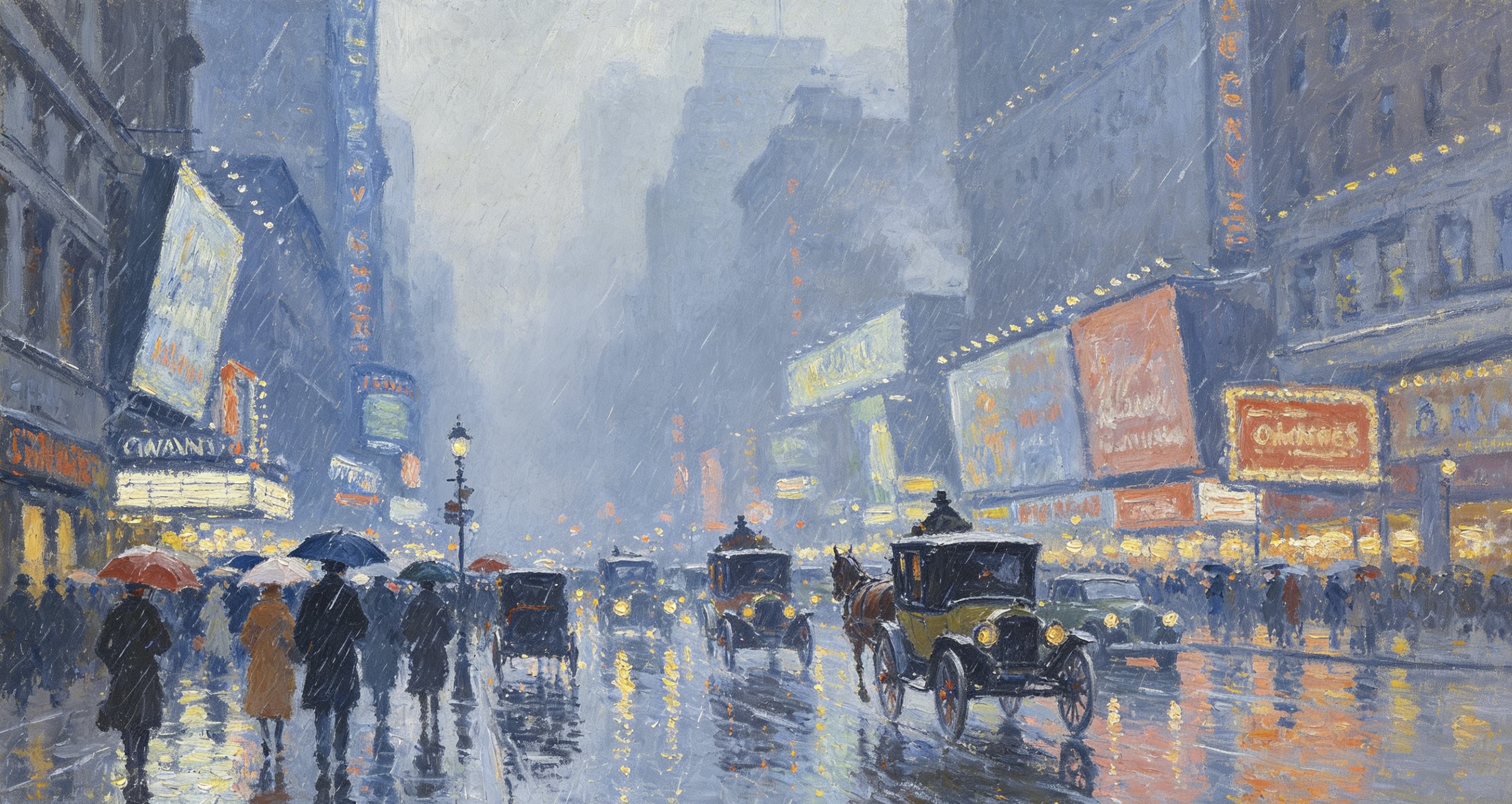
Specific Approach: Select the same modern theme (such as: Times Square in New York during a rainstorm), and use AI to generate examples in both styles.
👉 Prompt 1:
Times Square in the rain, painted in the style of Claude Monet, loose brushstrokes.
👉 Prompt 2:
Times Square in the rain, painted in the style of Salvador Dalí, melting clocks, surrealism.
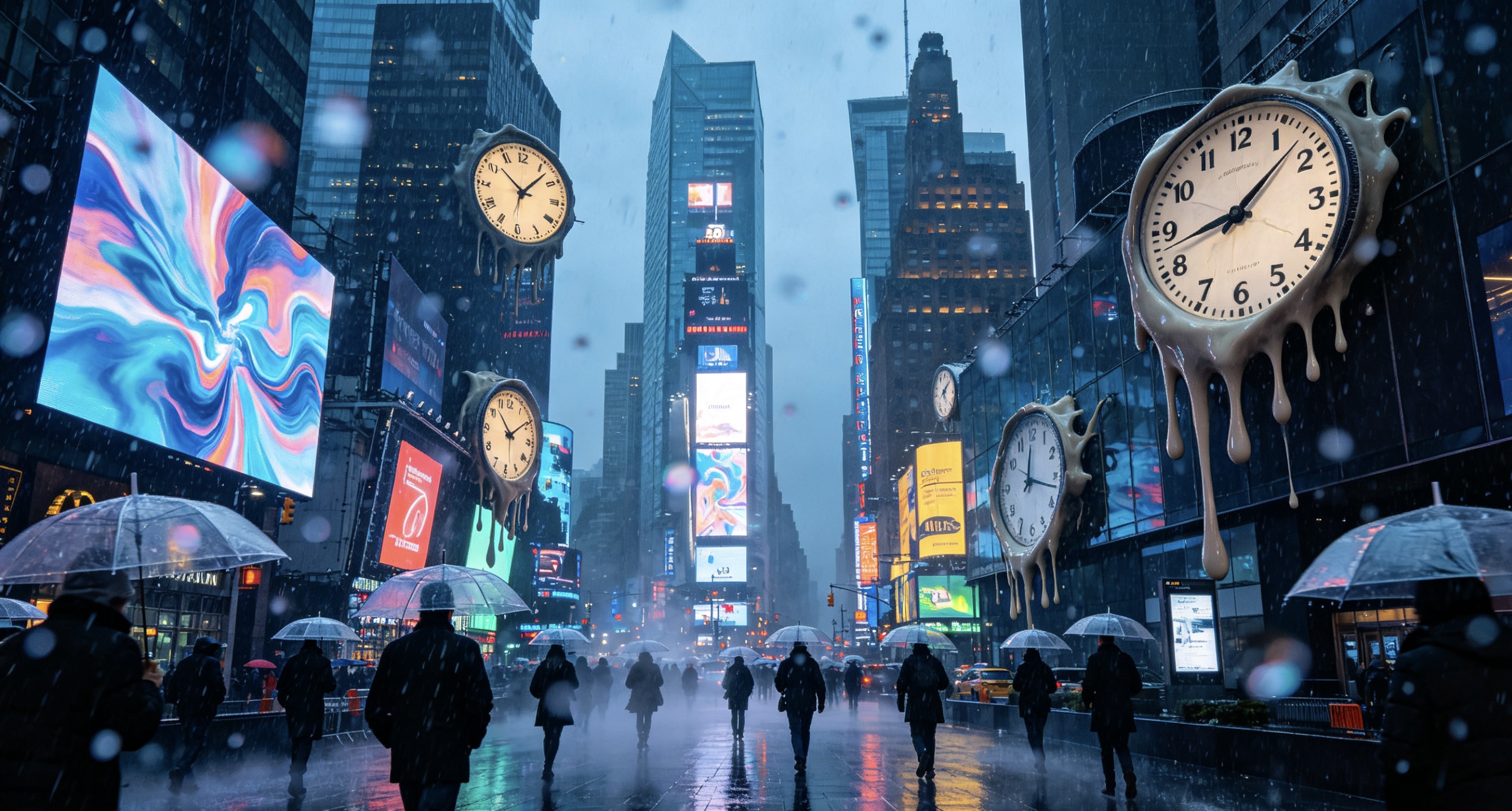
Assignment Presentation: Paste the two generated pictures side by side in your Google Doc document. No excessive textual explanations are required. The teacher will be able to immediately tell that you have thoroughly understood the core aesthetic differences between the two art styles.
6.Media and Film Elective Course: Creating a Storyboard for a Microfilm Before Filming
Specific Scenario: Your group is going to shoot a 3-minute suspense short film in the media class. However, before borrowing a camera from the school, you must submit a storyboard. Unfortunately, no one in your group can draw.
Specific Approach: Use words to "direct" the camera positions and shots to the AI.
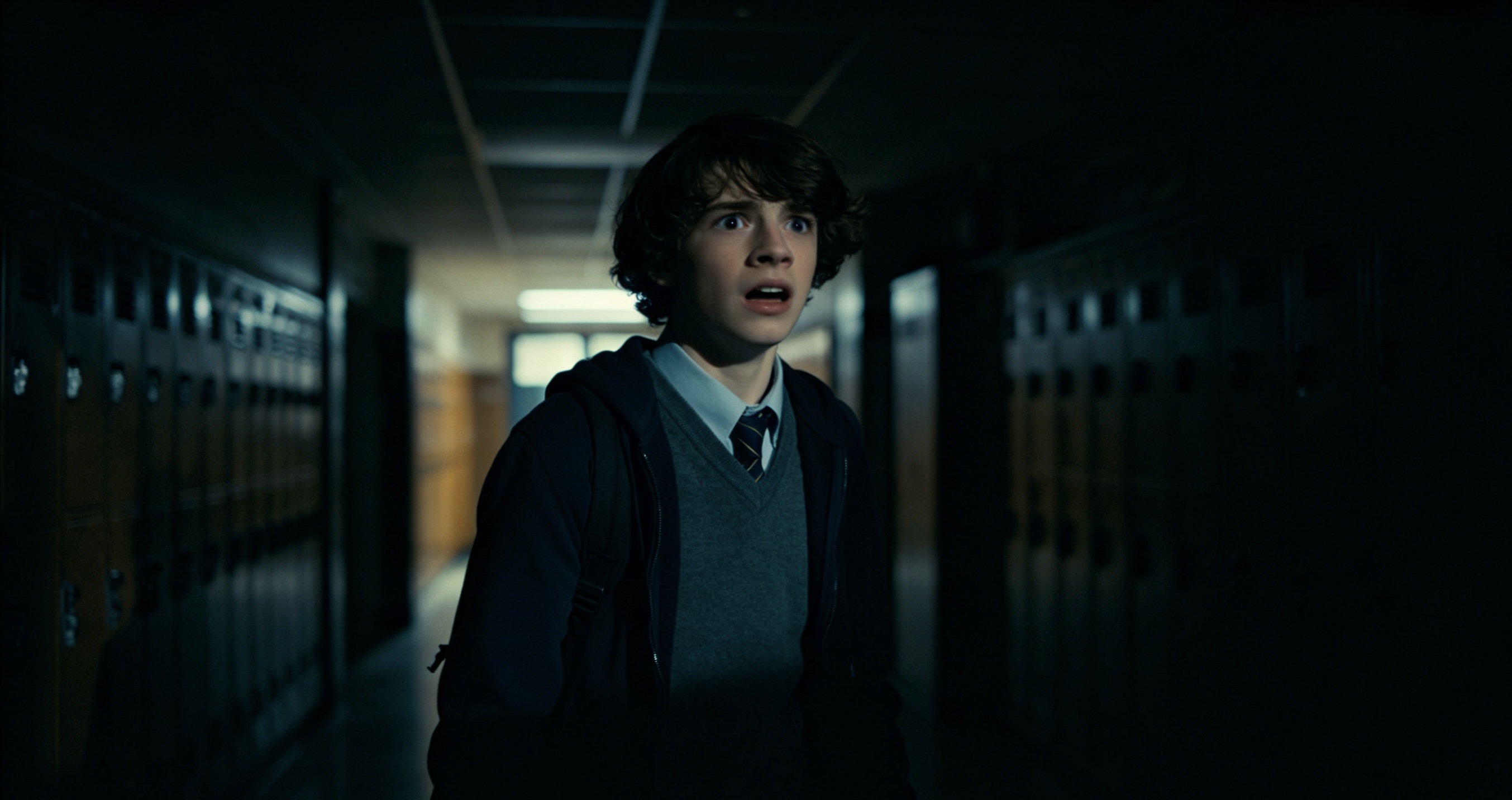
📹Shot 1:
A close-up shot of a teenager looking terrified in a dark school hallway, dramatic shadows.
📹Shot 2:
A low-angle tracking shot looking up at a heavy wooden door, cinematic suspense.
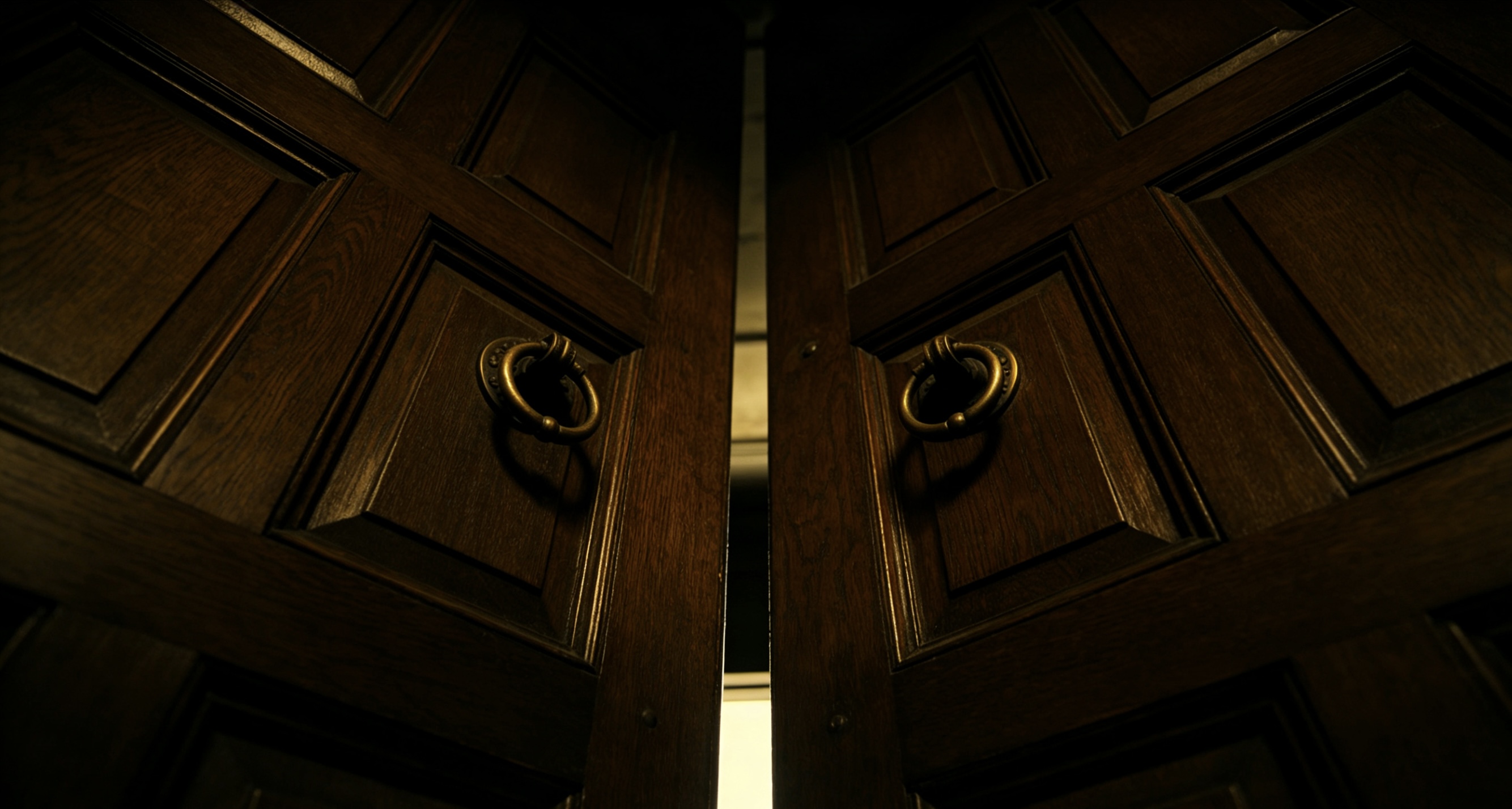
Assignment Presentation: Paste the generated images directly into the storyboard template table. On the actual shooting day, everyone in the crew can immediately understand where the tripods and lights should be set up just by taking a glance.
7.Graphic Design/Marketing Course: Design a campus public welfare poster
Specific scenario: Your club or elective course assignment requires you to design a public welfare poster. The theme could be about "Marine Plastic Pollution" or "Put Down Your Phone/Digital Detox".
Specific approach: Let the AI generate a highly visually impactful core metaphor symbol
A simple minimalist vector illustration of an hourglass, with pristine sand on top turning into plastic bottles as it falls to the bottom, clean contrast, graphic design style.
Assignment presentation: Import the generated clean image into Canva and overlay a bold text: "Time is running out on plastic", and a professional-level poster is completed.
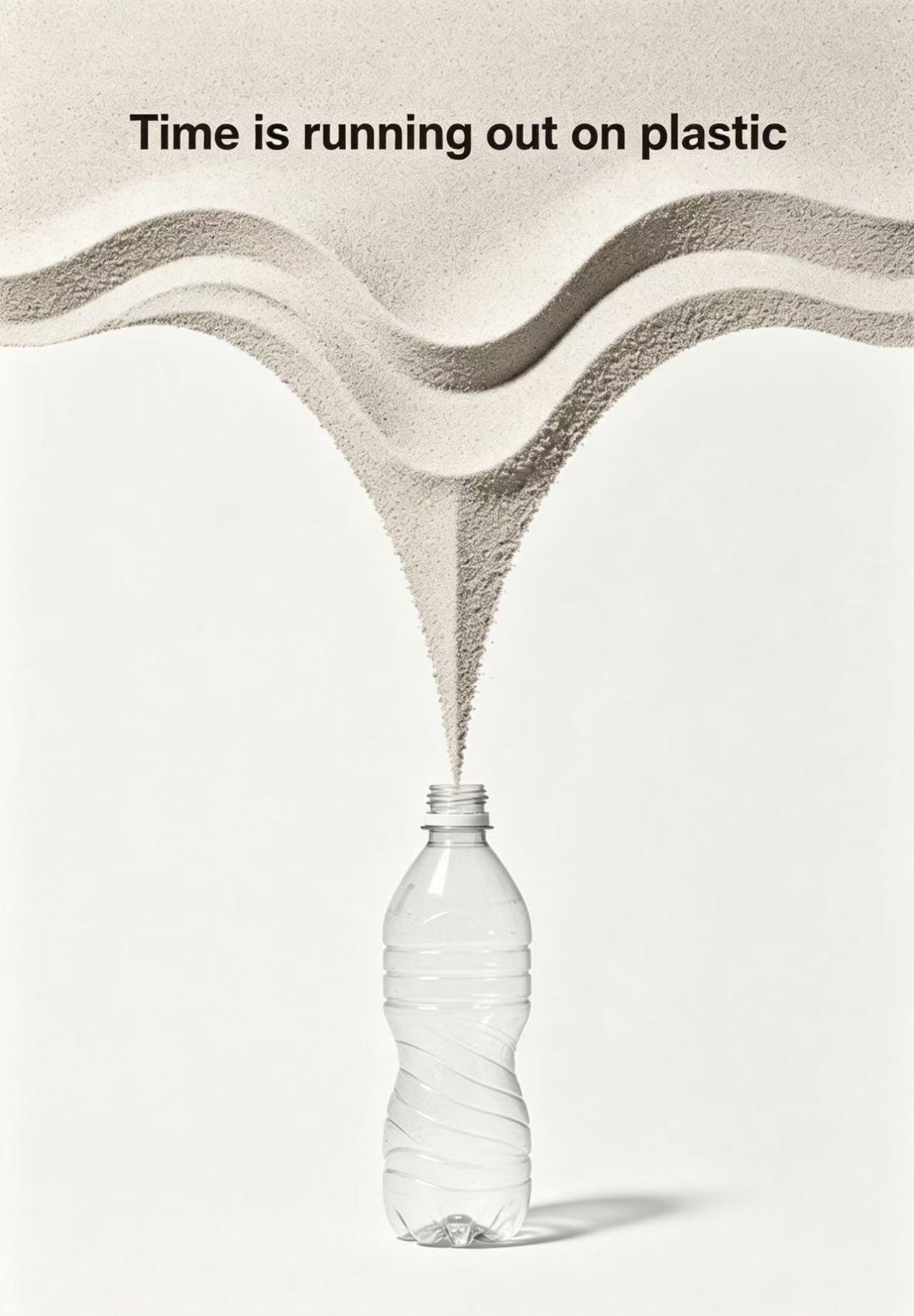
8.Creative Writing Class: Breaking the "Can't Write" Barrier with Visual Imagery (Writer's Block)
Specific Scenario: The English teacher assigned a 1000-word creative short story to be submitted by Friday. You are staring blankly at an empty Google document, with your mind completely blank.
Specific Approach: Try combining several unrelated imaginative words and input them into the input box
A cinematic shot of a Victorian astronaut sitting on the edge of a crater on Mars, drinking tea from a porcelain cup, looking at Earth in the distance.
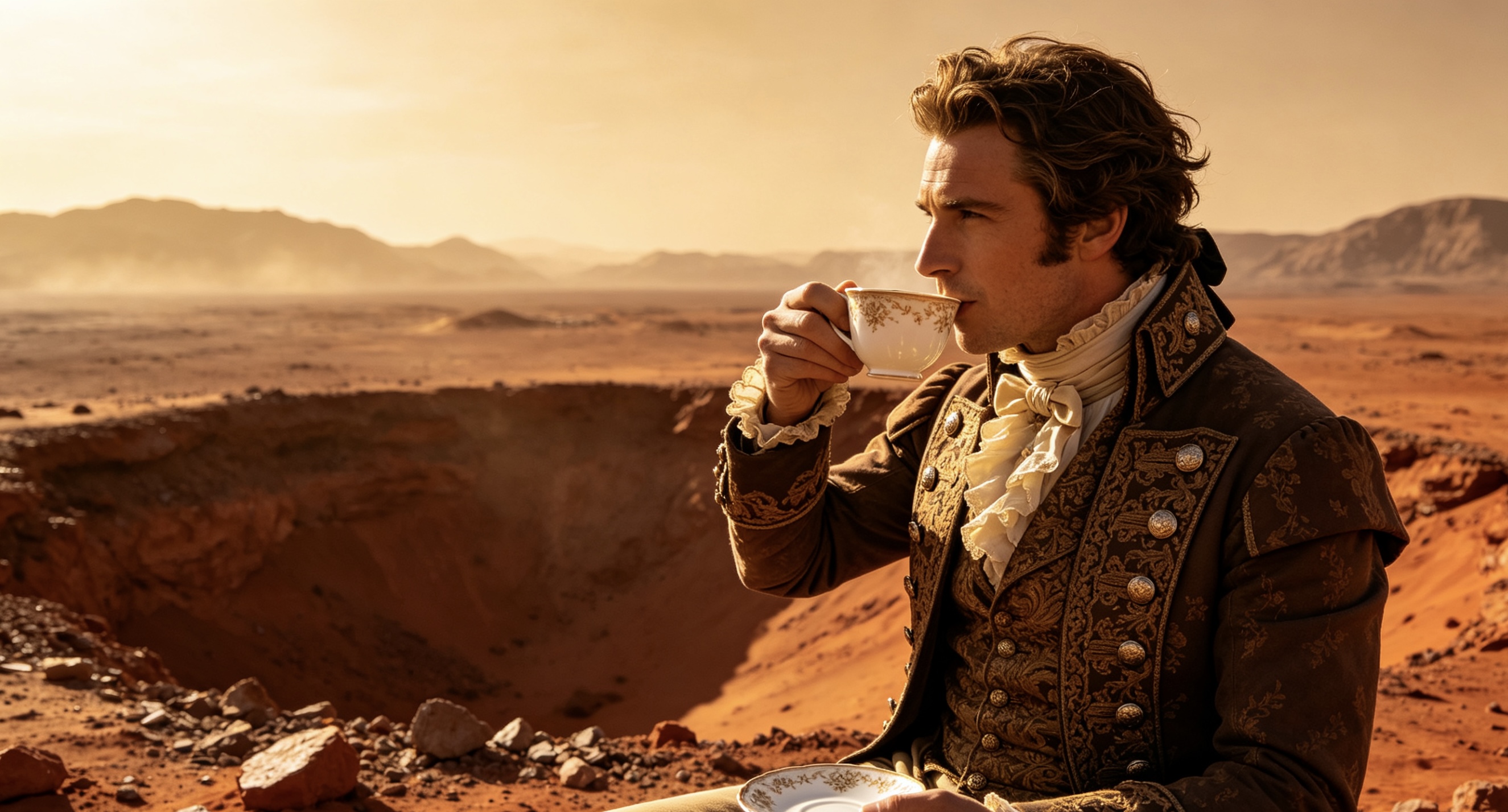
Assignment Presentation: Seeing this peculiar and absurd image generated by the AI, your mind immediately starts to generate inspiration, and you begin to compose the past and present of this character based on this visual clue.
9.STEM/Engineering Design Class: Presentation of Concept Design for Bionic Products
Specific Scenario: In the Science and Engineering Challenge, your team wants to design a new type of hiking backpack based on the principles of biomimicry (for example: imitating the hexagonal structure of a turtle shell to achieve shock resistance and protection).
Specific Approach: Before making the model by hand using cardboard and glue, first render an ideal concept image of the product
Product design shot of a modern tactical hiking backpack, the outer shell mimics the hexagonal plates of a sea turtle shell, matte black and charcoal gray, sleek, futuristic engineering concept.
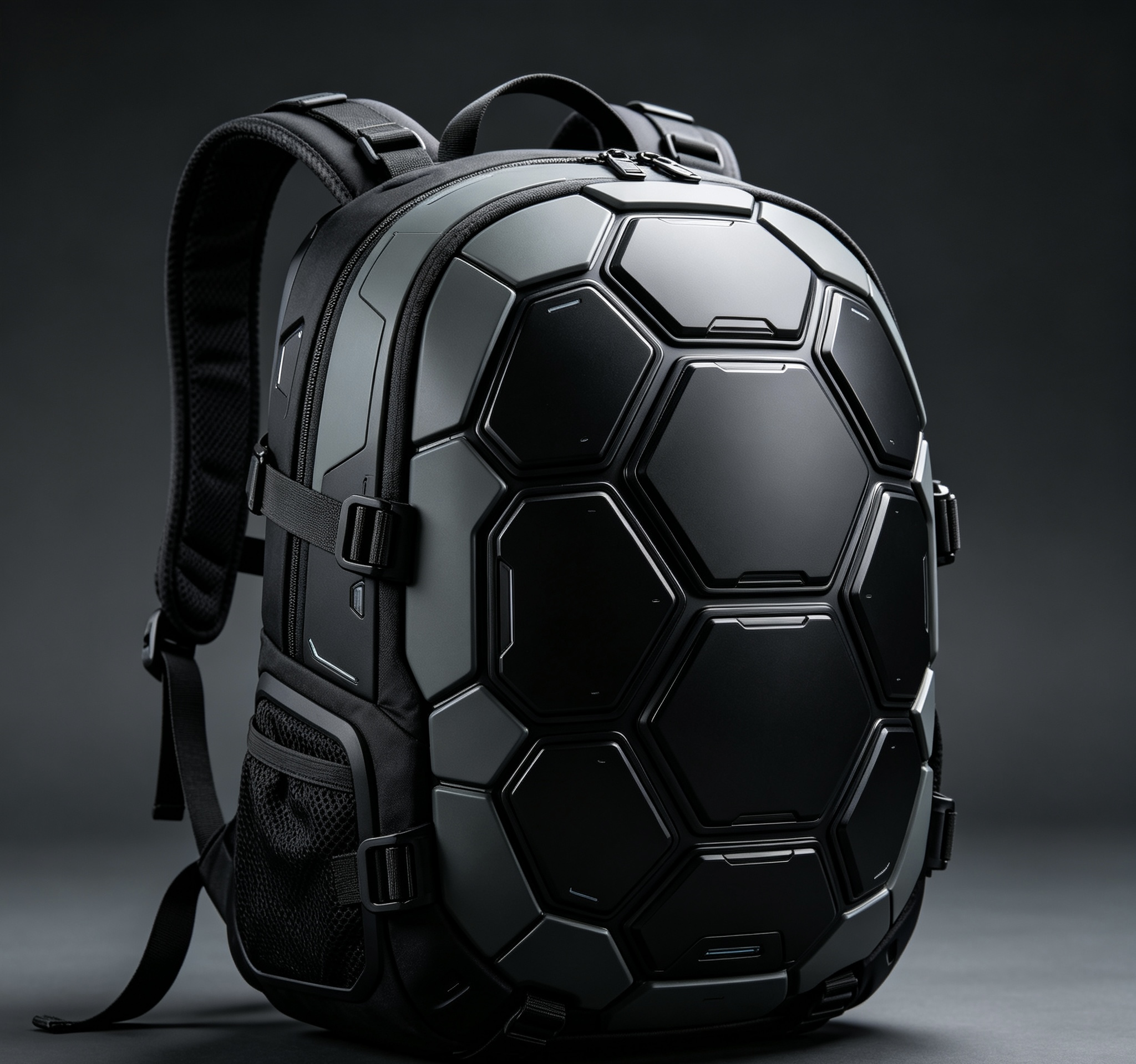
Assignment Presentation: Put this image in your group's presentation deck (Pitch Deck), so that the judges can understand the ultimate and most perfect form of your design before seeing your rough handmade product.
10.Model UN (Simulation of United Nations) or Mock Trial: Creating a Virtual Background for Debates
Specific Scenario: In Model UN, you were assigned to represent a specific country, or in Mock Trial, you were chosen as an important witness, hoping to appear more professional and immersive when speaking on Zoom or Google Meet.
Specific Approach: Use AI to generate a completely customized virtual backdrop for you
An elegant, official diplomatic briefing room, large windows overlooking a futuristic global city skyline, clean, blurred background effect.
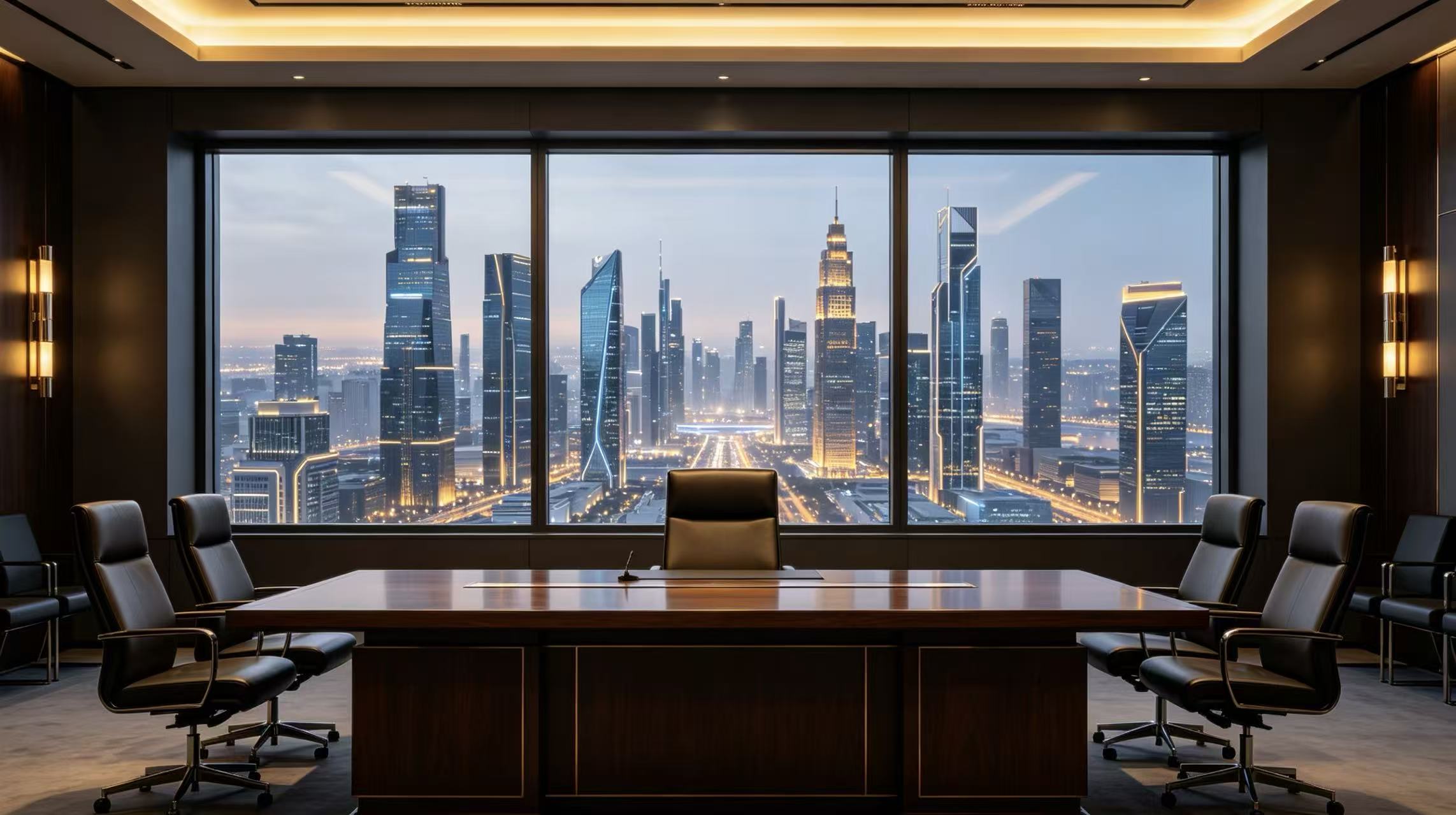
Assignment Presentation: Set it as your video conference virtual background. As soon as you start speaking, your speaking presence and sense of ceremony instantly become intense.
❓️Frequently Asked Questions Answered
Before starting to use AI image generators for school projects, you might still have some minor doubts. Don't worry, here are a few common questions about how to use AI safely and efficiently:
👌Q1: Is the AI image generator safe for students? Will it display inappropriate content?
Answer: The vast majority of educational and popular AI tools have very strict security mechanisms and content filtering systems built-in. If you log in using the school network or a school Google account, the restrictions are usually stricter. However, it is recommended to preview the platform with your teacher before officially starting the project to ensure that the generated content is in line with academic standards, and be careful not to input any personal information (such as real names, addresses, school names).
👌Q2: Do I need to buy a specialized, very expensive high-end computer to run the AI image generation?
Answer: Absolutely not! The super powerful computing power of AI image generation actually runs on cloud servers. You only need a basic network connection and an ordinary device that can open a browser (an ordinary Chromebook, MacBook, or even your phone or iPad) is completely sufficient. Some tools' advanced extended functions may have a little hardware requirement, but the existing technical infrastructure of most American schools can fully meet the needs of daily homework submissions.
👌Q3: How much time should students spend on this AI tool?
Answer: In digital learning, maintaining a balance is the key to getting high grades. AI image generation should be an "add-on supplement" to your traditional learning methods, rather than a "total replacement" for laziness. You don't need to spend hours constantly generating images. For most school projects, you only need to spend 20-30 minutes interacting with AI prompt words, filtering out the perfect illustrations, and then leave the rest of the time for the core work - writing papers, designing posters, or practicing your speeches.
👌Q4: Since AI is so powerful, will it replace our art teachers in the future?
Answer: Absolutely not. AI tools can help you quickly generate images, but they cannot replicate the soul that human educators can provide - that is, personalized guidance, critical aesthetic feedback, and the discovery of your creativity. AI is just one of the many resources integrated into art education and school projects. Your art teacher and cultural subject teachers are still the most core mentors who cultivate your core skills and inspire your creativity development.
⭐Final Words
With Viyou.ai, completing student projects will no longer be a difficult task. Just copy the above instructions and give it a try together!