AI Video Generator
 AI Image to Video
 AI Text to Video
 AI Image Generator
 AI Image to Image
 AI Text to Image
 AI Video Generator
 AI Image Effects

 Bring your imagination to life with powerful Viyou AI tools.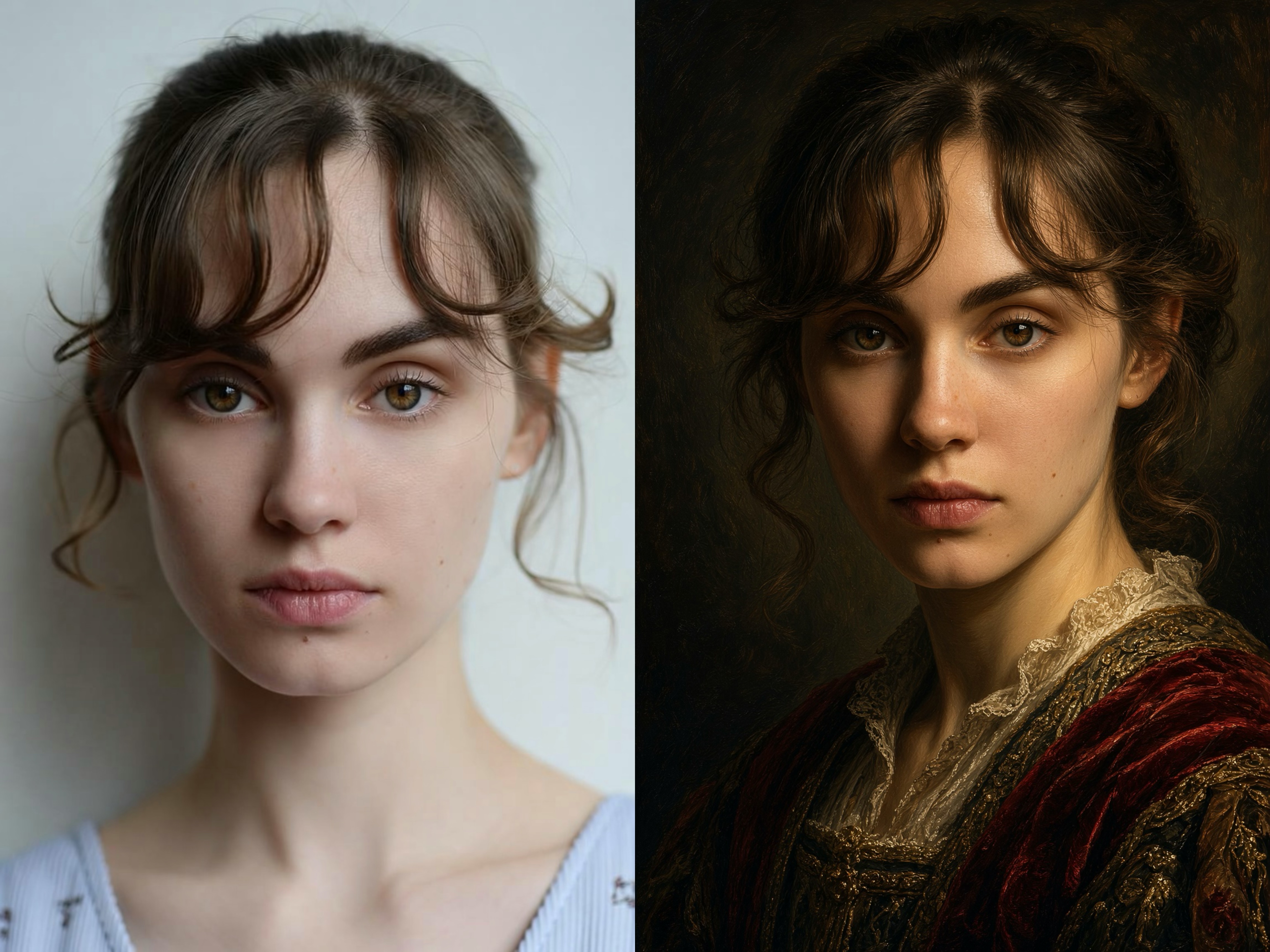
In the booming era of AI art, we have grown accustomed to generating images from text (Text-to-Image). However, if you want to stylize or meticulously modify an image while preserving the original composition, character pose, or underlying line art, the "Image-to-Image" feature is the true magic wand and ultimate productivity tool.
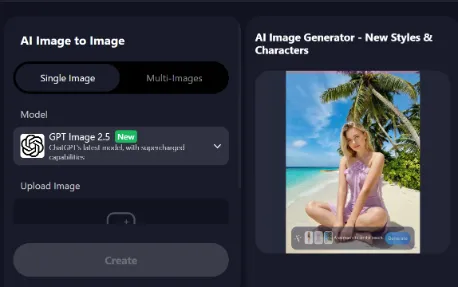
Today, I want to highly recommend a comprehensive and powerful AI creation platform—Viyou. Not only does it excel in AI video generation, but its built-in Image-to-Image functionality is equally stunning.
🌟 Why Choose Viyou's Image-to-Image Feature?
Positioned as a "one-stop AI creation platform," Viyou's Image-to-Image editing suite boasts the following core advantages:
- Top-Tier Model Support: The platform integrates advanced image generation and editing models like Flux, Seedream, and Qwen, ensuring exceptional output quality and precise detail control.
- High Creative Freedom: Whether you want to turn a daily photo into an anime style, render a simple sketch into a 3D product image, or perform a cross-era art style transfer, Viyou handles it with ease.
- Seamless User Experience: The interface is incredibly beginner-friendly, requiring no complex local deployment or high-end graphics cards. Simply upload a reference image, enter your prompt, and watch your inspiration come to life in seconds.
- Comprehensive Tool Matrix: Beyond Image-to-Image, Viyou provides complementary tools like AI background removal, image upscaling, and AI outfit generators, allowing you to complete complex image post-processing all in one place.
✍️ Core Gameplay: 7 Practical Scenarios & Real Prompt Examples
To give you a more intuitive feel for the magic of Viyou's Image-to-Image feature, I have compiled 7 of the most popular and practical scenarios along with their corresponding prompts. You can copy these prompts directly and try them out on Viyou!
Scenario 1: Everyday Photo to Anime Style
Transform your selfies, pets, or landscape photos into beautiful Japanese anime screenshots.
- Original Image Prep: A clear selfie or half-body portrait.
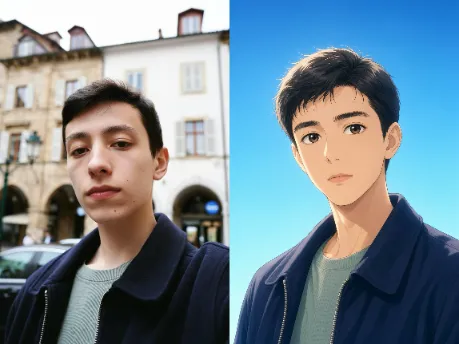
- 💡 Practical Tip: In the parameter settings, keep the "Denoising strength" between 0.4 and 0.6. This ensures the original facial features and pose are retained while seamlessly blending in the beautiful 2D anime art style.
Scenario 2: Claymation / 3D Cute Stop-Motion
This is a massively trending style right now. Turn real people, pets, or buildings into round, adorable clay textures or 3D cartoon models.
- Original Image Prep: A photo of a person, pet, or a simple building.
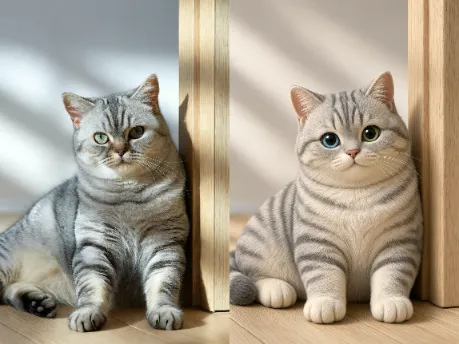
- 💡 Practical Tip: To achieve a noticeable texture change, the denoising strength needs to be set higher, typically between 0.65 and 0.8. The simpler the composition of the original image, the better the 3D conversion effect.
Scenario 3: Line Art Sketch to 3D Product Render
A lifesaver for designers! Directly render your casual coffee mug doodle or industrial design sketch into a commercial-grade product display image.
- Original Image Prep: A simple black-and-white line art or product concept sketch.
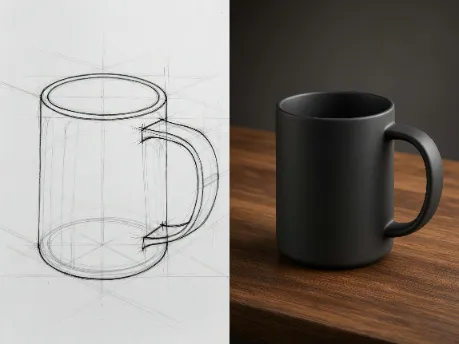
- 💡 Practical Tip: Converting sketches usually requires giving the AI more room to improvise. It is recommended to increase the denoising strength to around 0.7 - 0.8, allowing the model to fully flesh out materials, shadows, and lighting details.
Scenario 4: Watercolor Art Illustration
Convert landscape or still-life photos into hand-drawn watercolor paintings, perfect for postcards, wallpapers, or journal materials.
- Original Image Prep: A landscape photo (e.g., mountains, beaches, country roads) or still life (e.g., vases, books).
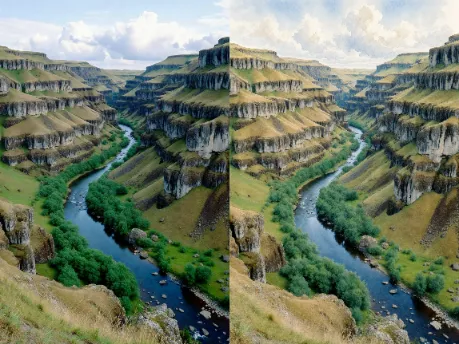
- 💡 Practical Tip: Set the denoising strength between 0.5 and 0.7. If the original image is dark, you can add words like bright colors, vibrant to the prompt to brighten the composition.
Scenario 5: Portrait Background Replacement & Cyberpunk Remake
Want to instantly give your photos a futuristic sci-fi vibe? Image-to-Image can easily alter the era and environmental atmosphere of your photo.
- Original Image Prep: A street photography portrait, preferably with a night or urban background.
Cyberpunk style, futuristic city street at night, neon lights, glowing pink and blue lights, highly detailed portrait, rainy cyberpunk city background, cinematic composition, sci-fi aesthetic, Unreal Engine 5.
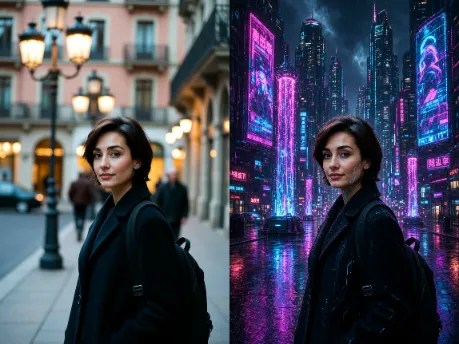
- 💡 Practical Tip: Paired with cyberpunk prompts, the AI will automatically replace ordinary street lamps with brilliant neon lights while casting futuristic ambient lighting on the subject's face, creating a visually stunning effect.
Scenario 6: Classical Oil Painting Portrait Restyling
Turn a modern photo into a classical oil painting reminiscent of the Middle Ages or the Renaissance, adding a solemn, vintage historical feel.
- Original Image Prep: A clear half-body portrait or close-up, preferably with a clean background.
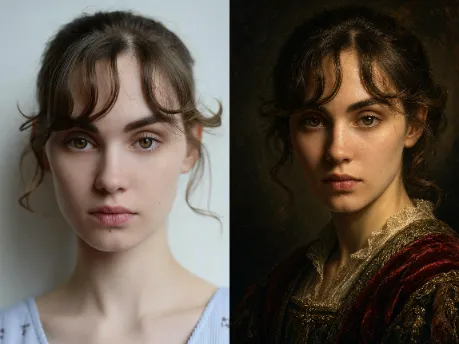
- 💡 Practical Tip: Set the denoising strength between 0.4 and 0.6. If the original photo has some side lighting or backlighting, it will be much easier for the AI to generate a premium oil painting texture similar to "Rembrandt lighting."
Scenario 7: Wasteland / Post-Apocalyptic Survival Style
Transform modern city streets or vehicles into a desolate, post-apocalyptic wasteland style, maxing out the video game aesthetic.
- Original Image Prep: Photos of city streets, cars, factories, or empty buildings.
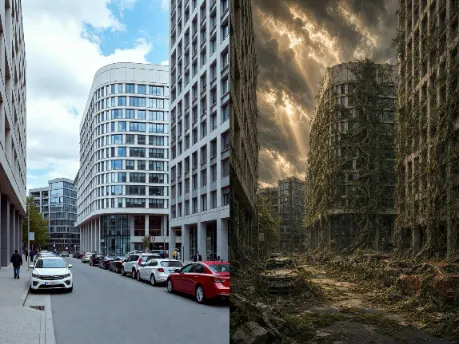
- 💡 Practical Tip: This style emphasizes environmental destruction and the marks of time. A denoising strength of around 0.6 is sufficient. The key is letting the AI naturally "overlay" vines, rust, and decaying textures onto the original architectural framework.
The greatest joy of "Image-to-Image" lies in "the balance between control and the unknown"—you use the original image to frame the foundation, while the AI injects limitless imagination within that framework.
Viyou provides creators with a canvas that has an incredibly low barrier to entry but an infinitely high ceiling. Whether you are a social media manager needing quick assets, a designer looking for inspiration, or simply an enthusiast who loves tinkering with AI art, I highly recommend experiencing the reality-reshaping magic of Viyou for yourself.
Go find a favorite photo from your album, apply the prompts above, and kickstart your wonderful AI Image-to-Image journey!