AI Video Generator
 AI Image to Video
 AI Text to Video
 AI Image Generator
 AI Image to Image
 AI Text to Image
 AI Video Generator
 AI Image Effects

 Bring your imagination to life with powerful Viyou AI tools.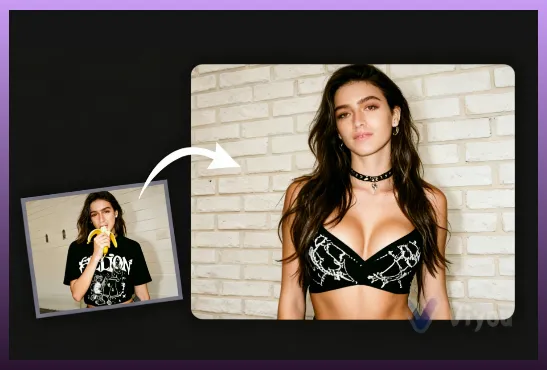
Welcome to Viyou AI, a cutting-edge platform that transforms images into endless art forms. Our core feature, Image to Image, unleashes the full potential of Image Re-creation inside an advanced AI Image Generator. This feature does not create visuals from scratch; instead, it applies artistic “magic” to your uploaded image. You simply upload a picture and provide a descriptive text prompt - Viyou’s smart algorithms analyze your intent and instantly generate a completely new visual creation that reflects your imagination, truly achieving “image-to-image” generation with the power of an AI Image Generator.
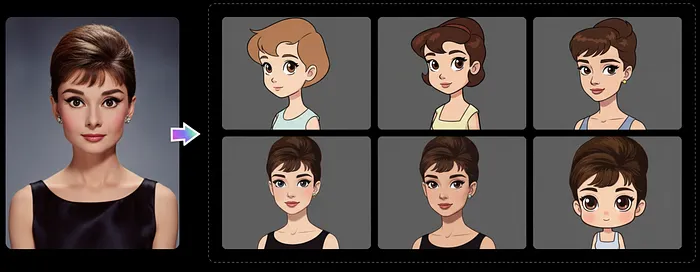
Art Style Transfer: Switching Visual Languages with One Click
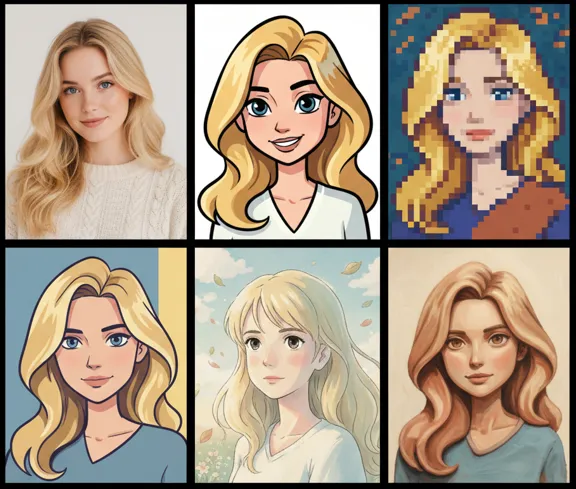
The strength of Image to Image lies in its impressive Art Style Transfer capabilities. Whether you want to recolor your image, completely change the artistic direction, or craft a brand-new appearance, Viyou delivers outstanding transformation results. Our platform offers popular styles such as Realism, Cartoon, Pixar, Pixel Art, and the highly acclaimed Ghibli-style illustration. With such a rich style library, your Image Re-creation gains limitless artistic possibilities, turning ordinary photos into visually captivating artwork with unique charm.
AI Image Generator: Combining Multi-Model Advantages for Top Quality
Viyou’s Image to Image feature is powered by multiple industry-leading models inside the AI Image Generator, including Viyou 3.0, Viyou 2.0, Google Nano Banana Pro, and SeeDream. This all-in-one platform strategy allows users to compare and experiment with different model effects while ensuring that the output remains high-resolution, detailed, and visually consistent. This multi-model synergy fully showcases the true strength of an advanced AI Image Generator, ensuring that your final image is of industry-leading quality.
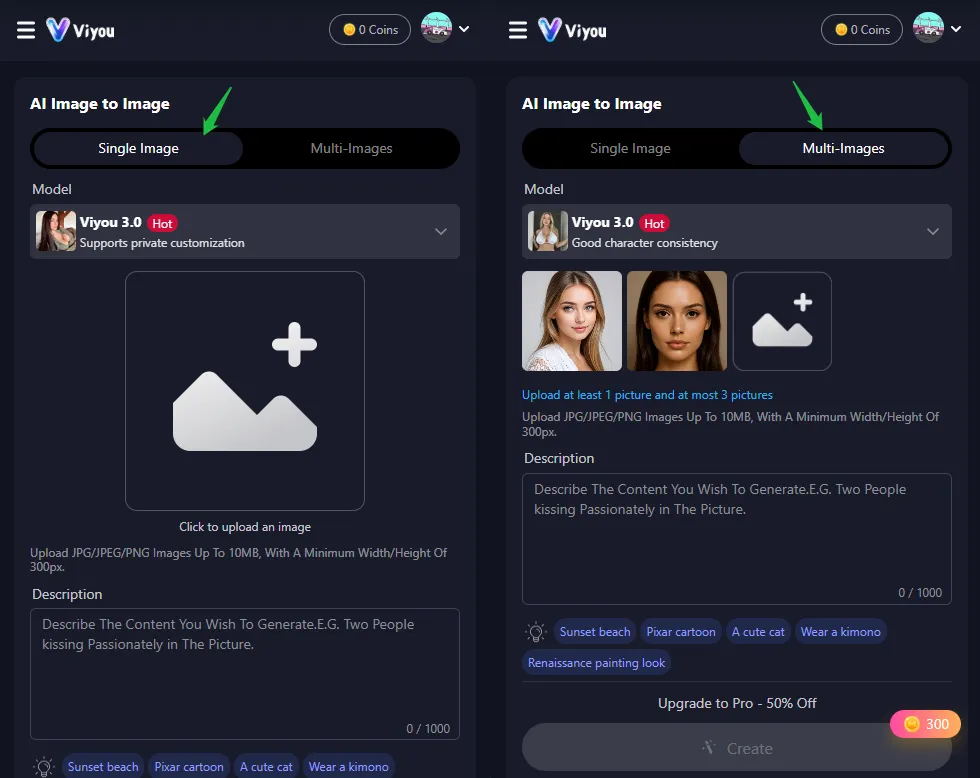
Descriptive Creation: Achieving Precise Image Re-creation via Text Prompts
Creating with Viyou’s Image to Image feature is intuitive and accurate. The system supports both single-image input and multi-image blending for more complex compositions. Upload your image(s), then describe the transformation you want with a clear text prompt—for example, “Sunset beach,” “Pixar cartoon style,” or “Renaissance painting look.” The Viyou AI Image Generator interprets your description and adjusts the colors, texture, lighting, and art style of the original image accordingly, achieving precise, high-efficiency Image Re-creation.
Try Now: Your Exclusive AI Image to Image Creation Tool
Start creating today with Viyou AI and elevate your images through powerful Image to Image transformation. Explore limitless creativity through style change, visual enhancement, and advanced Image Re-creation—with coins deducted only after successful creation. Viyou AI gives every image infinite artistic possibilities.
Frequently Asked Questions (FAQ)
1. What is an Image to Image Generator?
Image to Image is part of an AI Image Generator system that produces new visuals from existing ones. Users upload an original image and apply transformations, enhancements, or art styles to create a new result.
2. How does Viyou’s AI Image Generator work?
Viyou AI analyzes your uploaded image and applies smart algorithms based on your text prompts—adjusting colors, details, or artistic style—to deliver high-quality Image Re-creation.
3. Is Viyou’s Image to Image Generator free to use?
The web version is not free, but you can get free trials via the Viyou App by checking in, watching ads, or completing tasks.
4. How is Image to Image different from Text to Image?
Image to Image transforms and enhances visuals you upload, while Text to Image creates entirely new pictures from text prompts. One enhances what you provide; the other generates from scratch.
5. Which is the best AI image to image generator?
Viyou AI stands out with its powerful models—Viyou 2.0, Viyou 3.0, Google Nano Banana Pro, and SeeDream—offering diverse styles and top-tier quality.
6. What image formats does Viyou AI’s Image to Image support?
Viyou supports commonly used image formats including JPG, JPEG, and PNG.