AI Video Generator
 AI Image to Video
 AI Text to Video
 AI Image Generator
 AI Image to Image
 AI Text to Image
 AI Video Generator
 AI Image Effects

 Bring your imagination to life with powerful Viyou AI tools.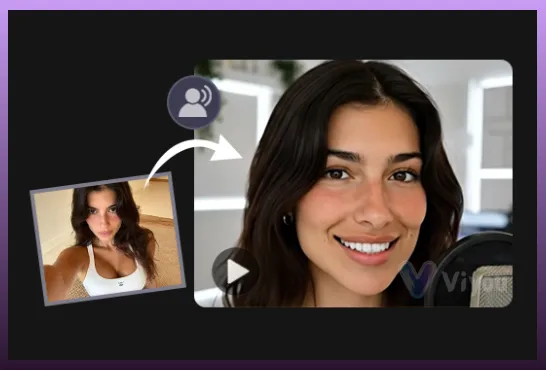
Seamless Image to Video Transformation by the AI Video Generator
Welcome to Viyou AI, the leading AI video generator dedicated to unlocking your boundless creativity with unmatched speed and precision. Our revolutionary core feature, "Image to Video," fundamentally transforms traditional digital creation, turning every cherished static photograph into a dynamic story full of vitality and emotion. Viyou is more than just a tool; it is a powerful visual expression engine that makes the impossible a reality.
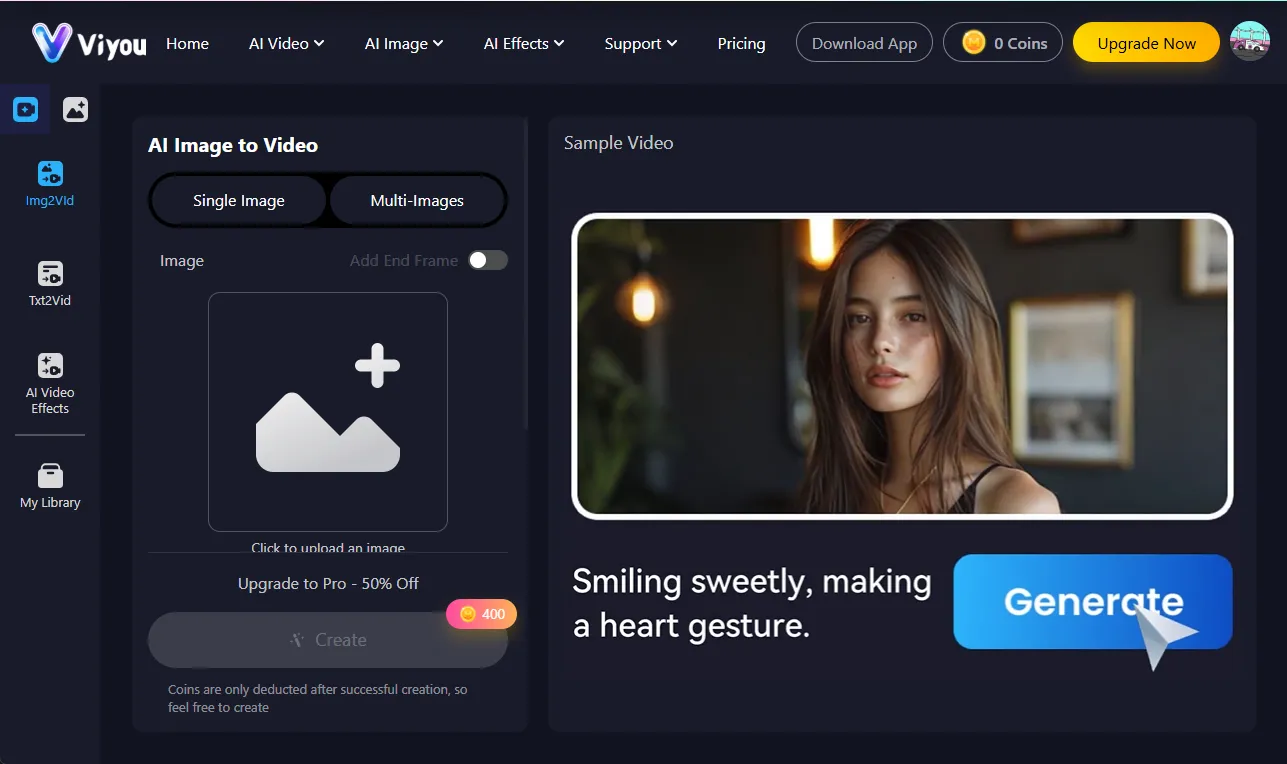
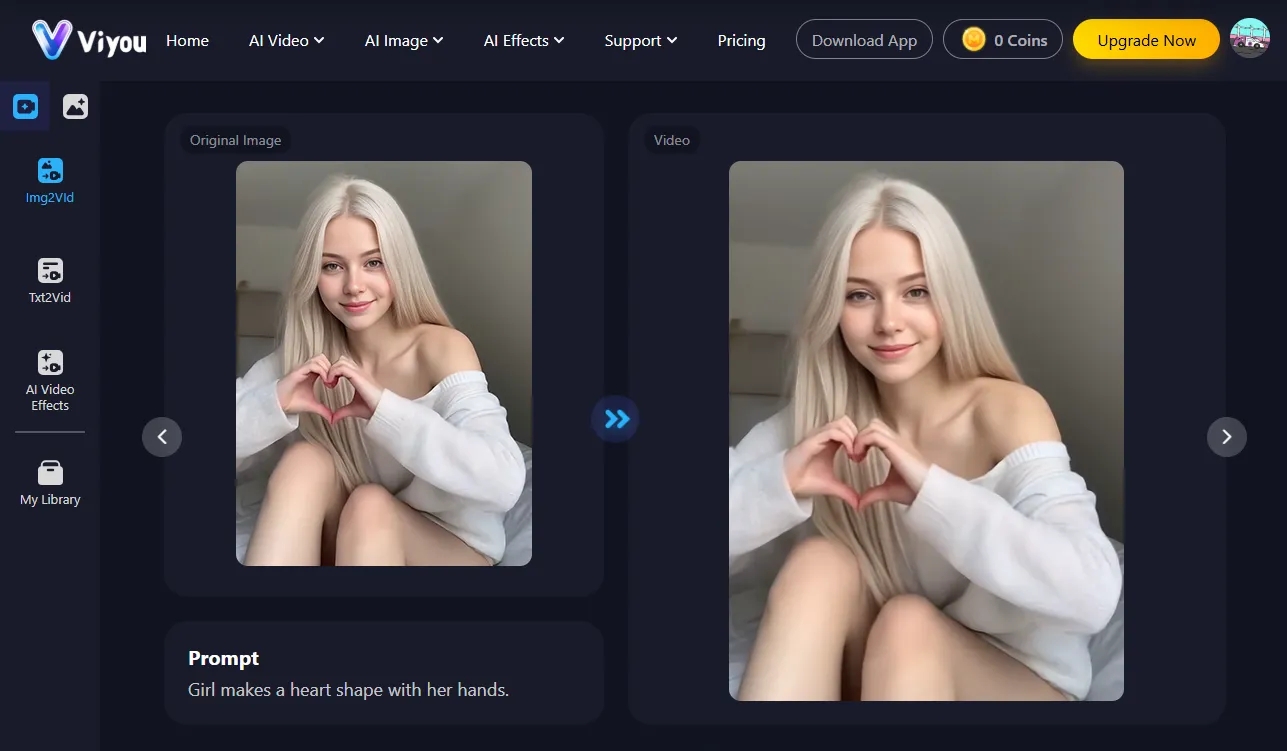
Advanced AI Video Generator Motion Engine for Emotional Image to Video
Viyou's core technology drives unparalleled motion and expressive capabilities. You simply upload an image and provide a concise text prompt describing the desired action or plot, and Viyou's AI intelligently predicts and generates realistic, fluid motion sequences. Whether you want to capture a romantic couple's embrace, a lively dance moment, or a fun pet interaction, our AI ensures every detail of the movement is natural and lifelike, and the emotional delivery is authentic. This high level of interactivity and emotional realism imbuing your digital creations with unprecedented life.
Leveraging First Frame Last Frame for Seamless Image to Video Transitions
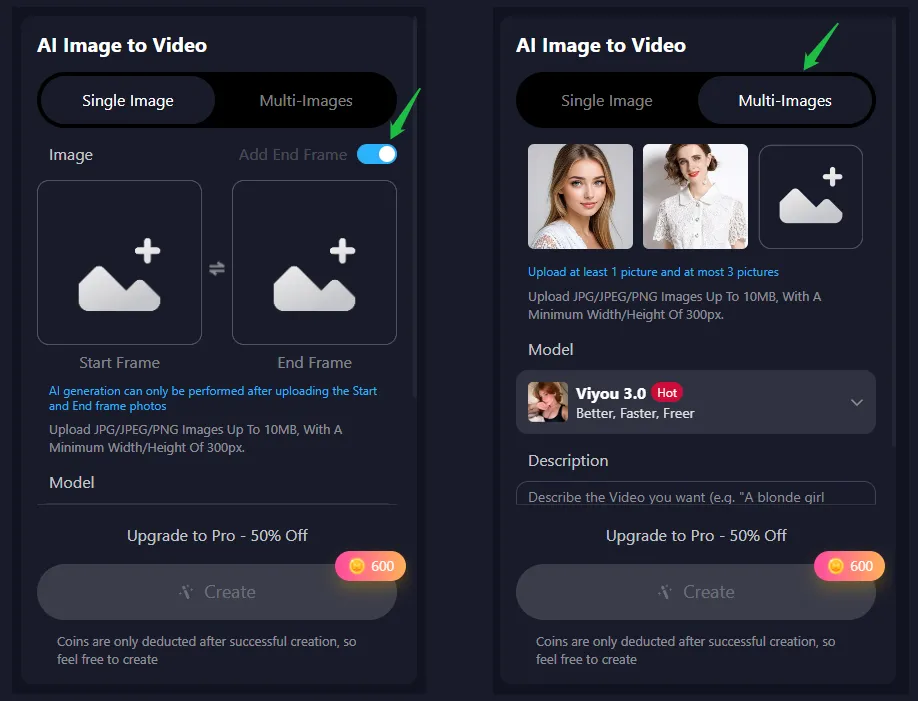
Among many innovations, Viyou's unique "first frame last frame" video generation feature stands out, completely solving the problem of stiff animation transitions. Users simply upload two key images—one serving as the video's first frame and the other as the video's last frame—and Viyou's AI system precisely calculates and automatically generates all the hundreds of frames in between. This seamlessly connects the static "beginning" and "end," creating a smooth, fluid, and cinematic transition animation. Whether showcasing the transformation of an object or capturing the passage of time in a story, the first frame last frame technology delivers a cinematic level of narrative experience.
Unmatched Versatility: Multi-Image Blending in the AI Video Generator
In addition to single-image and first frame last frame functions, Viyou also supports "Multi-Image Blending and Generation," allowing users to integrate multiple photos (such as different characters or scenes) into a harmonious and unified video narrative. Furthermore, the Viyou platform integrates dozens of cutting-edge AI video models, including Viyou 3.0, Google Veo3, Kling, Sora2, and Pika. This means users can choose the most suitable model based on their needs to ensure the highest video quality, the most realistic physics, and the most outstanding audio synchronization. We consistently stay at the forefront of AI technology, guaranteeing you always receive an industry-leading AI video generator experience.
Start Creating: Embrace the Image to Video Revolution with AI Video Generator Power
Say goodbye to monotonous static displays and embrace the dynamic visual revolution brought by Viyou. Experience the power of Viyou's Image to Video functionality today, and use the power of technology to unleash your creativity, transforming every moment into an eternal, breathing image. Viyou AI: Let Your Imagination Move, Instantly!
Frequently Asked Questions (FAQ)
1. What is the Viyou Image to Video Generator?
Viyou Image to Video Generator is an advanced AI-powered tool that turns static photos into vivid, dynamic videos simply through text instructions. It brings still visuals to life with realistic motion and immersive cinematic audio, allowing creators to transform imagination into motion effortlessly.
2. What Makes Viyou Image to Video Generator Stand Out?
Viyou stands out by integrating multiple leading AI models into one seamless platform—such as Veo3, Kling, Sora, and Pika. This allows users to convert images into lifelike videos with smooth animation, emotional realism, and synchronized sound, without losing visual coherence or detail.
3. Is Viyou's Image to Video Generator Free?
You can experience Viyou for free via the Viyou App. The app supports daily check-ins and ad-watching to earn credits for generating videos. A free trial on the web version is currently in preparation.
4. Can I Generate a Video Using Start and End Frames?
Yes! Viyou's Start-End Frame Video Generator lets you upload two images—one as the first frame and one as the last frame—to create a smooth, AI-generated transition between them. The system intelligently predicts and animates the in-between frames, producing a natural, cinematic video.
5. How to Add Audio With Image to Video AI?
Viyou's AI video generator lets you easily add dynamic, realistic sound to your videos. Just upload your image, enter a text prompt describing motion, and enable the audio generation feature. Viyou creates immersive soundscapes that perfectly match your video's mood and motion.
6. How Many Video Models Does Viyou's Image to Video AI Offer?
Viyou connects to more than 50 advanced AI video generation models, including Veo3, Kling, Wan, Seedance, Sora, Runway, Pika, and Hailuo. The platform continuously integrates the newest releases, ensuring you always have access to the latest breakthroughs in AI video technology.