AI Video Generator
 AI Image to Video
 AI Text to Video
 AI Image Generator
 AI Image to Image
 AI Text to Image
 AI Video Generator
 AI Image Effects

 Bring your imagination to life with powerful Viyou AI tools.
AI Image Generator: Transforming Text Into Stunning Visual Creations
Welcome to Viyou AI — a leading platform designed to turn your written ideas into professional visual artwork. Our core function, the Text to Image tool, allows you to instantly convert text to image by simply entering a descriptive prompt. With just a few words, Viyou AI transforms imagination into visually appealing, high-quality imagery. Whether you’re creating content for social media, storytelling, design projects, or personal inspiration, our AI Image Generator captures your creative intent with exceptional accuracy.
Top-Tier Model Integration for High-Quality AI Art
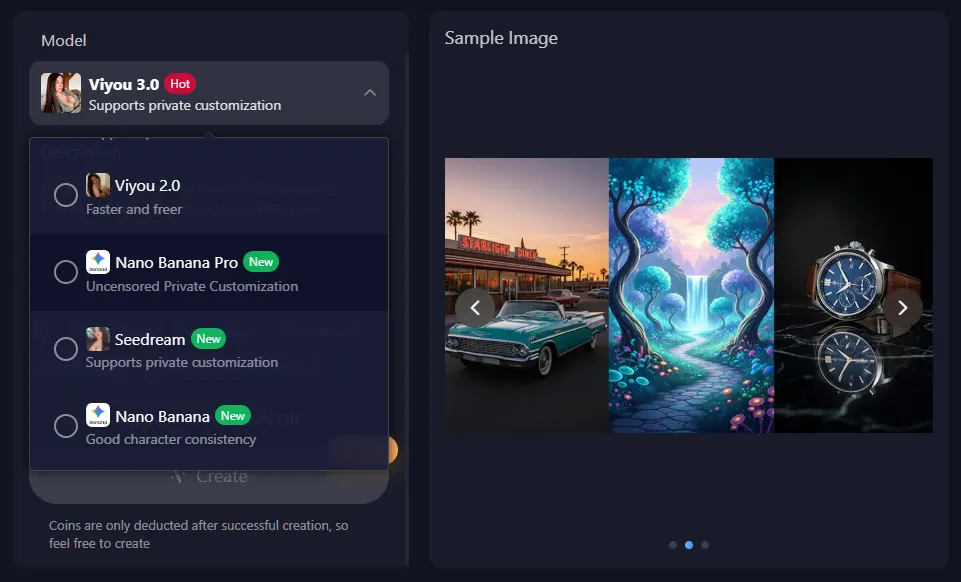
The Viyou Text to Image Generator integrates multiple leading AI models to deliver the best image quality possible. These include Viyou 3.0, Viyou 2.0, SeeDream, and Google’s upgraded Nano Banana Pro model. This all-in-one platform approach ensures that users can take advantage of each model’s unique strengths—without switching between different tools.
Whether you want photorealistic portraits, complex fantasy art, stylized illustrations, or specific cartoon-inspired designs, the Viyou AI Image Generator provides precise color handling, detail accuracy, and artistic expression.
Unlock Infinite Creativity With Diverse AI Art Styles
With Viyou’s Text to Image feature, creativity has no limits. You can explore a huge library of visual styles and moods—including realism, cartoon, anime, fantasy, surrealism, abstract, and the highly beloved Ghibli-inspired art style. This variety is powered by strong models such as Nano Banana Pro and SeeDream, ensuring you always find the perfect direction for your creative intent.
Simple and Efficient: How the Text to Image Creation Flow Works
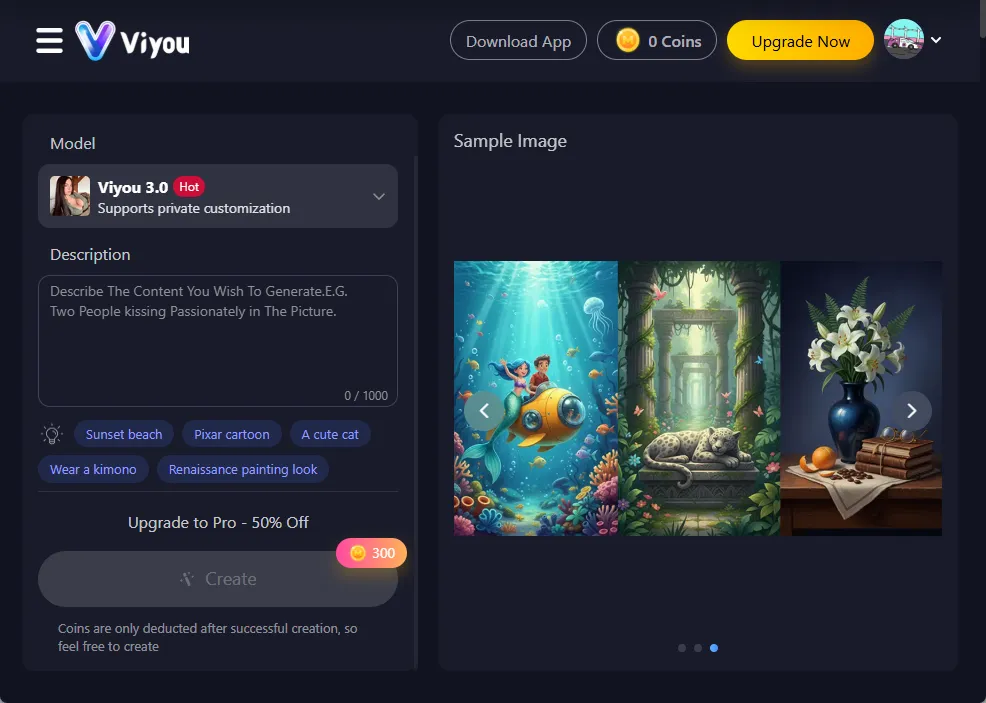
Using Viyou’s AI Image Generator is intuitive and user-friendly. Just follow three steps:
- Select a suitable model (like Viyou 3.0 or Nano Banana Pro).
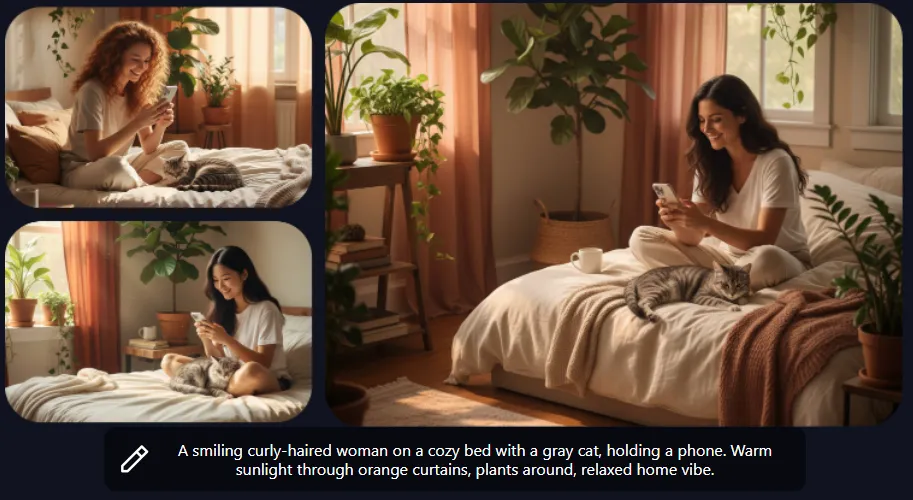
- Enter your descriptive text prompt—for example: “A curly-haired woman smiling on a cozy bed while holding a gray cat.”
- Click Generate, and your artwork appears within seconds.
Coins are only deducted after successful image creation, ensuring you get the best value for every generation.
Creative Extension: Continue From Text to Image → Image to Video
Once you finish your artwork using the Text to Image Generator, Viyou makes it easy to take your creativity to the next level.
You can instantly send your generated image to the Image to Video Generator to turn it into dynamic animation or cinematic video.
This seamless workflow allows creators to complete an entire multimedia project — from concept to image to video — all within the Viyou AI platform.
Frequently Asked Questions (FAQ)
1. What makes the Viyou AI Image Generator special?
Viyou’s AI Image Generator integrates Viyou 2.0, Viyou 3.0, SeeDream, and Google’s Nano Banana Pro, allowing users to produce highly accurate, realistic, and stylistically diverse results. You can create everything from realistic portraits to stylized anime or fantasy artwork with ease.
2. Is the Text to Image Generator free to use?
The web version is not free. However, the Viyou App provides many free options—you can gain credits through daily check-ins, watching ads, or completing tasks.
3. What types of images can I create with Text to Image?
You can generate photorealistic images, cartoon styles, anime characters, fantasy illustrations, surreal artworks, abstract visuals, and even Ghibli-inspired AI paintings—all within seconds.
4. What is the difference between Text to Image and Image to Image?
- Text to Image: Creates new visuals from written prompts.
- Image to Image: Transforms or re-imagines an existing image according to your instructions.
5. How does Viyou’s Text to Image feature work?
Select a model (e.g., Viyou 3.0), enter a text description, and generate. Each model offers unique advantages, enabling you to find the perfect match for your creative vision.