AI Video Generator
 AI Image to Video
 AI Text to Video
 AI Image Generator
 AI Image to Image
 AI Text to Image
 AI Video Generator
 AI Image Effects

 Bring your imagination to life with powerful Viyou AI tools.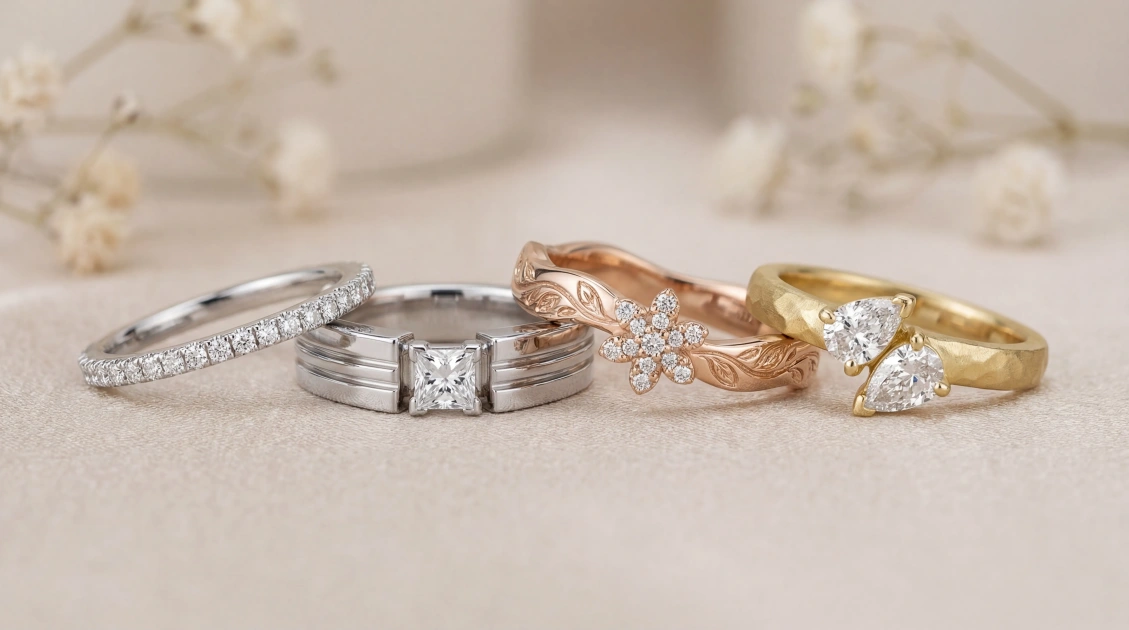
Choosing a wedding band can feel surprisingly daunting. You’re picking a piece of jewelry you’ll wear every single day, but how do you translate a feeling—"simple but not plain," "unique but not quirky," "timeless but with personality"—into a tangible design? Browsing existing collections can be limiting, and sketching your own idea feels impossible.
What if you could visualize your perfect ring first? This guide shows you how to use Viyou AI as your personal design scout. By crafting a simple text description (a "prompt"), you can generate images of custom wedding band concepts. Think of it as creating a visual mood board for your finger, helping you and your jeweller speak the same creative language from the very first meeting.
Why "Preview" Your Ring with AI?
Using AI isn't about replacing a master goldsmith; it's about empowering you as the creative director. It helps you:
- Discover Your Style: Quickly explore directions—from minimalist to vintage to nature-inspired—without pressure.
- Communicate with Clarity: Walk into a jeweller with images that say, "I love the texture on this one, but the width of that one," making the consultation infinitely more productive.
- Experiment Fearlessly: See how a specific gemstone, engraving, or mixed metal combo looks before committing to a custom order.
How to Describe Your Dream Ring: The 4-Part Prompt
A great AI prompt for jewelry is a precise brief. Include these four elements:
- Metal & Base Form: Start with the foundation. "A matte rose gold wedding band," "A polished platinum ring with a flat comfort-fit profile."
- Core Design & Embellishment: Describe the main event. "Featuring a single, flush-set brilliant-cut diamond," "with a continuous pattern of hand-engraved olive leaves," "with a textured hammered finish across the top."
- Details & Dimension: Add specifics. "The band is 4mm wide," "with milgrain edges," "tapering towards the back of the finger."
- Style & Presentation: Set the vibe. "Modern and minimalist," "heirloom Art Deco style," "organic and rustic." For the image: "Professional product photography on a neutral background," "macro shot showing detail."
- Example Prompt:
A matte yellow gold wedding band, 6mm wide, featuring a continuous line of delicate claw-set sapphires. The band has a flat front and curved edges for comfort. Style is modern but with a touch of color. Rendered in clean, photorealistic product photography.
Ring Style Gallery: Concepts You Can Actually Make
Here are four popular, manufacturable directions with prompts to generate and refine.
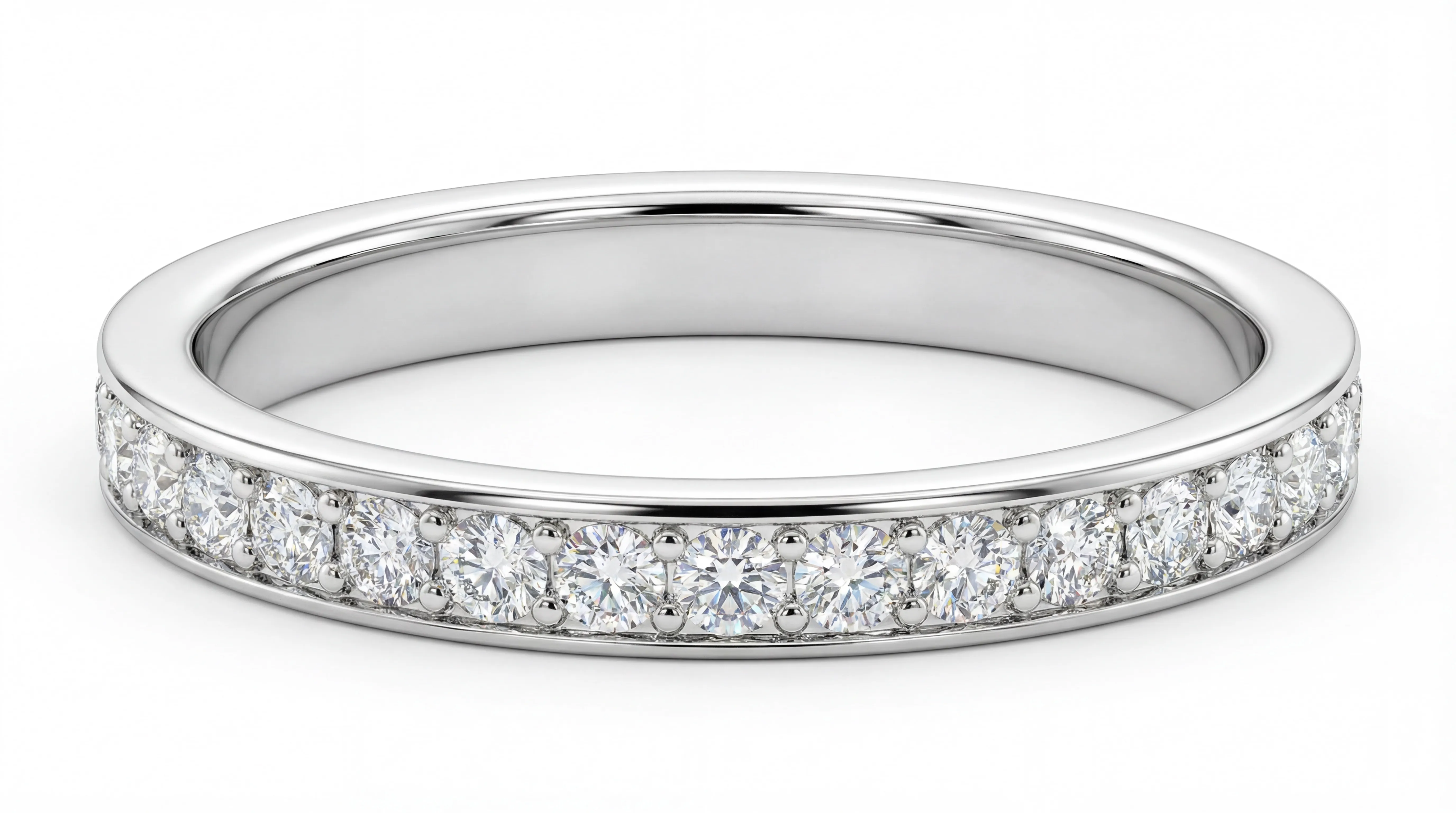
1. Eternal Classic: The Line Set Band
- AI Prompt to Generate:
A 2mm wide, 18K white gold wedding band with a slender, flat ribbon-like profile. On the top of the band, a full circle of round brilliant-cut diamonds with a total approximate weight of 0.5 carats is set using a micro-set technique. The diamonds are completely flush with the band, creating a seamless halo of light. The edges of the band are polished. The style is ultra-minimalist and modern. Generate a still-life photograph showcasing its 360-degree luster.
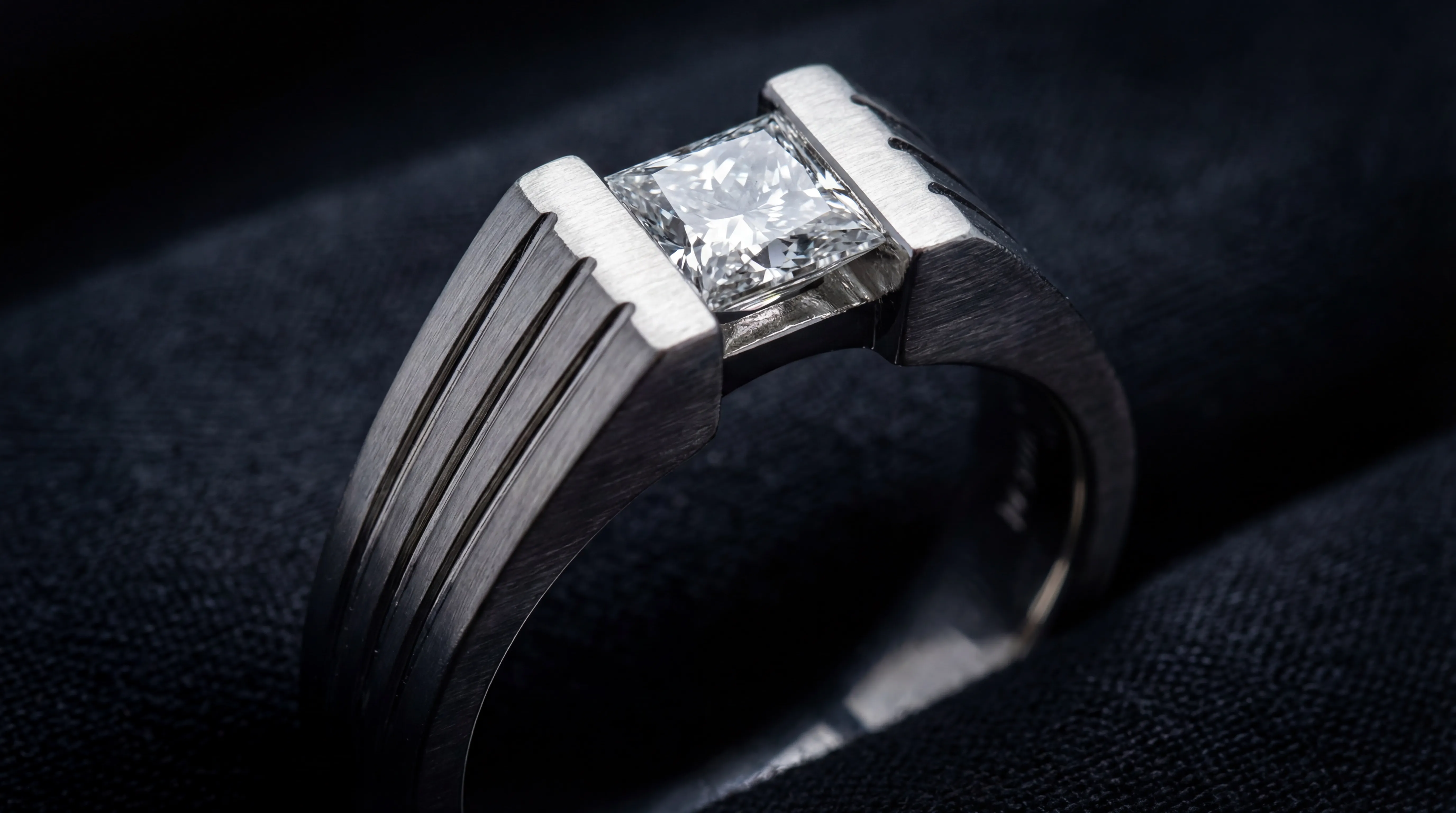
2. Modern Statement: The Tension-Set Solitaire
- AI Prompt to Generate:
A 4.5mm wide platinum wedding band, tapering and thickening from the sides towards the top. At the apex, a 0.5-carat princess-cut diamond is suspended using a tension setting. The side surfaces of the band are engraved with radiating linear grooves that point toward the central stone. The style is bold, avant-garde, and architectural. Generate a close-up shot that highlights the setting structure.
3. Vintage Cluster: The Starlight Band
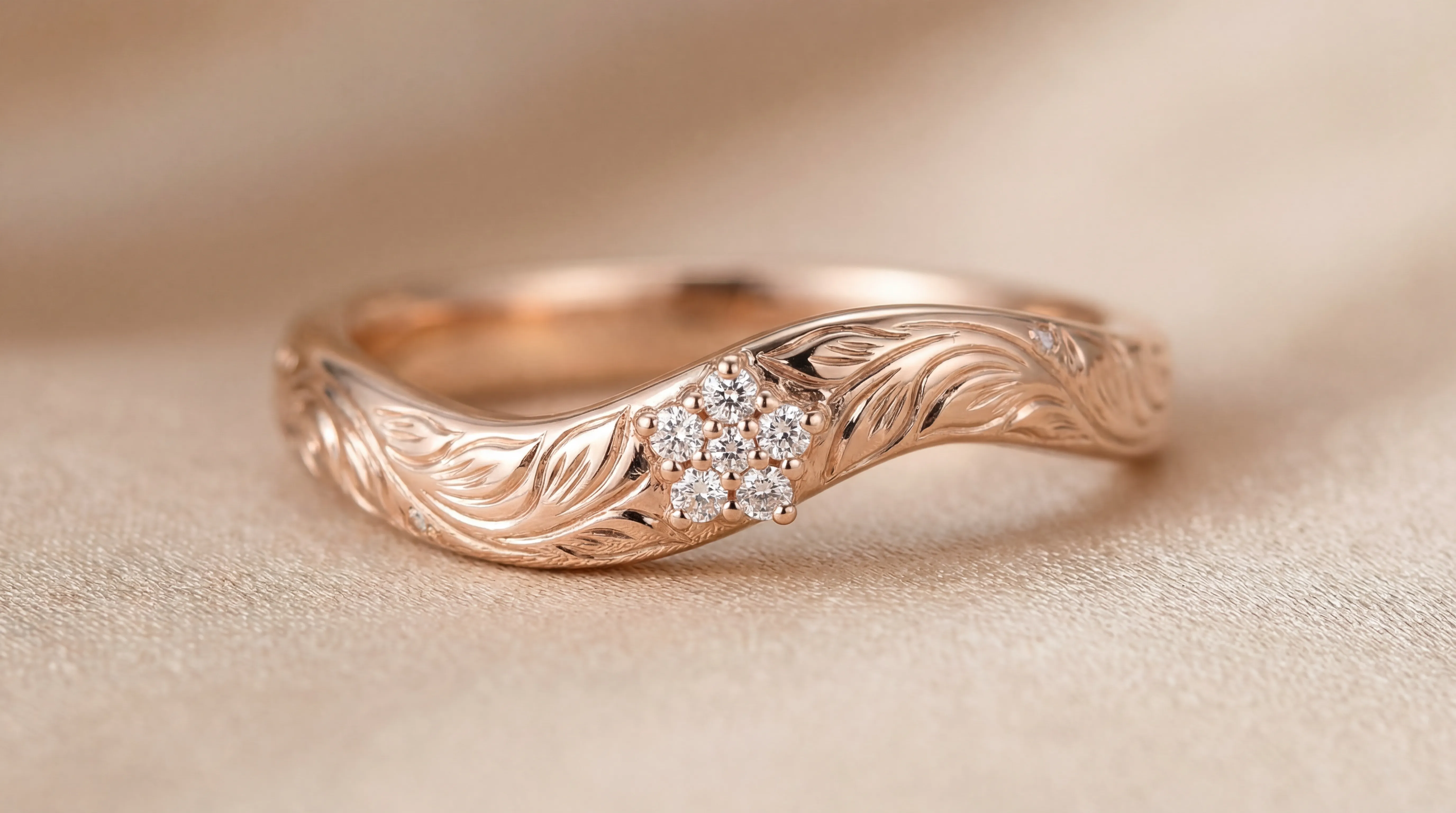
- AI Prompt to Generate:
A 3mm wide rose gold wedding band with an elegant, undulating ("spoon") shape. At the center top, five small round diamonds are clustered in a plum blossom formation using a pavé setting. This cluster is surrounded by hand-engraved scrollwork and foliate motifs. The style is Edwardian-inspired, delicate, vintage, and feminine. Generate an image in soft lighting that clearly shows the engraved details.
4. Naturalist: The Asymmetric Set Band
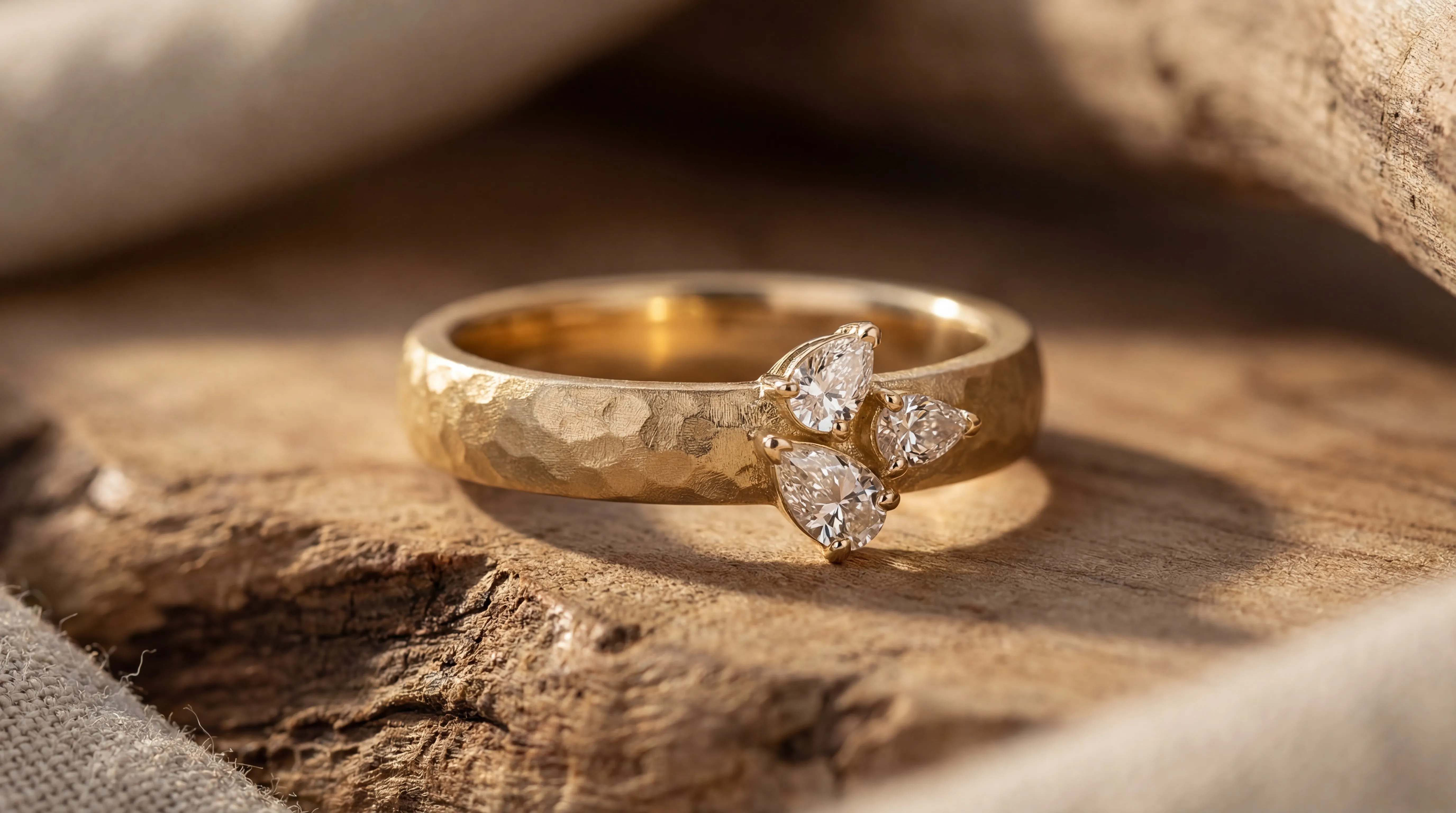
- AI Prompt to Generate:
A 5mm wide matte-finished yellow gold wedding band with a subtle hammered texture. Three differently sized pear-cut diamonds (e.g., 0.2ct, 0.15ct, 0.1ct) are set asymmetrically along one side of the band using prong settings, resembling dewdrops on a vine. The diamonds are angled slightly differently to catch the light. The style is organic, modern, and artistic. Generate a scene that showcases the beauty of its asymmetrical balance.
From Screen to Finger: Your Action Plan
- Generate & Refine: Use the prompts above to create a gallery of concepts. Save 2-3 favorites that resonate.
- Research & Budget: Once you have a direction, research the materials (e.g., gold karat, platinum) and techniques (e.g., hand engraving vs. cast texture) to understand their impact on cost.
- Consult with a Professional: Bring your AI images to a reputable local jeweller or custom designer. Say: "I love the general direction of this one. Can we create something similar that fits my budget and finger size?" A good jeweller will guide you on proportions, material suitability, and provide a CAD rendering for final approval.
- Prioritize Comfort: However beautiful, a ring must feel good. A comfort-fit interior is often worth the investment for a daily-wear item.
Wedding Prompt Types
Your wedding band is a daily reminder of your commitment. Let AI help you visualize that promise in a form that’s uniquely, perfectly yours. Start with a simple description, and unlock a world of possibilities you can actually wear.