KI-Videogenerator
 KI Bild zu Video
 KI Text zu Video
 KI-Bildgenerator
 KI Bild zu Bild
 KI Text zu Bild
 AI Video Effects
 AI Image Effects

 Erwecken Sie Ihre Vorstellungskraft mit den leistungsstarken Viyou AI-Tools zum Leben.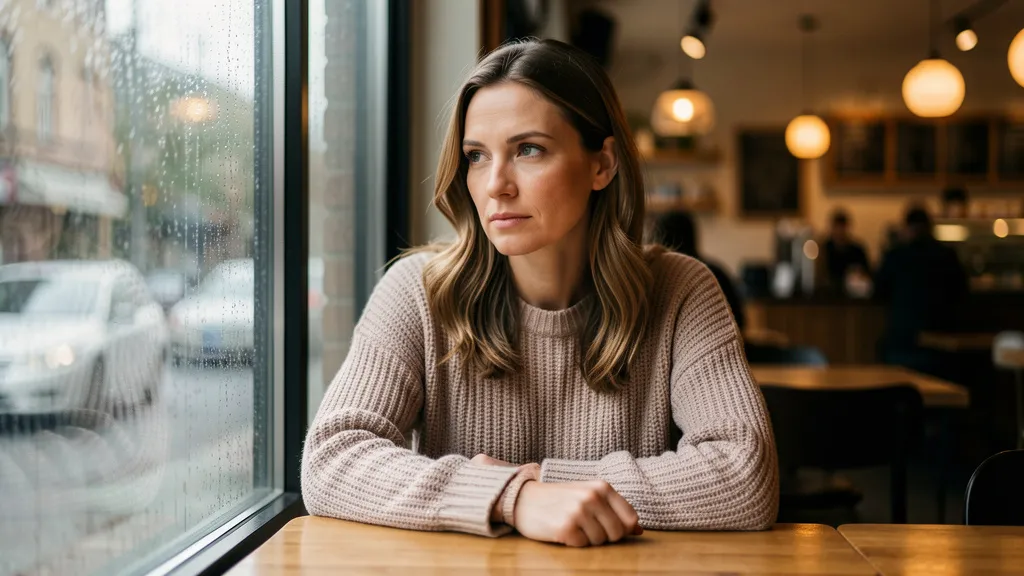
Why Viyou AI is Your Creative Game-Changer.
Struggling with AI images that just don't look right? Tired of throwing random style words at a model and getting a messy result?
We get the frustration. That's why Viyou AI integrates the powerful Nano Banana model and is built to give you a seamless "what you describe is what you get" creative workflow.
Nano Banana's real strength isn't guessing keywords—it's understanding scenes described in plain language. The #1 rule? Describe the scene, don't just list keywords.
Using Nano Banana on Viyou AI gives you a triple advantage
1. All-in-One Workflow: Generate, edit, and remix images in one place. No app switching.
2. Built-In Best Practices: We break down the most effective prompting methods so you can stop the keyword vomit.
3. Ready-to-Use Results: Create images tailored for e-commerce, design, marketing, and content—right out of the gate.
This series tackles your biggest pain points with six ready-to-use templates. Let's turn your ideas into stunning visuals.
Scene 1: Think Like a Photographer – Photorealistic Images
The Problem: Images look fake, plastic, or like cheap 3D renders—useless when you need real texture and quality.
The Viyou AI Fix: Command Nano Banana with a photographer's vocabulary. Describe lighting, lens, and mood.
The Template:
A photorealistic [close-up / wide shot / medium shot] of [subject and action], set in [specific environment]. The lighting is [e.g., soft afternoon side light], creating a [e.g., serene / dramatic] mood. Shot on a [e.g., 85mm prime] lens to emphasize [e.g., skin texture / metallic shine]. [Aspect ratio].
Try This in Viyou:
A photorealistic close-up portrait of an elderly sailor with a weathered, story-filled face, gazing into the distance on the deck of his fishing boat at dusk. The light is a golden backlight from the setting sun, rimming his profile and making his hair glow. Shot with a 50mm f/1.8 lens for a shallow depth of field, blurring the sparkling ocean behind him. The mood is wistful and narrative. Vertical portrait.
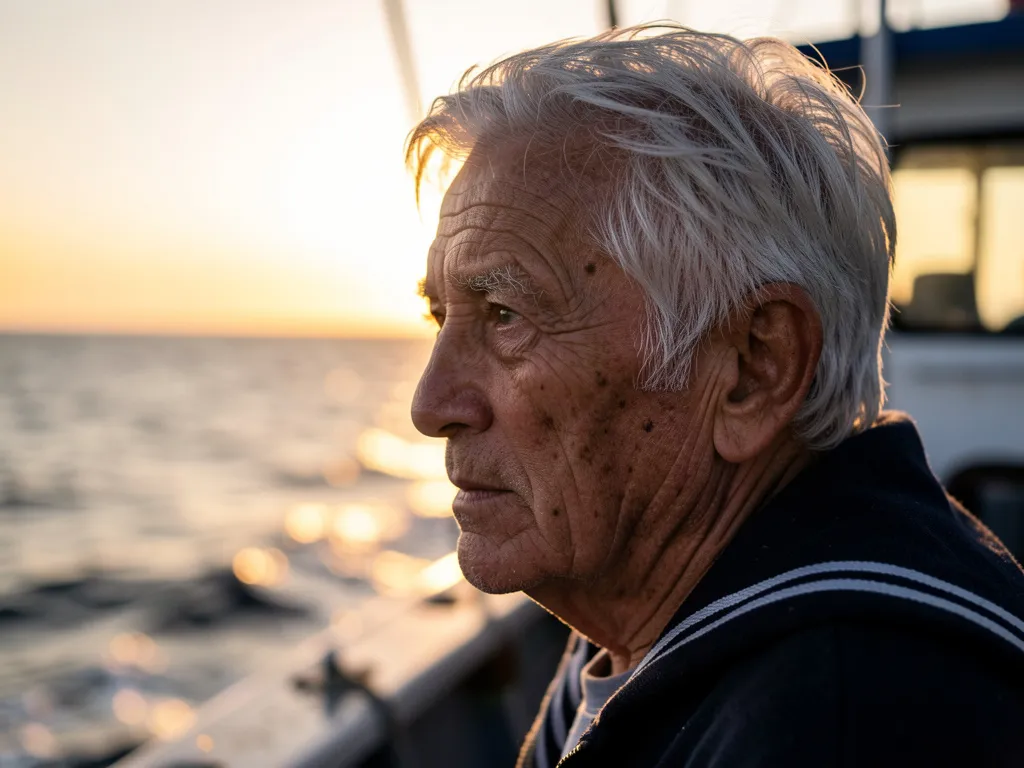
You'll get a deeply atmospheric image with perfect lighting, ready for a book cover or documentary piece.
Pro Tip: Use terms like "backlight," "softbox lighting," "shallow depth of field," and "film grain."
Scene 2: Instant Design Assets – Stickers & Icons
The Problem: You need clean, styled stickers or UI icons, but get messy backgrounds and warped lines that need manual editing.
The Viyou AI Fix: Specify "sticker" or "icon" style and demand a solid background. Nano Banana gets it.
The Template:
A [flat / line art / kawaii / pop art] style [sticker / icon] of a [subject description], featuring a [simplified / exaggerated] design. Color palette is [main color] and [accent color]. Clean, [crisp / rounded] lines on a solid [color, usually white] background.
Try This in Viyou:
A set of flat design travel-themed icons, including an airplane, a suitcase, a map pin, and a camera. Design is minimalist and rounded. Color palette is navy blue and bright yellow. Clean, continuous lines. Each icon is centered on a pure white background.

Generate instantly usable, cohesive vector-style icons with transparent/white backgrounds, perfect for Figma, decks, or flyers.
Pro Tip: Use our built-in "Remove Background" or "Simple Crop" tool for final touches without leaving the platform.
Scene 3: Type That Works – Accurate Text Rendering
The Problem: AI-generated text is often gibberish, mangled, or just won't fit into your logo or banner design.
The Viyou AI Fix: Nano Banana on Viyou AI excels at text. Treat the text and its style as the core of the visual design.
The Template:
A [modern / vintage / luxury] style [logo / banner / slogan] design. Central text reads: "[Your text here]". The font is a [e.g., bold sans-serif / elegant script] and integrates with [graphic element, e.g., surrounding wheat stalks / an abstract flame]. Primary color is [color].
Try This in Viyou:
A vintage coffee shop sign design. Central text reads: "Midnight Brew" in a classic serif typeface with ink-like flourishes and slight dry-brush texture. The text is encircled by stylized coffee bean illustrations. Color scheme is dark sepia and aged cream.
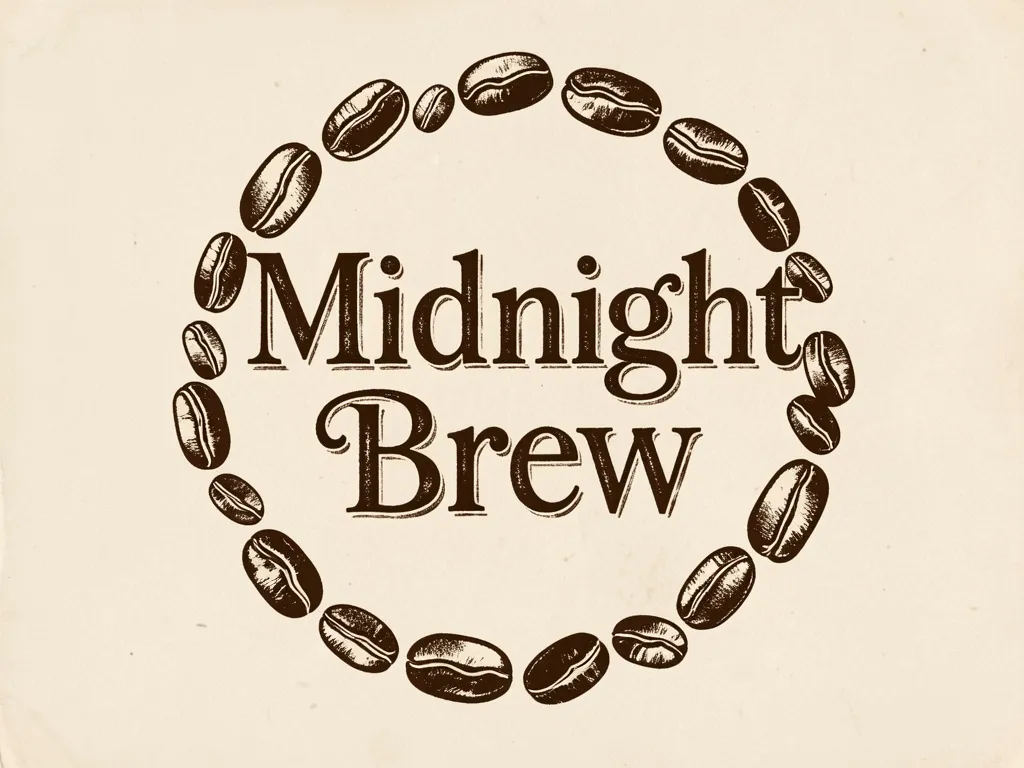
Get perfectly legible, artistic text within a complete design, no extra typesetting needed.
Pro Tip: For non-Latin scripts, describe the feel—"the elegance of calligraphy," "the strength of a bold block font."
Scene 4: E-Commerce & Ads – Professional Product Photography
The Problem: Product shots look cheap, lack detail, and fail to convey quality or desirability.
The Viyou AI Fix: Use product photography lingo in Viyou AI to get shop-ready images.
The Template:
A high-resolution, professional studio product shot of a [product and material], placed on a [e.g., marble surface / linen cloth]. Lit with [e.g., three-point lighting] to create [e.g., soft highlights and gradient shadows]. Shot from a [e.g., eye-level / 45-degree] angle, focus sharply on [e.g., the product logo / a splash moment]. Clean composition, emphasizing product texture.
Try This in Viyou:
A high-resolution, professional studio product shot of a translucent celadon porcelain teacup on a dark walnut tea tray. Lit with a key light from the left and fill for a soft, glowing highlight along the curve. Shot from a slightly elevated angle, focus locked on the delicate steam rising from the cup. Minimalist shot highlighting the ceramic's gloss and the tea's clarity.
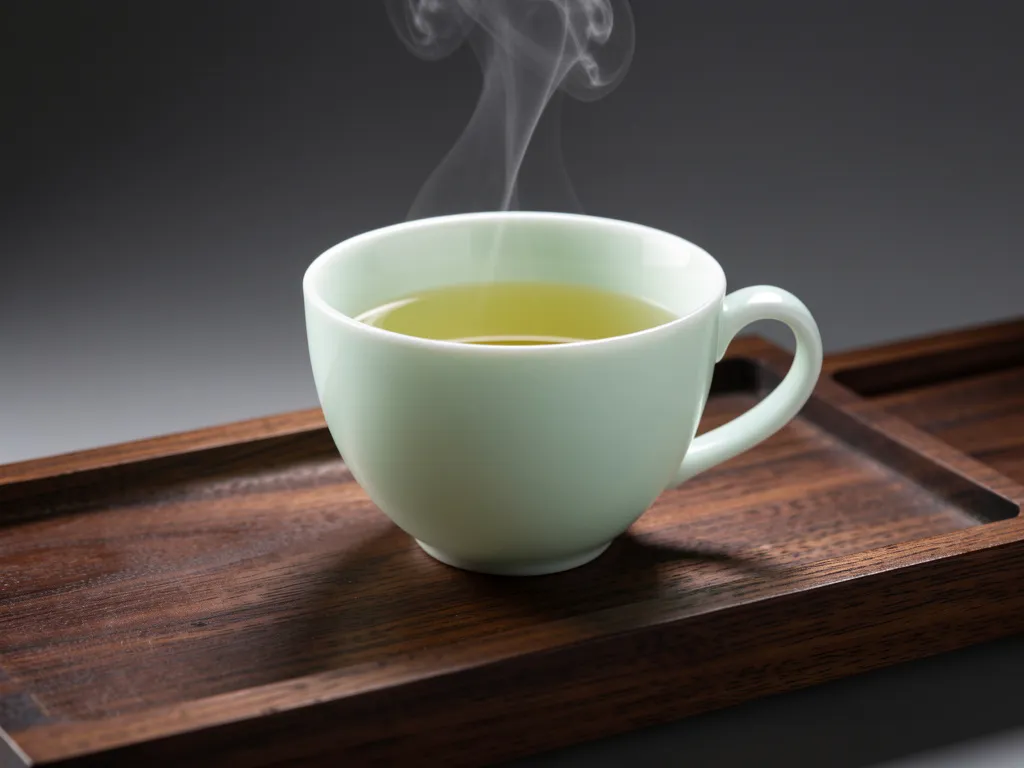
Results look professionally lit and shot, with crisp details that sell the product.
Pro Tip: Describe specific details like "glaze reflection," "fabric weave," or "water droplets" to enhance realism.
Scene 5: The Art of Space – Minimalist Backgrounds
The Problem: You need clean backgrounds for presentations, headers, or social covers, but generated images are always too busy.
The Viyou AI Fix: Command minimalist composition directly. Viyou AI generates images born for "breathing room."
The Template:
A minimalist composition with ample negative space. A single [subject] is placed in the [e.g., left third / bottom] of the frame. The background is a vast, uniform [e.g., light gray gradient / sand-colored] space. Lighting is even, soft, and diffused. [Aspect ratio].
Try This in Viyou:
A minimalist composition with ample breathing room. A single white feather rests gently in the lower left corner. The background is a vast gradient space shifting from pale blue at the top to pure white at the bottom. Even, soft natural lighting casts a faint shadow from the feather. Square composition.

Get inherently high-end images with built-in space, ready for your overlay text or logo.
Pro Tip: Use words like "breathing room," "negative space," and "subtle gradient" to convey minimalist aesthetics.
Scene 6: Frame Your Story – Comic Panels & Narrative Art
The Problem: Single images feel flat and fail to "tell a story," lacking cinematic feel or emotional punch.
The Viyou AI Fix: Use Nano Banana in Viyou AI as your storyboard artist. Frame the shot like a movie still.
The Template:
A single comic panel in a [cyberpunk / ink wash / American comic] style. In the foreground, [character] is [action]. The background shows [scene details]. A [top / bottom] caption box reads: "[dialogue]". The lighting is [high contrast / moody], creating a [tense / melancholic] atmosphere. [Landscape / Portrait] layout.
Try This in Viyou:
A single steampunk-style comic panel. In the foreground, a young female mechanic with goggles is intently tightening a glowing gear core. The background is her cluttered, invention-filled workshop with tools and blueprints on the wall. A thought bubble in the corner reads: "This time it'll work!". Light from an overhead gas lamp creates bright pools and deep shadows, focusing on her determined expression. Landscape layout.
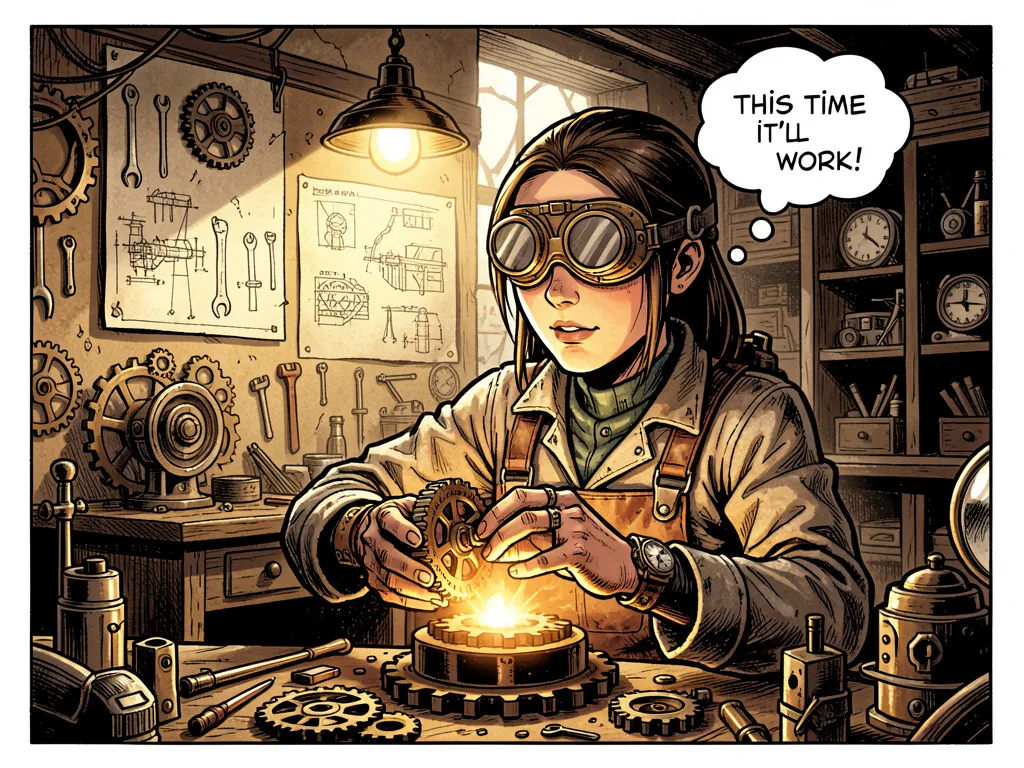
You get a narrative-packed scene where character and world-building shine through.
Pro Tip: Generate a series of prompts describing consecutive scenes to build a full comic strip in Viyou AI.
Series Wrap-Up: Create Naturally with Viyou AI
Nano Banana understands the language of scenes. Viyou AI is the stage where it performs best.
With these six templates, you have the keys to go from idea to pro-level asset. Remember, your most powerful prompt is a vivid, detailed description of the picture in your mind.
Ready to create what you truly imagine? Head to Viyou AI now and try describing your next idea in full sentences. See how direct, powerful, and fun generation can be.