AI 비디오 생성기
 AI 이미지를 비디오로
 AI 텍스트를 비디오로
 AI 이미지 생성기
 AI 이미지를 이미지로
 AI 텍스트를 이미지로
 AI Video Effects
 AI Image Effects

 강력한 Viyou AI 도구로 상상력을 실현하세요.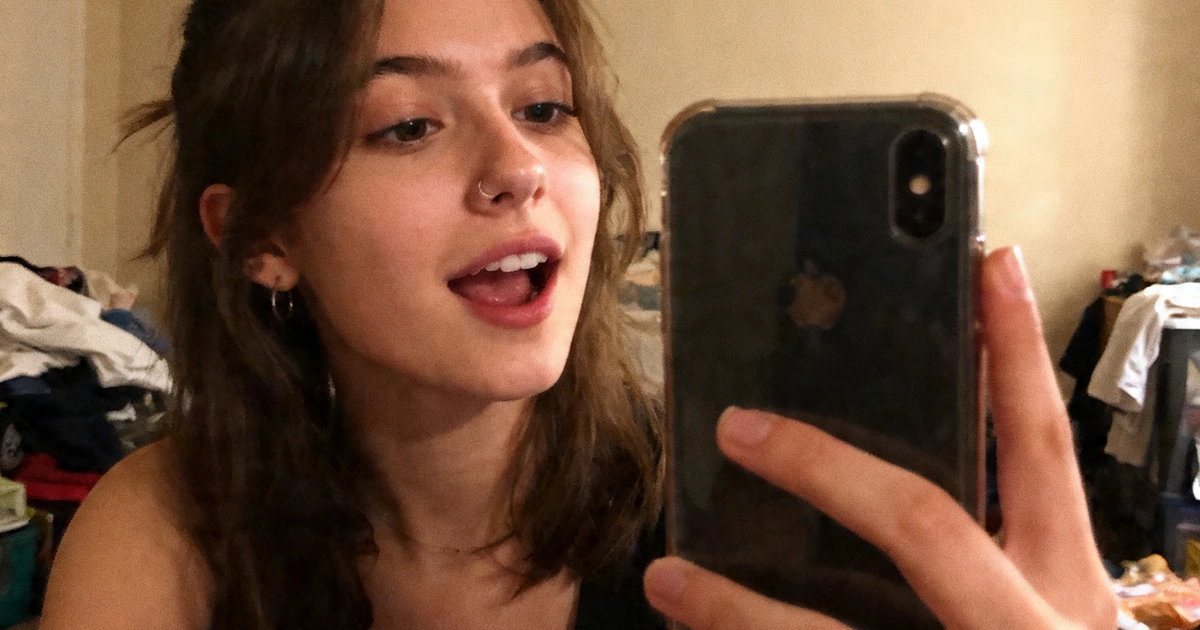
 목차
목차Why Your AI Videos Still Look Fake
Let’s be honest.
Most AI-generated videos still look:
- Stiff
- Lifeless
- Obviously "AI”
Even with good tools
The Real Problem
It’s NOT the model.
It’s your prompt.
Most people write prompts like:
“a woman walking in a city”
That’s an image description — not a video prompt.
What Makes a Video Prompt “Cinematic”
A cinematic video prompt must include:
1. Subject (who)
2. Action (what happens)
3. Camera movement (how we see it)
4. Lighting (mood)
5. Micro details (realism)
Example (Bad vs Good)
Bad:
a man standing in the rain
Good:
A man standing in the rain at night, water dripping from his coat, subtle breathing motion, street lights reflecting on wet ground, the camera slowly pushes in from a distance, cinematic lighting, shallow depth of field, emotional atmosphere
8 Cinematic AI Video Prompts (Copy & Paste)
1. Slow Push-In Emotional Scene
A woman standing by a large window, soft sunlight illuminating her face, gentle wind moving her hair, subtle breathing motion, emotional expression, the camera slowly pushes in toward her, shallow depth of field, 85mm lens look, cinematic color grading, ultra-realistic
2. Handheld Social Media Clip (Viral Style)
A young woman recording a casual selfie video, slightly messy room, warm lighting, natural movement, handheld smartphone camera feel, slight shake, imperfect framing, candid expression, realistic skin texture, social media style, subtle motion blur
3. Tracking Shot (Professional Feel)
A man walking confidently through a modern city street, reflections on glass buildings, sunlight casting shadows, the camera smoothly tracks alongside him, steady cinematic motion, 35mm lens look, high detail, realistic movement
4. Orbit Shot (Cinematic Depth)
A female model standing still while the camera slowly rotates around her, soft studio lighting, subtle hair movement, shallow depth of field, cinematic shadows, ultra-realistic skin texture, smooth circular motion
5. Product Commercial Motion
A luxury perfume bottle on a reflective surface, soft studio lighting, light mist in the background, the camera slowly pushes in and rotates slightly, macro detail, cinematic highlights, ultra-realistic, smooth motion
The 5 Rules of Writing Better AI Video Prompts
1. Always Add Camera Movement
Without this → it’s just an image
Use:
- slow push-in
- tracking shot
- orbit
- handheld
2. Add Micro-Movements
Make subjects feel alive:
- blinking
- breathing
- hair moving
- subtle gestures
3. Use Lighting to Set Mood
- soft natural light → calm
- neon light → modern
- backlight → cinematic
4. Use “Imperfection” for Realism
handheld camera, slight shake, imperfect framing, natural movement
5. Think in Sequences, Not Clips
Instead of one video:
Create a series:
- Scene 1 → intro
- Scene 2 → action
- Scene 3 → close-up
Best Workflow (Used by Creators)
Step 1: Generate Base Visual
Text → Video or Image → Video
Step 2: Lock Identity
Use same subject / reference
Step 3: Iterate Motion
Change:
- camera
- action
- mood
Tools like viyou ai are powerful here:
- Generate base scenes
- Then refine motion with consistency
Final Thoughts
In 2026, the difference is clear:
Beginners describe images
Pros direct scenes
If you want cinematic results:
- Think like a filmmaker
- Control the camera
- Add motion and emotion
CTA
Start creating cinematic AI videos with viyou ai
Turn simple prompts into dynamic, high-quality visuals in minutes.