AI Video Generator
 AI Image to Video
 AI Text to Video
 AI Image Generator
 AI Image to Image
 AI Text to Image
 AI Video Generator
 AI Image Effects

 Bring your imagination to life with powerful Viyou AI tools.
 Contents
You've got your logo and your color palette—congratulations! The foundation is set. But now comes the real test: how does your brand actually show up in the world? When someone visits your LinkedIn page, receives your business card, or sees your event poster, does it feel cohesive, professional, and unmistakably you?
For solopreneurs, startup teams, and small businesses, designing every single marketing asset from scratch is a massive time sink. Canva templates are a start, but they often leave your materials looking generic. Hiring a designer for every social post and flyer isn't scalable.
This guide is your shortcut. We’ll use Viyou AI to act as your on-demand design partner, generating polished, on-brand visuals for your most critical touchpoints. You’ll move from having brand elements to having fully-realized, ready-to-use assets.
Who This Is For & The Pain Points It Solves
· Startup Founders & Small Business Owners: You need to launch with a professional image across all channels, yesterday. No time for a lengthy back-and-forth with a designer for a Facebook cover photo.
· Freelancers & Consultants: Your personal brand is your business. Every piece of content—from your YouTube channel art to your client proposal deck—needs to build credibility and consistency.
· Marketing Managers & Content Creators: You’re tasked with producing a high volume of visually consistent content across social media, email, and sales collateral. You need a system to maintain brand integrity at speed.
· Non-Designers Who Need to Look Like They Hired One: You have the vision but not the technical skills in Figma or Adobe Suite. AI translates your vision into a tangible design.
The Core Formula: The “Asset Brief” Prompt
Think of this as a work order for your AI design assistant. To get a usable, refined result, you must brief it like a pro.
“Asset + Dimension + Brand Elements + Core Message + Stylistic Direction + Professional Mockup”
Your Go-To Prompt Blueprint:
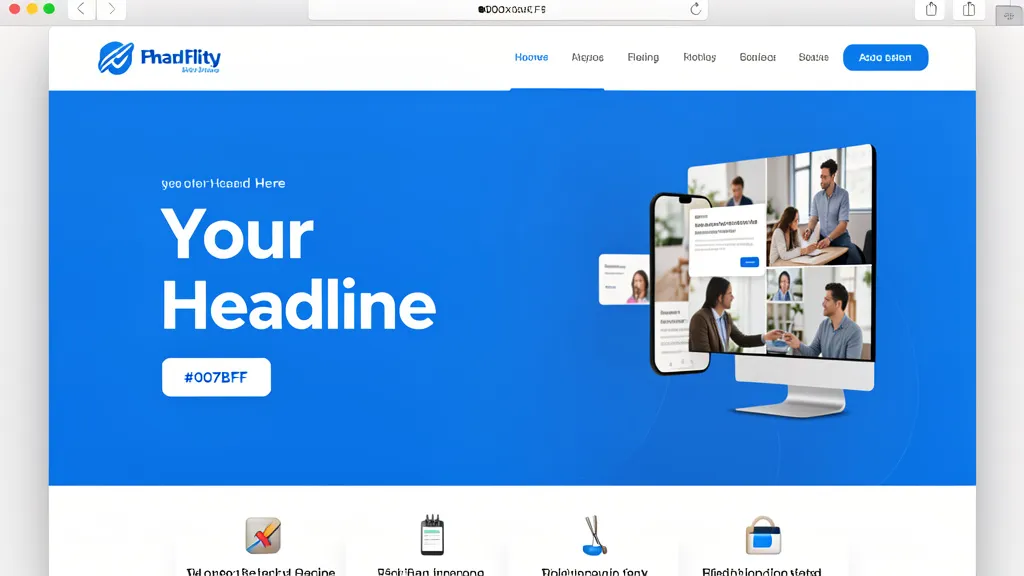
Design a [specific asset] with dimensions of [exact width] x [exact height] pixels for my [your industry] brand. Prominently feature our [logo/brand mark] and use our primary brand color, [hex code]. The focal message is "[your headline text]". The overall style should be [style adjective] and [style adjective], evoking a sense of [desired feeling]. Render this as a high-fidelity, photorealistic mockup showing it in context, like [real-world application example].
3 Ready-to-Use “Asset Generator” Prompts
1. The LinkedIn Company Page Cover Image
- The Goal: To immediately communicate your company’s vision and professionalism, converting profile visitors into followers or customers.
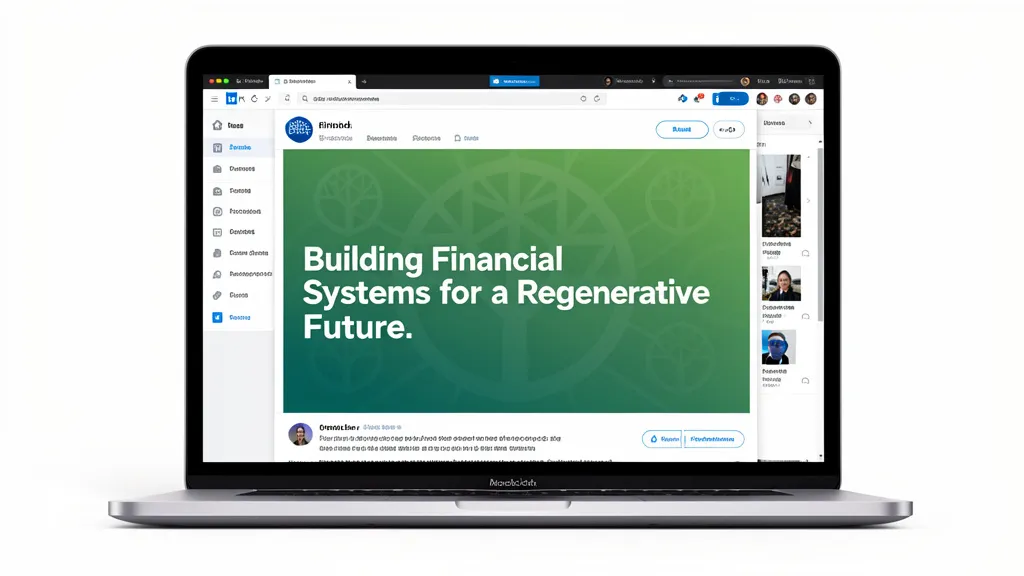
- Why it works: It specifies platform dimensions, integrates the logo as a subtle texture (not just plopped in a corner), uses brand color strategically, and requests a realistic screen mockup to visualize the final effect.
- Your Prompt:
Design a LinkedIn company page cover image, 1584 x 396 pixels, for our sustainable fintech startup. Integrate our abstract “growth tree” logo as a subtle, low-opacity geometric pattern in the background. Use our primary color, #0A5C36 (a deep forest green), as a gradient from dark to light. The focal text is “Building Financial Systems for a Regenerative Future.” The style should be clean, tech-forward, and trustworthy. Render this as a photorealistic mockup on a MacBook Pro screen, with a portion of the LinkedIn interface visible around it.
2. The Modern Minimalist Business Card
- The Goal: To create a tactile, memorable piece that feels premium and reflects a design-conscious brand.
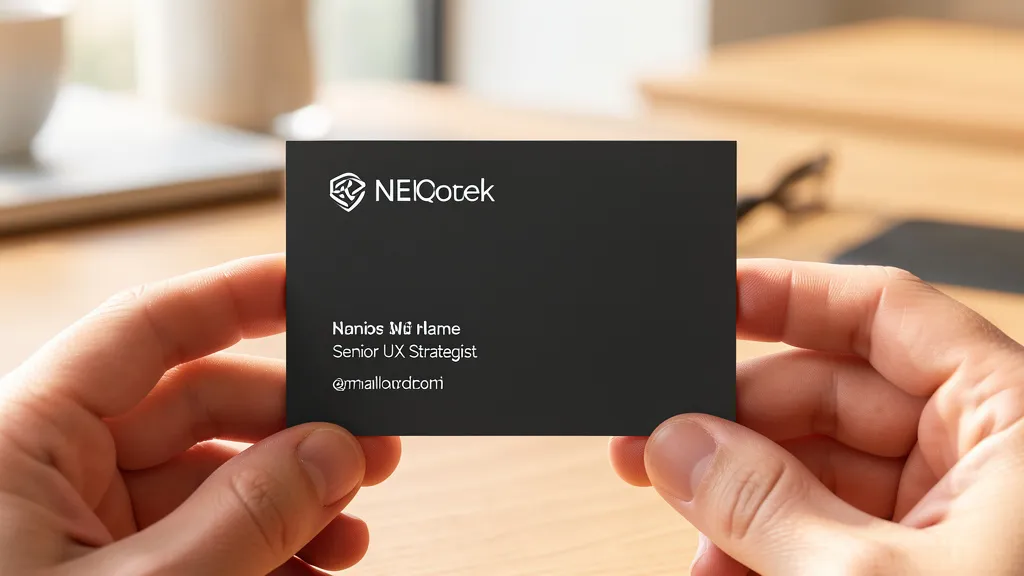
- Why it works: It dictates a standard print dimension (with bleed), specifies exact placement for critical information (using optical alignment), describes a sophisticated material finish, and calls for a lifestyle shot that implies quality and use.
- Your Prompt:
Design a modern business card for a UX design consultant, 3.5 x 2 inches (with 0.125 inch bleed). Our wordmark logo should be optically aligned to the top-left. Our secondary color, #2D2D2D (warm dark grey), should be the card base. My name, title (“Senior UX Strategist”), and email should be set in a clean, minimalist layout using ample white space. The style should be understated, sophisticated, and tactile. Render a photorealistic mockup showing the card held between two fingers, with a soft-focus background of a modern, sunlit wooden desk. The finish should look like a luxurious, soft-touch matte laminate.
3. The Event Announcement Social Media Graphic
- The Goal: To stop the scroll and communicate key event details with clarity and excitement.
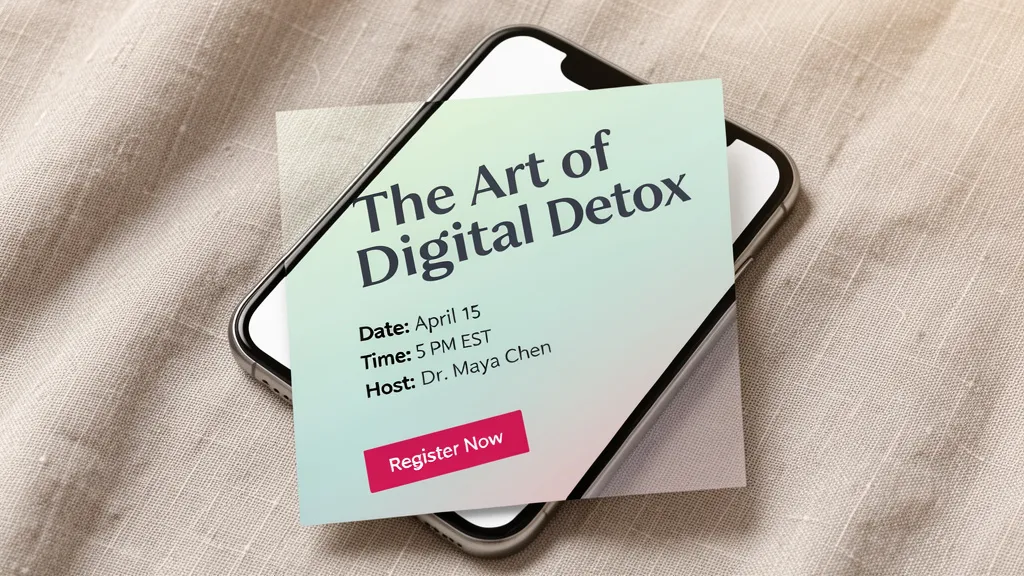
- Why it works: It targets a universal social media size, creates clear information hierarchy (headline, sub-points, CTA), uses the accent color for high-priority elements, and employs a dynamic compositional technique (diagonal flow). The mobile mockup ensures it’s optimized for where it will be seen.
- Your Prompt:
Design a square Instagram post graphic, 1080 x 1080 pixels, to announce a live online workshop for our mindfulness app. Use a serene gradient background blending our brand colors #E9F0EB (light mist) and #C8D9CB (soft sage). The headline “The Art of Digital Detox” should be large and clear. Include bullet points: “Date: April 15,” “Time: 5 PM EST,” and “Host: Dr. Maya Chen.” Use our bright accent color, #FF6B8B (coral pink), for the “Register Now” button. The composition should have a clean, diagonal flow of elements. The style should be calm, inviting, and modern. Render this as a mockup on a smartphone screen, resting on a textured fabric like linen.
From AI Mockup to Real-World Asset: Your Professional Workflow
1. Extract & Adapt: Use the AI-generated mockup as your final visual guide. You can:
· Recreate it faithfully: Use the mockup as a layout reference in Canva, Adobe Express, or your design tool of choice, inserting your actual logo and fonts.
· Use it directly: For some assets (like a detailed social graphic), the AI output may be high-quality enough to use after minor tweaks in a photo editor (like cropping or sharpening).
2. Prepare for Print (For Physical Assets): For items like business cards or flyers, the AI mockup is not the final file. Provide it to your printer or designer as the exact visual reference. They will need:
· Your final, vector-based logo files (.AI, .EPS, .PDF).
· Your official brand color codes (PANTONE, CMYK for print).
· The exact copy (text) used in the design.
3. Build a Template Library: Save your successful prompts for each asset type (e.g., blog_featured_image, webinar_thumbnail). Next time you need one, you have a proven starting point—just swap out the headline, date, and background color. This is how you build speed and ruthless consistency.
Related Blogs
The Bottom Line
A brand is only as strong as its weakest touchpoint. With these AI-driven “asset briefs,” you take direct control over the quality and cohesion of your most visible materials. You’re not just generating random images; you’re issuing precise, repeatable design commands.
This turns the daunting task of content creation into a streamlined, efficient system. You’re now equipped to ensure that every public-facing piece—from a digital ad to a physical handout—works together to build a powerful, unified brand impression.
Your next professional asset is one prompt away. Start with the LinkedIn cover or the event graphic, and see how quickly you can produce something that looks like it came from a professional agency.