AI Video Generator
 AI Image to Video
 AI Text to Video
 AI Image Generator
 AI Image to Image
 AI Text to Image
 AI Video Generator
 AI Image Effects

 Bring your imagination to life with powerful Viyou AI tools.
Have you ever wondered what it would look like if the photos in your phone's gallery could turn into a cinematic blockbuster?
With the rapid development of AI technology, "Image-to-Video" is no longer just a plot in a sci-fi novel. With just a static base image and a "spell" (prompt) describing the scene, you can make time flow again in a still frame. Whether it's Luma, Runway, Kling, or Pika, as long as you master the right methods, even a complete beginner can easily become a director.
This blog post will take you quickly through the core techniques of image-to-video generation and prepare a dedicated prompt library for 8 popular scenes. Just copy, paste, and start playing!
🎬 Step 1: The Core Formula for Image-to-Video
Before we begin, we need to understand how AI interprets your commands. Simply throwing an image at the AI and saying "make it move" often yields hilarious results. A highly successful image-to-video prompt usually contains the following four dimensions:
Perfect Prompt = Camera Movement + Subject Action + Lighting & Environment + Style
- Camera Movement: Tells the AI how the perspective should move. For example: Zoom in, Pan, Orbit, Close-up.
- Subject Action: What the people, animals, or objects in the frame are doing. For example: blinking, waving, ripples on the water surface.
- Lighting & Environment: The key to making the scene more realistic. For example: sunlight shining through leaves, flickering flames, a gentle breeze blowing.
- Style: Such as Cinematic, 8K ultra HD, Studio Ghibli style.
🌟 Step 2: The 8 "Spell" Secrets (Multi-Scene Prompt Library)
Prepare your base images, open your favorite AI video generation tool, and plug in the following prompts to itness the magic!
1. Magical Fantasy World (Suitable for landscapes and illustrations)
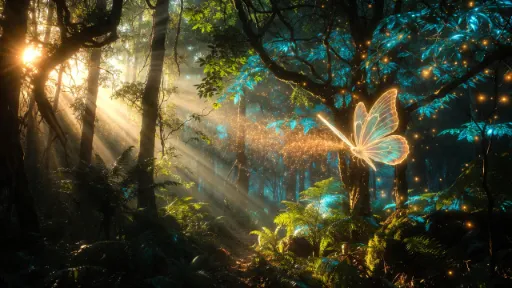
If you have a picture of a forest, an old castle, or a starry sky, you can use this prompt to fill it with magical vibes.
Slow zoom in. The leaves start to emit a faint blue glow, and golden luminous particles float in mid-air. A translucent magic butterfly flies past from the right side of the screen, and the light and shadow flicker on the tree trunks along the butterfly's trajectory. 8K resolution, epic feel, cinematic lighting.
2. Gorgeous Underwater World (Suitable for diving, aquarium, and ocean images)
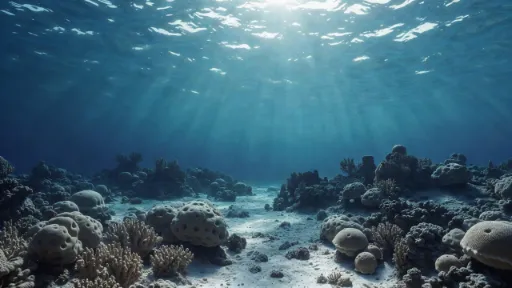
Give quiet underwater photos an instant touch of vibrant life and feel the charm of light refracting through the ripples.
Slow pan. Sunlight penetrates the azure seawater, creating rippling light spots. Colorful coral reefs sway gently with the current, and a school of silver fish swims quickly past the camera. The image is deep and clear, with stunning underwater optical refraction effects, National Geographic photography style.
3. Healing Anime Style (Suitable for 2D art, blue skies, and white clouds)
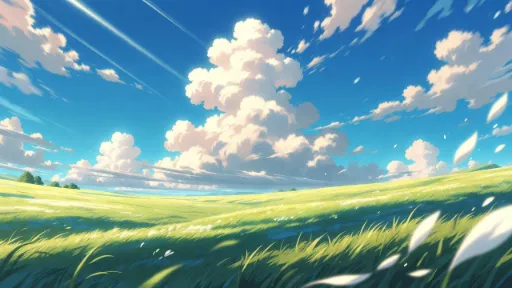
Want that dynamic summer breeze effect just like in a Hayao Miyazaki movie? Use this formula.
Static camera. A gentle breeze blows, and the green grass ripples like water waves. Large white clouds in the sky move quickly, and god rays shine through the edges of the clouds. A few petals fall with the wind at the edge of the frame. Studio Ghibli animation style, vibrant colors, warm, peaceful, summer vibe.
4. Portrait/Pet Micro-Expressions (Suitable for close-up portraits and pet photos)
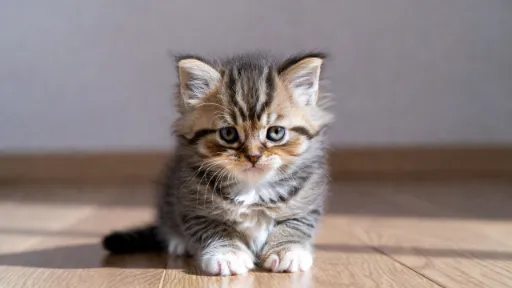
Static portraits can also show rich emotions. The key is to control the amplitude of the movement to avoid distorted facial features.
Close-up shot. The kitten's (or person's) ear twitches slightly, then slowly opens its round eyes and looks at the camera. Soft depth of field blur in the background. Soft natural light hits the side profile, making the fur/hair look very soft and fluffy. Natural and smooth motion, realistic photography.
5. Tempting Gourmet Food (Suitable for food and restaurant check-in photos)
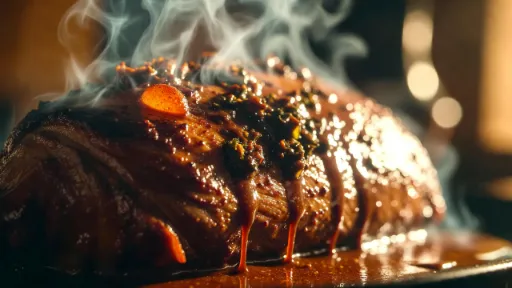
Make static food photos instantly exude that "fresh out of the oven" aroma, perfect for social media sharing.
6. Time-Reversing Old Photos (Suitable for vintage and black-and-white photos)
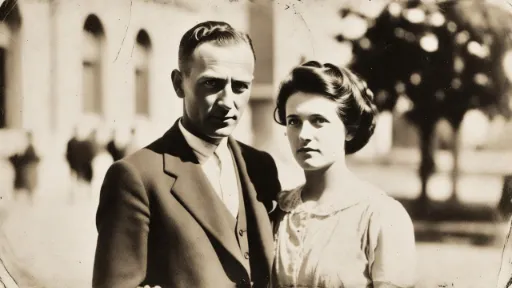
Bring the photos of older generations to life and make memories fresh again. This has a massive emotional impact.
Extremely slow zoom in. The edges of the old black and white photo are slightly yellowed, the figures in the frame begin to have slight breathing undulations, and their eyes become lively. Dust particles in the background dance in the beam of an antique chandelier. Vintage film style, obvious grain, flickering distressed lighting, full of a sense of era and story.
7. Vast Sci-Fi Interstellar Space (Suitable for universe, starry sky, and concept art)
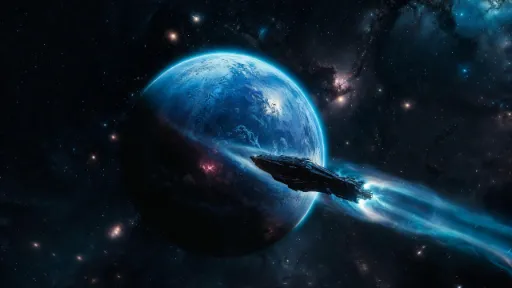
If you have a highly imaginative space wallpaper, this prompt can turn it into the opening of a Hollywood sci-fi blockbuster.
Wide-angle lens, slow orbit. A giant blue planet slowly rotates in the dark universe, with glowing storm clouds faintly visible on the surface. A high-tech interstellar spaceship glides smoothly over the top of the camera, emitting a faint blue ion light from its tail. Deep space background, bright nebulae, IMAX blockbuster quality.
8. Microscopic Natural Vitality (Suitable for flowers, insects, and water droplet images)
Simulate top-tier macro photography effects similar to "Planet Earth" to showcase the beautiful details of nature.
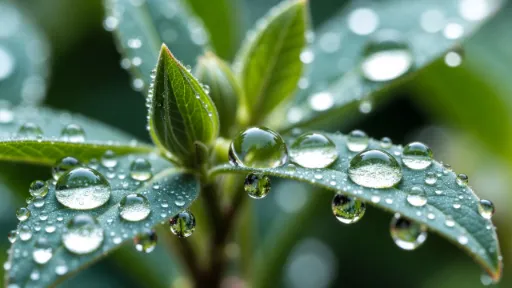
Static macro shot. The morning dew trembles slightly on the emerald green leaves, then slides down the veins. The flower buds in the background bloom slowly at a visible speed, and the petals unfold layer by layer. The clear morning sunlight penetrates the water drops, bringing refracted glimmer. BBC nature documentary style, extremely clear texture details.
💡 Beginner's Guide: Pitfalls to Avoid and Advanced Tips
- Base Image Quality Determines the Ceiling: Try to choose clear images with a distinct subject. If the image itself is extremely blurry or has a chaotic composition, it is very difficult for AI to generate high-definition video out of thin air.
- Avoid Drastic Movements: Current AI models perform best when dealing with "micro-movements," "fluids," and "atmosphere." If you ask the AI to calculate extremely complex physical actions (like a "backflip transitioning into a Thomas flair" or "eating an apple in one bite"), you are likely to get spooky footage with twisted limbs or merged objects. Less is more is the golden rule of image-to-video right now.
- Make Good Use of Negative Prompts: If the tool you are using (such as Stable Video Diffusion-related WebUIs) supports it, be sure to fill in words like deformed, blurry, watermark, distorted, ugly. This can effectively prevent the video from falling apart and improve the overall texture.
- Control Camera Movement Amplitude: Adding slow to the prompt is a highly practical trick. Camera movements that are too fast can cause the background to tear. Slow zooming or panning is not only less likely to fail but also significantly enhances the cinematic feel of the video.
Creating AI videos is like opening a blind box. Although you might occasionally get out-of-control, comical footage, the moment you see your favorite still photo suddenly come to life, every attempt is entirely worth it. Now go to your gallery, dig out your favorite photo, and use these 8 "keys" to unlock your video creation journey!