AI Video Generator
 AI Image to Video
 AI Text to Video
 AI Image Generator
 AI Image to Image
 AI Text to Image
 AI Video Generator
 AI Image Effects

 Bring your imagination to life with powerful Viyou AI tools.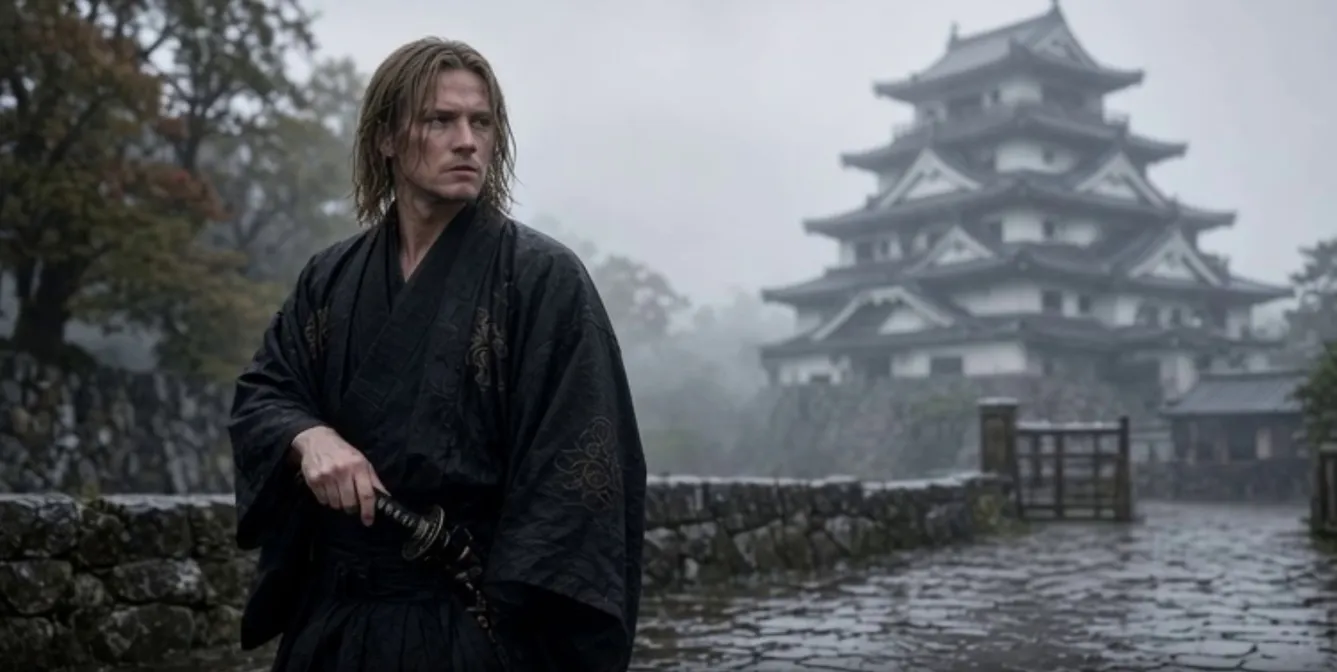
In AI video creation, we often hit a frustrating pain point: the generated footage is stunning, but it abruptly stops right at the climax. This is where the "Video Extension" feature becomes a lifesaver for rescuing unusable clips and breaking through time constraints.
It is more than just a simple "lengthening." Based on the first or last frame of your original video, it allows the AI to deduce future actions or fill in off-screen space according to physical laws and your Prompt. Through clever stitching, you can combine several short clips into a fully plotted micro-movie.
🌟 8 Core Extension Scenarios & Practical Prompts
1. Action Continuation & Climax (Action Continuation)
When a character is running or a samurai is swinging a sword, but the video ends prematurely. You need the AI to complete the action following its momentum.
- Original Video State: A samurai draws his sword, about to swing forward.
- Practical Tip: The prompt must immediately follow the core action of the original video's last frame. Describe directly "what happens next" without re-establishing the environment.
2. Camera Panning & Environmental Reveal (Camera Panning & Reveal)
Propel an initially static or brief landscape shot forward, revealing a completely new environment through a shifting perspective.
- Original Video State: The camera is focused on a burning campfire.
- Practical Tip: Use camera movement vocabulary (like pans up, zooms out) to guide the AI to expand the field of view, naturally introducing new visual elements.
3. First Frame Prequel: Building Suspense (Backward Extension)
Utilize the "backward extension" feature by using a stunning close-up as the ending frame, letting the AI reverse-engineer how it appeared.
- Original Video State (Ending Frame): A massive alien spaceship hovering over a city.
- Practical Tip: Rely heavily on revealing camera movements like "descending from clouds" or "pulling back from a distance" to drastically increase the epic scale of the video.
4. New Character Arrival & Interaction (Character Introduction)
Break the calm of the original frame by guiding the AI to generate new people or objects in subsequent frames to advance the plot.
- Original Video State: The protagonist is sitting alone drinking at a cyberpunk bar.
- Practical Tip: Clearly specify the direction from which new elements enter the frame (e.g., walks into the frame from the right) to prevent jarring visual pop-ins.
5. Sudden Weather Shift & Atmosphere Flip (Sudden Weather Shift)
Inject intense dramatic conflict into a mundane scene by showcasing extreme environmental changes.
- Original Video State: A sunny city street with pedestrians walking.
- Practical Tip: Emphasize dynamic details (like opening umbrellas, running, or wet ground reflections) to help the AI understand the physical shift in the environment.
6. Line of Sight & Reverse Shot (POV Shift / Reverse Shot)
Fill in the off-screen space to reveal exactly what a character is looking at, maxing out the suspense.
- Original Video State: A character stares off-screen with a look of absolute shock.
- Practical Tip: Use sweeping camera motions (circles around) to naturally transition to the character's focal point, avoiding a hard cut that could crash the visual logic.
7. Object Activation & Magical Awakening (Object Activation)
Force a static object to undergo a sudden, supernatural transformation in the latter half of the video.
- Original Video State: A dusty, ancient stone resting on a table.
- Practical Tip: Endow originally static objects with intense dynamic changes and glowing effects to trigger the AI's special effects generation capabilities.
8. Emotional Resolution & Seamless Ending (Emotional Resolution)
When intense conflict or rapid editing concludes, you need a gentle shot to land the emotion or prepare for a fade-out.
- Original Video State: The protagonist escapes a chase in the rain, finally stopping to pant heavily.
- Practical Tip: Using camera slowly pulls back is a universal formula for crafting a cinematic ending. Paired with emotional keywords, it provides a perfect wrap-up.
🛠️ Video Extension Pitfall Guide
- Maintain Subject Consistency: In your extension prompt, do not introduce elements that contradict the style or era of the original video (e.g., neon lights suddenly appearing in a historical period drama). This will cause severe visual and logical tearing.
- Less is More: If you simply want the scene to linger for two more seconds, keep the prompt as simple as possible (you can even just write continue the scene). Overly complex instructions might force the AI to twist and distort the original imagery.
- Check the Edge Frames of the Original Video: If the final frame of your original video already has noticeable flaws (like distorted limbs), the extension feature will only magnify this error infinitely. Ensure the base video frame you are using for the extension is of high quality.