AI Video Generator
 AI Image to Video
 AI Text to Video
 AI Image Generator
 AI Image to Image
 AI Text to Image
 AI Video Generator
 AI Image Effects

 Bring your imagination to life with powerful Viyou AI tools.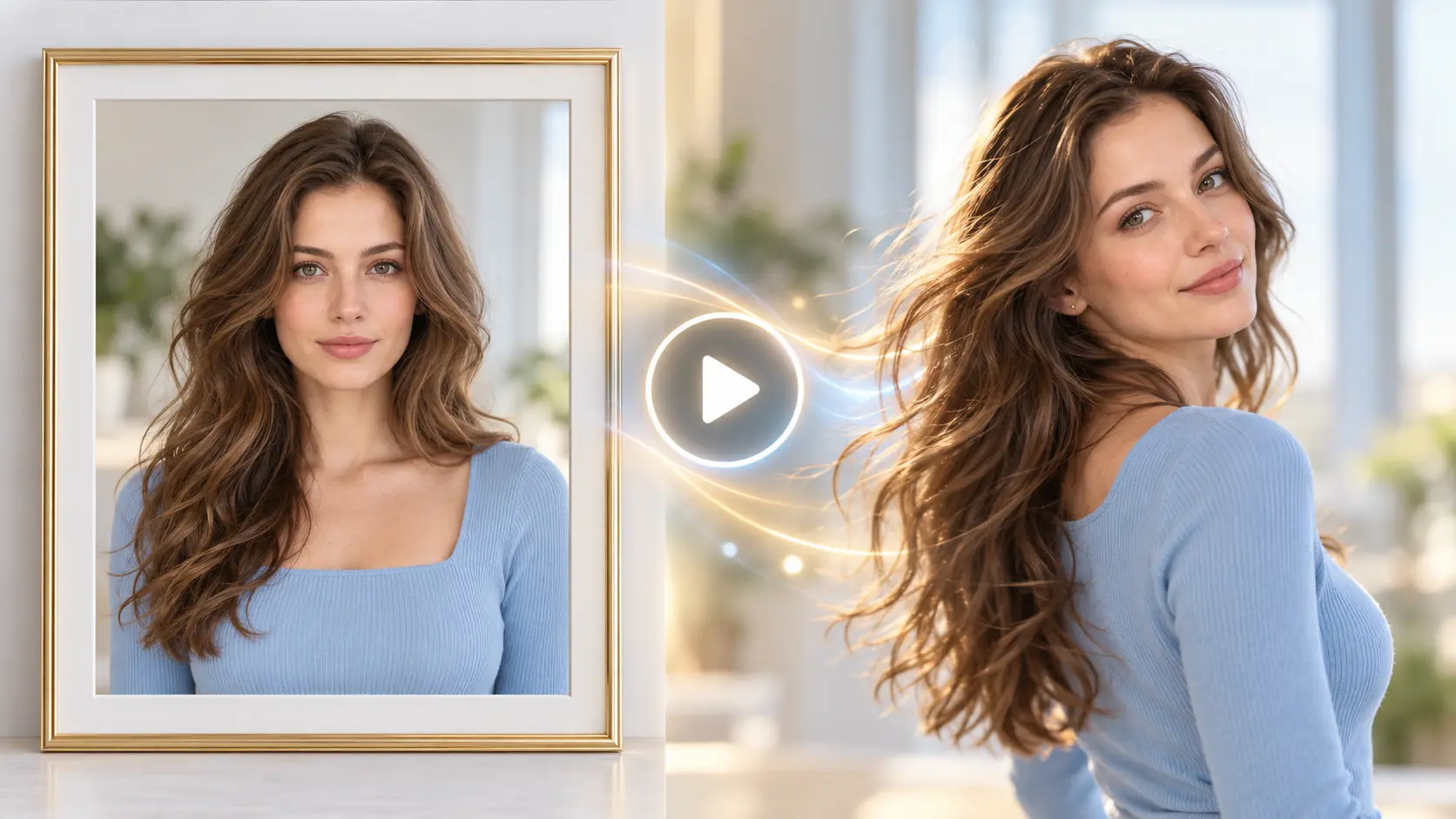
You've probably seen plenty of AI-generated videos online.
A cat suddenly becomes the star of its own lifestyle vlog. An ordinary photograph turns into a beautiful moving shot. Or a product that was completely still a moment ago becomes the centerpiece of a commercial.
And somewhere between watching and scrolling, you think:
"Okay, I want to make something like that."
But when you actually open an AI video generator, a different question appears.
What can you create with just one photo? What kind of videos work for TikTok or Instagram Reels? And how do you make a product commercial without professional filming equipment?
The good news is that AI video creation doesn't have to begin with a complicated prompt or a professional storyboard.
You can start with the materials you already have.
In this guide, we'll explore 8 practical AI video generator use cases, covering personal photos, pets, social media, product marketing, and creative storytelling.
For each scenario, we'll explain what you need, how the workflow works, and what to watch out for.
Already have a photo you love? Start with Viyou AI Image to Video and see what happens when your first image starts moving.
Where Should You Start? Look at What You Already Have
Before choosing a model or writing a prompt, take a quick look at your available materials.
| What You Have | What You Can Create |
|---|---|
| A portrait photo | Character animation, lifestyle clips |
| A pet photo | Pet videos, funny pet moments |
| A character image + reference video | Motion transfer, AI dance videos |
| Travel photographs | Travel Reels, animated landscapes |
| A product image | Product commercials, e-commerce ads |
| Shop or brand materials | Social media promotional videos |
| Just a creative idea | Text-to-video, animated stories |
You don't need to find one magical model that does everything.
Start with the result you want, then choose the workflow that makes sense.
1. Turn a Static Portrait Into a Moving Video
Sometimes, your favorite portrait doesn't need to become a completely different scene.
It just needs a little life.
Imagine having a photograph where the lighting, composition, and person already look great. You simply want the character to turn toward the camera, adjust their hair, smile naturally, or introduce a little movement into the environment.
This is one of the most accessible image to video ideas for beginners.
Best for: Personal accounts, fashion creators, virtual influencers, animated profile videos, and lifestyle content.
How to create it
Upload your portrait to an image-to-video generator. Instead of requesting several complicated movements, start with one clear action.
For example, ask the character to gently turn their head and look toward the camera.
Here's a useful rule:
The more you like the original image, the fewer unnecessary changes you should request.
If the goal is a natural head turn, there's no need to make the person walk, change clothes, start dancing, and leave the building in the same short clip.
What to watch out for
Common issues include changing facial features, unstable backgrounds, unnatural hair movement, and inconsistent body proportions.
When writing your motion instructions, clearly state that the person's original appearance, hairstyle, outfit, and identity should remain consistent.
2. Create an Adorable AI Pet Video
Have a cat or dog that refuses to cooperate whenever you try to film something cute?
AI doesn't need your pet to learn a new trick before the camera starts rolling.
Pet animation is one of the most approachable AI video generator use cases because a single clear photograph can become the starting point for an entertaining video.
Let's try a complete example.
Practical Example 1: Pet Photo to AI Video
Recommended video demonstration
Step 1: Prepare your pet image
Choose a photo where your pet is clearly visible, with minimal obstructions around its face and body.
For this example, we'll use an adult gray-and-white cat.
If you don't have a suitable image, you can generate the first frame.
Reference Image Prompt:
A fluffy gray-and-white cat sitting on a carpet in a bright modern living room, with a small red felt ball placed in front of it. The cat looks down at the ball, both front paws resting naturally on the carpet. Soft morning sunlight enters through a side window. Realistic pet photography, full body clearly visible, 16:9, no text, no watermark.
Step 2: Give the cat one simple action
You don't need to turn the cat into an acrobat.
One small interaction can already make an entertaining clip.
Video Prompt:
The cat looks down at the small ball in front of it, then slowly extends one front paw and gently touches the ball, making it roll a short distance across the carpet. The cat naturally turns its head to follow the ball, then looks up toward the camera and blinks softly. Keep the camera fixed. Maintain the cat's original fur color, facial features, body proportions, and living room background. Natural and realistic movement.
Step 3: Compare the result
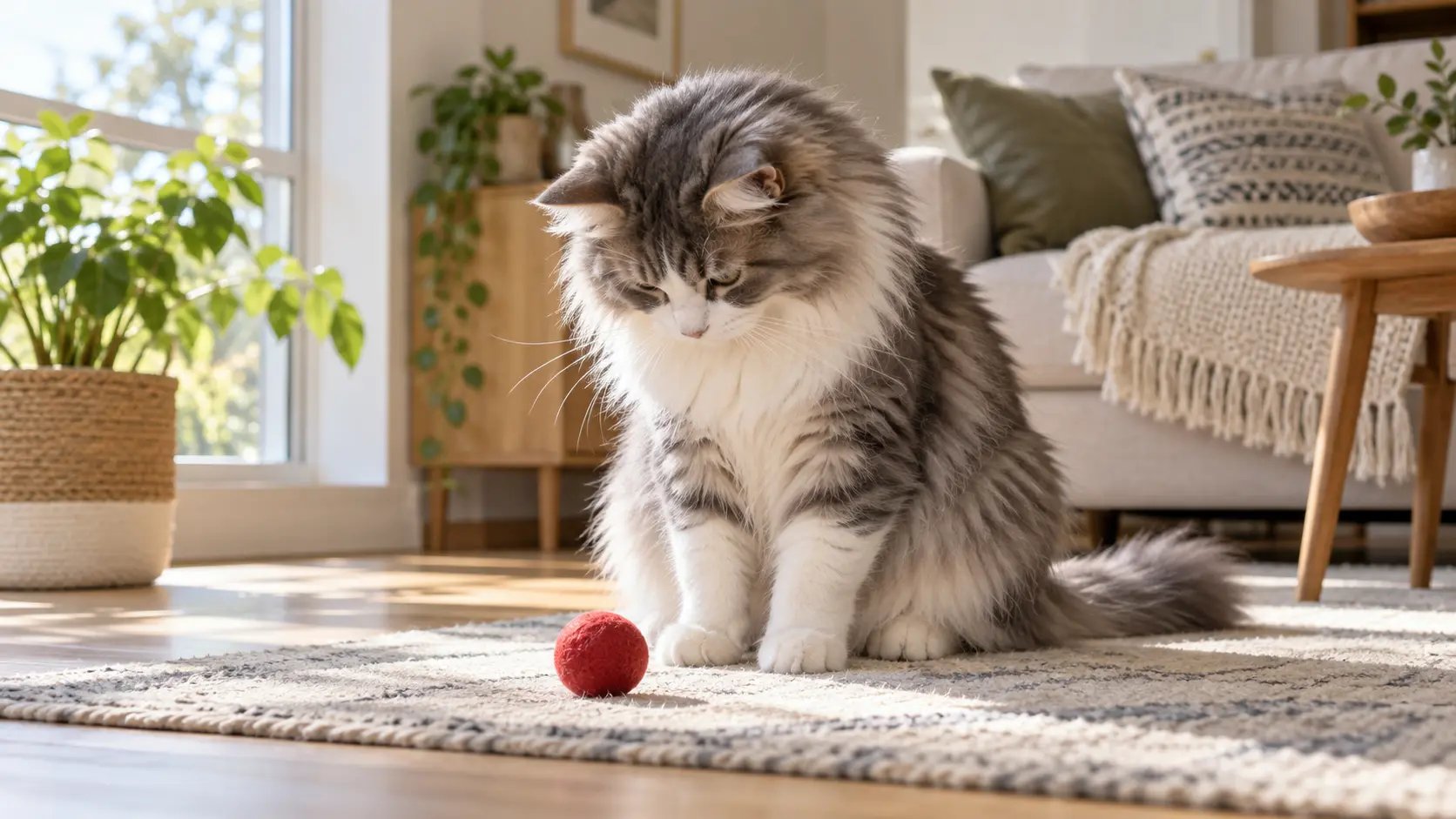
What can you learn from this example?
A successful pet video doesn't need exaggerated movements.
A simple sequence—reaching out, touching the ball, and looking up—already creates a complete moment.
If the cat's paw looks unnatural, simplify the interaction before regenerating the entire reference image. You could start with a head turn or blink instead.
3. Make a Character Perform Actions From Another Video
What if you already have a character image and want that character to perform a specific movement from a different video?
This opens up another creative possibility.
For example, you have an image of an adult woman and a separate dance video. Your goal is to make the person in the image perform the choreography from the reference clip.
This is different from ordinary image-to-video generation because two references are involved.
Practical Example 2: Character Image + Motion Reference → AI Dance
Recommended video demonstration
Step 1: Prepare two reference materials
Image A: The person you want to appear in the final video.
Video B: The dance or movement you want the character to follow.
Viyou's AI Dance workflow lets creators upload a character image and use a dance reference or available dance template.
Step 2: Give each reference a clear role
The important part is not combining two different people.
It's telling the generator exactly what each reference controls.
The image defines appearance. The video defines movement.
If you're using a workflow that accepts additional motion instructions, you can use the following prompt.
Video Prompt:
Use the character image as the appearance and identity reference. Maintain the character's facial features, hairstyle, clothing, and body proportions. Follow the dance movements, body rhythm, arm gestures, and footwork shown in the reference video. The final video must feature the person from the image performing the reference choreography. Do not replace the character with the original dancer from the reference video. Keep the character's full body visible throughout the performance.
Step 3: Show the three visual elements
What can you learn from this example?
AI video creation doesn't always require generating movement from scratch.
Sometimes, the more practical approach is to give each reference a separate job.
When selecting a reference video, look for clear body movements, consistent framing, and minimal obstruction. It will make the final result easier to evaluate and refine.
4. Turn Travel Photos Into a Travel Reel
Remember all those beautiful photos sitting in your phone gallery?
They had their moment in an Instagram carousel, and now they've been quietly forgotten.
You can give them a second life by turning selected travel photos into moving video clips.
For example, a photograph taken from a mountain viewpoint could feature slowly moving clouds, gentle movement in the trees, and a subtle camera push.
How to create it
Choose three travel images with a consistent visual style.
Create a separate video clip for each image: a wide landscape, an environmental detail, and a character-focused shot.
Give each clip one main movement, then combine them into a short travel Reel.
The idea isn't to fill every frame with dramatic AI effects.
It's to bring some of the atmosphere of the original location back into the photograph.
Best for: Travel Reels, personal travel diaries, hotel marketing, and destination content.
Image Prompt:
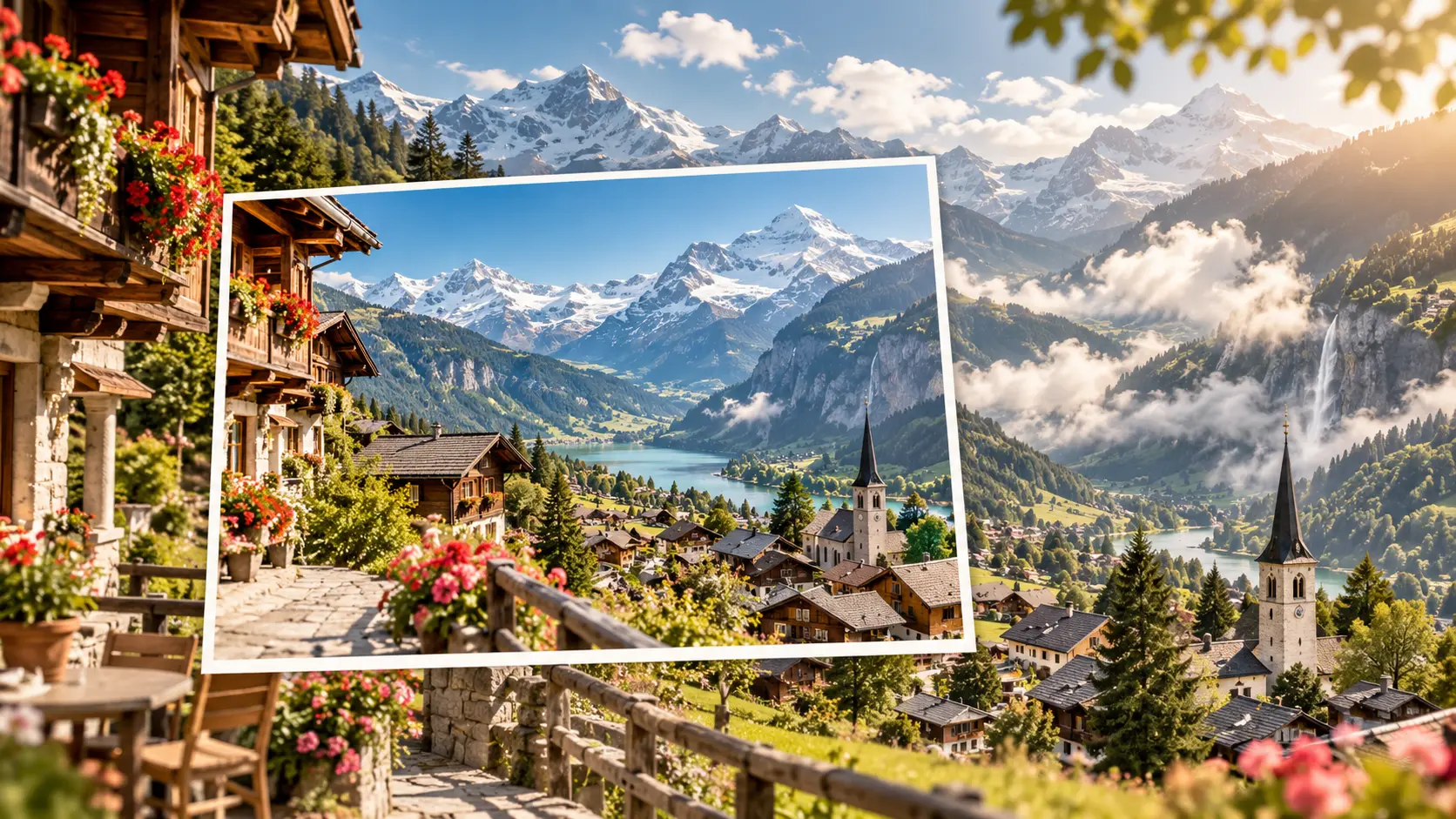
16:9 horizontal composition in the style of a premium travel magazine collage, featuring a sunlit Swiss mountain village with snow-covered peaks, a scenic valley, and charming wooden buildings. In the foreground, a refined photo card presents the original static landscape, while the surrounding scene shows the same landscape transformed into a dynamic travel video, with subtle natural movement in the clouds and trees. Bright, realistic travel photography, elegant editorial composition, no text, no logo, no watermark.
5. Build a Consistent AI Vlog for Social Media
The secret to a convincing AI Vlog isn't making one character perform dozens of unrelated actions.
It's making several shots feel like they belong to the same person's day.
For example, you could create a weekend vlog about visiting a local craft market.
The video might include getting a bag ready at home, entering the market, browsing handmade accessories, and finally admiring a small purchase while sitting on an outdoor bench.
Instead of generating each shot independently, begin with a consistent character reference image. Then build the individual scenes around that character.
Continuity matters more than complexity.
If the character wears a dark jacket in the first clip, suddenly changes outfits in the second, and somehow gets a new face in the third, you've created a stranger relay race—not a lifestyle vlog.
Best for: AI girl vlogs, lifestyle content, virtual influencers, and social media series.
A separate generated video isn't necessary for this section. A simple three-shot storyboard can communicate the workflow.
6. Transform an Ordinary Product Photo Into a Commercial
AI video isn't just useful for personal content.
It can also help brands, independent sellers, and creators turn existing product images into more engaging promotional materials.
This is especially useful when you already have product photos but don't have the budget or equipment for a dedicated commercial shoot.
Practical Example 3: Product Photo to Commercial Video
Recommended video demonstration
Instead of using another perfume bottle or pair of headphones, let's try something different: a mushroom-shaped table lamp.
Step 1: Prepare the product image
If you already have an authentic product photograph, use it directly.
Otherwise, create a suitable first frame.
| Reference Image Prompt: | Output |
|---|---|
| An amber glass mushroom-shaped table lamp placed in the center of a light oak side table. The lamp is turned off. A clean modern reading corner in the background, warm off-white walls, with only the lamp and a closed book on the tabletop. Soft natural daylight enters from the side, highlighting the realistic glass material. Premium home decor commercial photography, 16:9, no text, no logo, no watermark. | 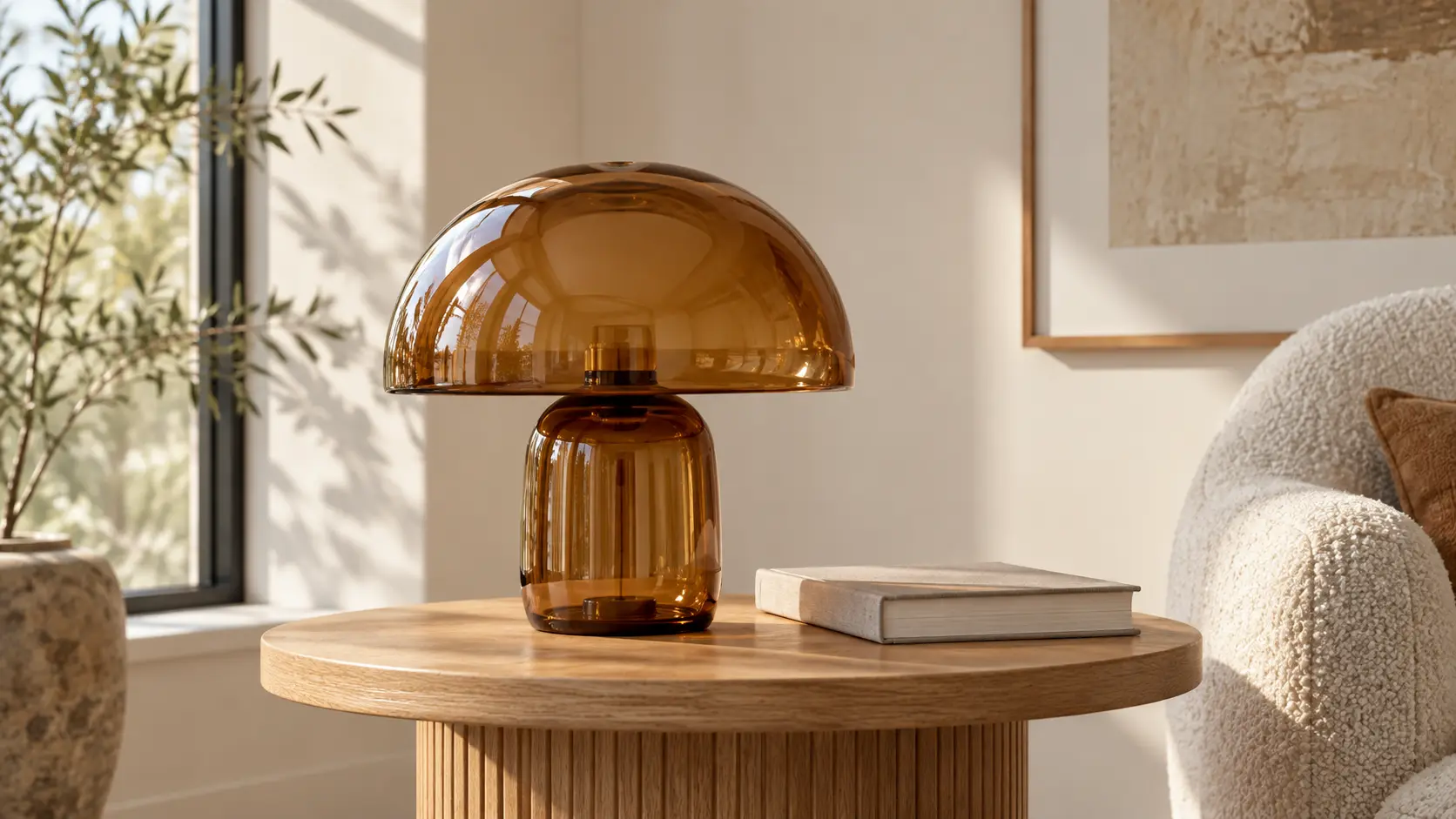 |
Step 2: Animate the product
The product doesn't need to fly, spin, or disassemble.
A simple lighting transition can already create a convincing advertising shot.
Video Prompt
Keep the table lamp completely stationary. Its internal light slowly turns on, gradually casting a soft amber glow across the surrounding tabletop and wall. The camera slowly moves closer from a front three-quarter angle, highlighting the glass texture and natural reflections. End with a close-up of the product details. Keep the lamp's original shape, color, glass material, structure, and tabletop layout completely unchanged. Do not redesign the product.
Step 3: Show the Output
Why does this example work?
A product commercial doesn't always need complicated motion.
The lamp gradually turning on, the light spreading across the room, and the camera moving closer already form a complete product reveal.
Because the product itself stays almost entirely still, it's also easier to spot any unwanted changes to its design.
7. Create Social Media Promotions for Small Businesses
E-commerce brands aren't the only businesses that need video content.
Coffee shops, florists, craft studios, restaurants, and even independent service providers can use AI video to showcase what they offer.
Imagine a small stationery store.
It could create a simple promotional video from three existing materials:
A store interior photo + product close-ups + a shot of the owner arranging merchandise.
Animate each scene separately, combine the results, and add captions during editing.
You now have a short brand introduction without organizing an entire filming session.
The goal isn't to invent an elaborate storyline.
It's to help viewers understand three things quickly:
Who are you? What do you offer? Why should they keep watching?
One practical tip: avoid asking the video model to generate complicated promotional text directly inside the scene.
Store names, prices, discounts, and calls to action are usually easier to control when added during editing.
Best for: Instagram business accounts, local business promotion, seasonal campaigns, and small e-commerce brands.
8. Turn a Simple Idea Into a Creative Visual Story
Most of the previous examples started with existing images.
But what if you have an idea and absolutely no visual material?
You can begin with a text-to-video workflow or create a reference image first.
Imagine this concept:
A miniature paper neighborhood sits on a wooden desk. As evening arrives, the tiny houses gradually illuminate, making the entire paper community feel alive.
This isn't ordinary portrait animation or product advertising.
It's a short visual story with a beginning, a transformation, and an ending.
Instead of entering something vague like "a magical miniature town," break the idea into three stages.
| Stage | What Happens |
|---|---|
| Beginning | A quiet miniature paper neighborhood rests on a desk. |
| Development | Warm lights gradually appear inside the small houses. |
| Ending | The entire miniature community glows softly in the evening. |
If you don't have a reference image, create the first frame before moving into image-to-video. Alternatively, use a compatible text-to-video workflow.
| Image Prompt | Output |
|---|---|
| 16:9 horizontal image of a miniature residential neighborhood made from thick cardboard and carefully crafted paper, placed on a real wooden desk. Intricate architectural structures, clearly visible miniature streets and windows, with warm yellow lights glowing softly inside several tiny houses. A regular-sized pencil and book sit nearby to establish realistic scale. Quiet and cozy indoor evening atmosphere, combining handmade stop-motion aesthetics with realistic macro photography. No people, no text, no logo, no watermark. | 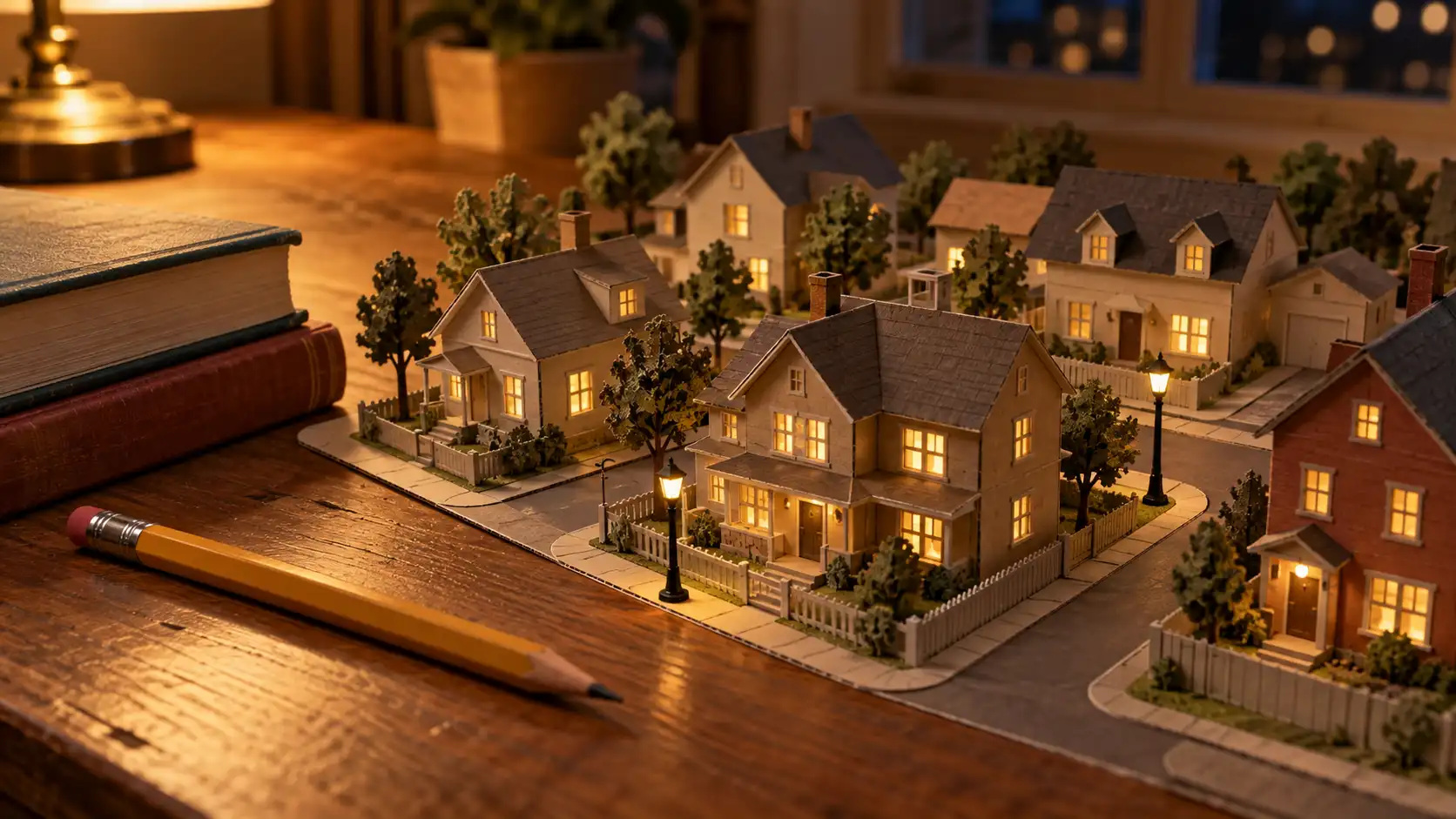 |
For this type of creation, the important part is the progression of the scene, not the number of effects.
For beginners, one complete visual transformation is often easier to control than an ambitious story filled with unrelated actions.
How Do You Choose the Right AI Video Workflow?
After exploring these eight AI video generator use cases, the decision becomes much simpler.
Already have an image and want to preserve its appearance? Use Image to Video. This is suitable for portraits, pets, products, travel photography, and existing visual assets.
Only have an idea? Start with Text to Video. This works for conceptual scenes, creative experiments, and projects without existing reference images.
Want a character to follow movements from another video? Look for a reference-video workflow. This is useful for dance, motion transfer, character performance, and similar content.
Viyou provides different creation workflows, including image-to-video, text-to-video, and AI Dance. Available models and supported inputs may vary depending on the selected generation tool.
And here's one more suggestion that can save you a surprising amount of time:
Test your idea with one short clip before producing an entire sequence.
If your character already looks inconsistent in the first shot, don't rush to generate another four.
Fix the first one before building the rest.
Frequently Asked Questions
Can beginners use an AI video generator without filming experience?
Yes. Starting with image-to-video is a practical approach because you already have a visual reference.
Choose a clear image, describe one simple action, and generate a short clip. You don't need to master professional cinematography before experimenting.
Do I need to generate long videos for TikTok or Instagram Reels?
Not necessarily.
Several short clips with a consistent theme can be edited into a complete social media video.
What matters is understanding the role of each shot in the final piece.
Can AI-generated videos be used for product advertising?
They can be used to create promotional content, but it's important to review the generated results carefully.
If you're advertising a real product, verify that its color, structure, materials, and design remain accurate. Avoid presenting AI-generated product details that don't match the actual item.
Why does my reference image look great, but the generated video looks unnatural?
Because a static image and a moving video involve different challenges.
Your image establishes the composition and appearance. Video generation also needs to handle motion, timing, camera movement, and physical interactions.
Try simplifying the action and focus on one clear movement before adding anything more complicated.
Final Thoughts: You Don't Need Professional Equipment to Start Creating
From animating a pet photo to making a social media clip or a simple product commercial, AI video creation doesn't have to begin with an elaborate production plan.
These eight AI video creation ideas all point toward the same principle:
Decide what you want your audience to see, then choose the materials and workflow that will help you create it.
You can begin with a photograph sitting in your phone gallery or experiment with an entirely new visual concept.
Your first attempt doesn't need to look like a feature film.
Sometimes, making one small idea come to life is already a great place to start.
Ready to explore your next idea? Try the Viyou AI Video Generator and turn your creative concepts into moving stories.