AI Video Generator
 AI Image to Video
 AI Text to Video
 AI Image Generator
 AI Image to Image
 AI Text to Image
 AI Video Generator
 AI Image Effects

 Bring your imagination to life with powerful Viyou AI tools.
Sometimes the hardest part of using an AI video generator isn't knowing what you want to create.
It's knowing what to type.
You can enter something simple like:
A beautiful woman walking.
Sure, the AI may make a woman walk.
But you probably want more than that. You want natural movement, a stable face, a good camera angle, realistic lighting, and a video that actually looks intentional.
Then comes the classic solution: add more words.
cinematic realistic beautiful professional high quality 4K ultra detailed...
Suddenly, your prompt is longer than the video itself.
And the result still isn't quite right.
A useful AI video prompt isn't necessarily a long one. It simply needs to tell the model what matters:
Who is moving, what they are doing, how the camera moves, what changes, and what should stay the same.
Below are 10 AI video prompts you can copy, paste, and adapt.
The first three include real video examples. The remaining seven are ready-to-use prompts that you can take directly into your AI video workflow.
How to Use These AI Video Prompts
If you already have a reference image, you can use an image-to-video workflow to turn that still image into a moving shot.
Viyou AI Image to Video
If you don't have a reference image, you can start from text instead.
Viyou AI Text to Video
The basic workflow is simple:
Pick a prompt → Copy → Paste → Change the details → Generate.
When using image-to-video, remember one useful rule:
The reference image tells the AI what the scene looks like. The video prompt tells it what happens next.
You don't need to describe the entire image again.
6 AI Video Prompt Copy-Paste Examples
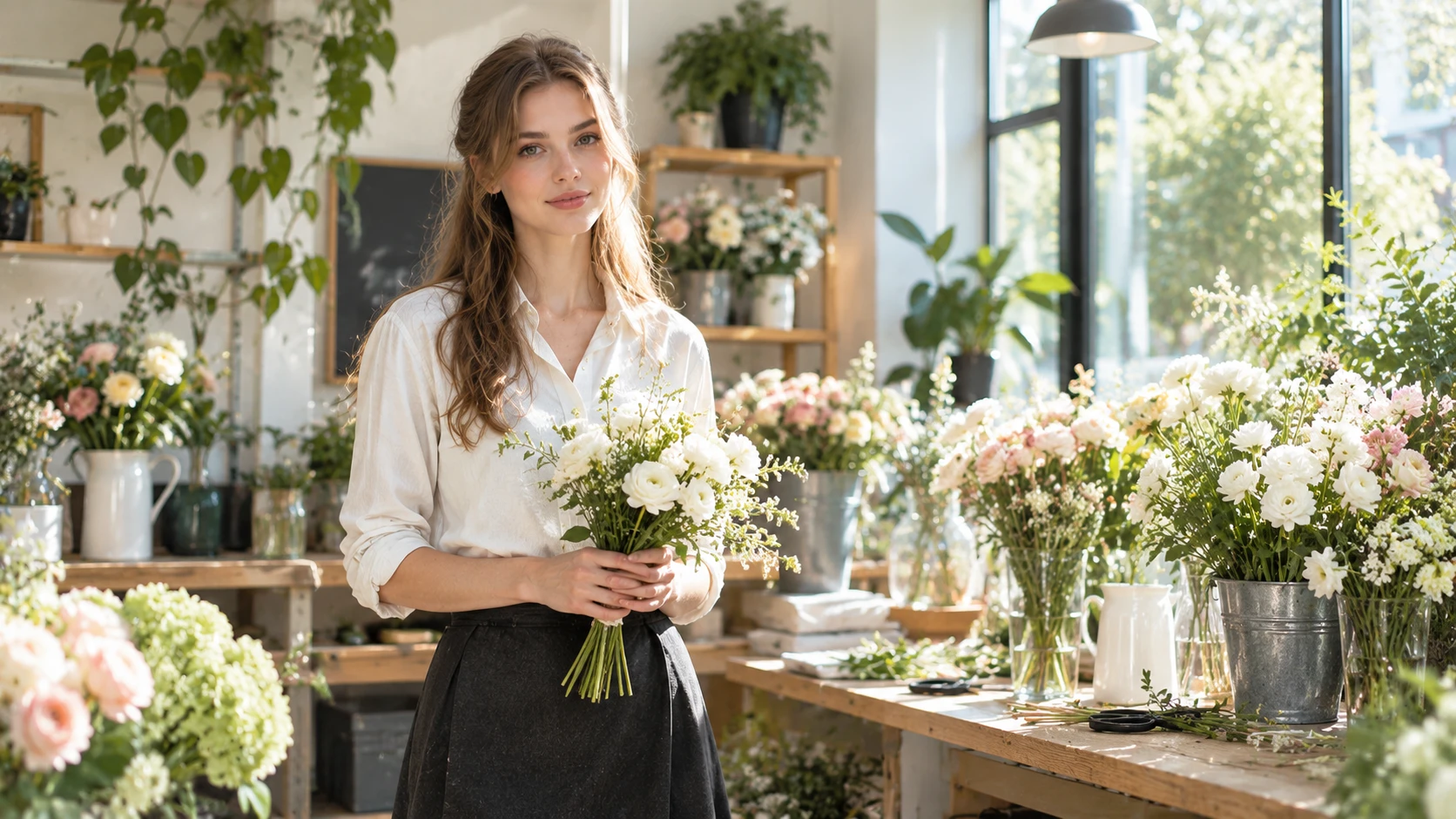
1. Natural Turnaround in a Flower Shop
Best for: Character videos, lifestyle content, fashion videos, social media clips
The adult female florist gently adjusts the bouquet in her hands, then slowly raises her head and naturally looks toward the camera. A light breeze creates subtle movement in her hair while flowers and leaves in the background move slightly. The camera slowly moves sideways from a three-quarter angle. Keep her face, hairstyle, clothing, identity, and the flower shop layout consistent throughout the video. Keep the movement natural and restrained.
What it does
This prompt uses a simple action sequence:
Adjust the flowers → look up → look at the camera.
It doesn't ask the character to walk, turn around, pick up another object, smile, and leave the shop all in a few seconds.
The camera also has only one simple movement: a slow sideways move.
That gives the model fewer things to figure out at once.
Best for
- AI character videos
- Fashion Reels
- Lifestyle content
- Brand storytelling
- Social media videos
Watch out
Don't keep adding actions just because the first result looks too simple.
For short AI videos, one clear action is often better than five complicated ones.
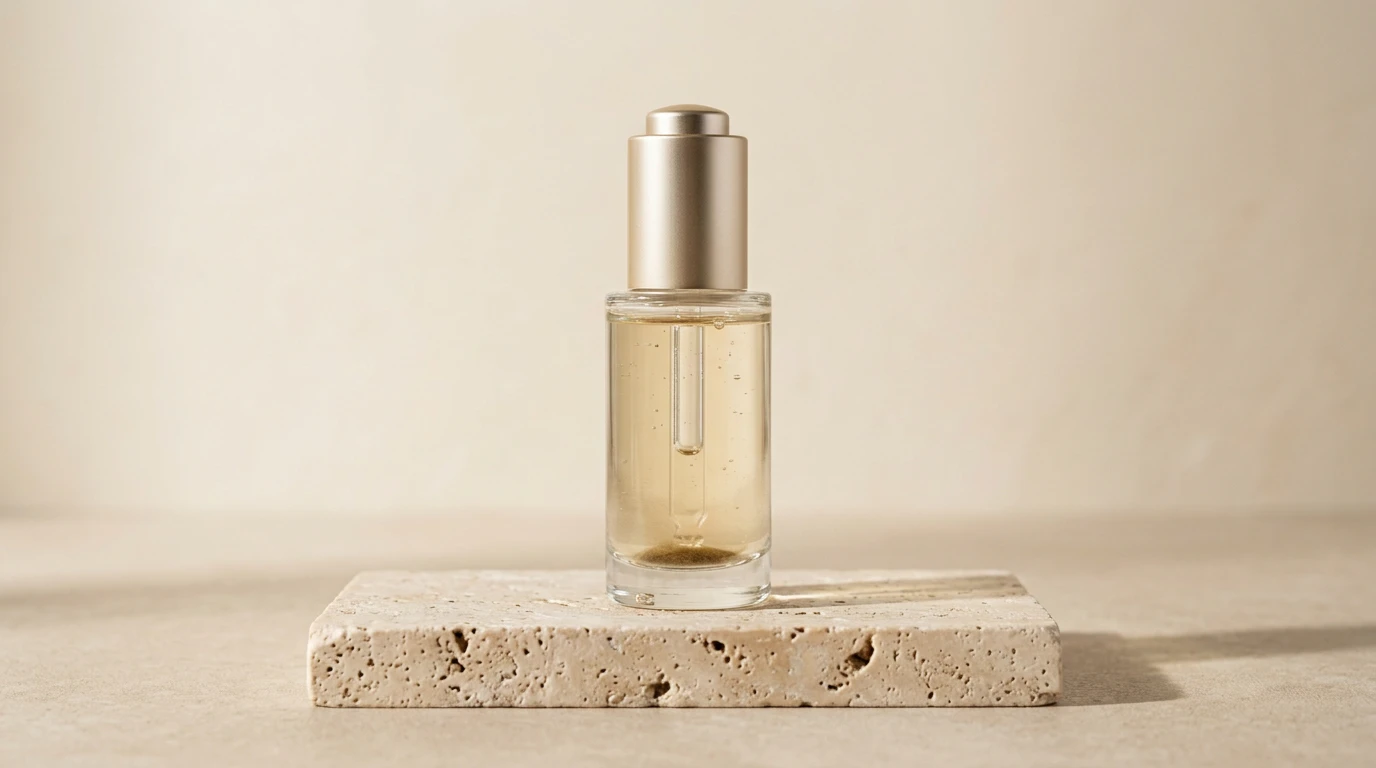
2. Luxury Skincare Product Ad
Best for: Product advertising, e-commerce, beauty brands, product showcases
Keep the serum bottle completely stationary while the camera slowly moves forward. A soft light gradually moves from the left side of the bottle to the right, creating subtle reflections across the glass and liquid. Keep the background clean and stable. End with a close-up product shot. Keep the bottle shape, color, material, cap structure, proportions, and overall design completely unchanged throughout the video.
What it does
Product videos work differently from character videos.
People can move.
Products usually shouldn't.
So this prompt gives the movement to three other elements:
- Camera movement
- Light movement
- Reflections
The product itself stays stable.
That's a useful approach when consistency matters more than action.
Best for
- Beauty ads
- E-commerce videos
- Product launches
- Brand websites
- Commercial product footage
Watch out
Always tell the AI what must remain unchanged when the product is important.
Otherwise, the model may decide that your carefully designed bottle needs a surprise redesign.
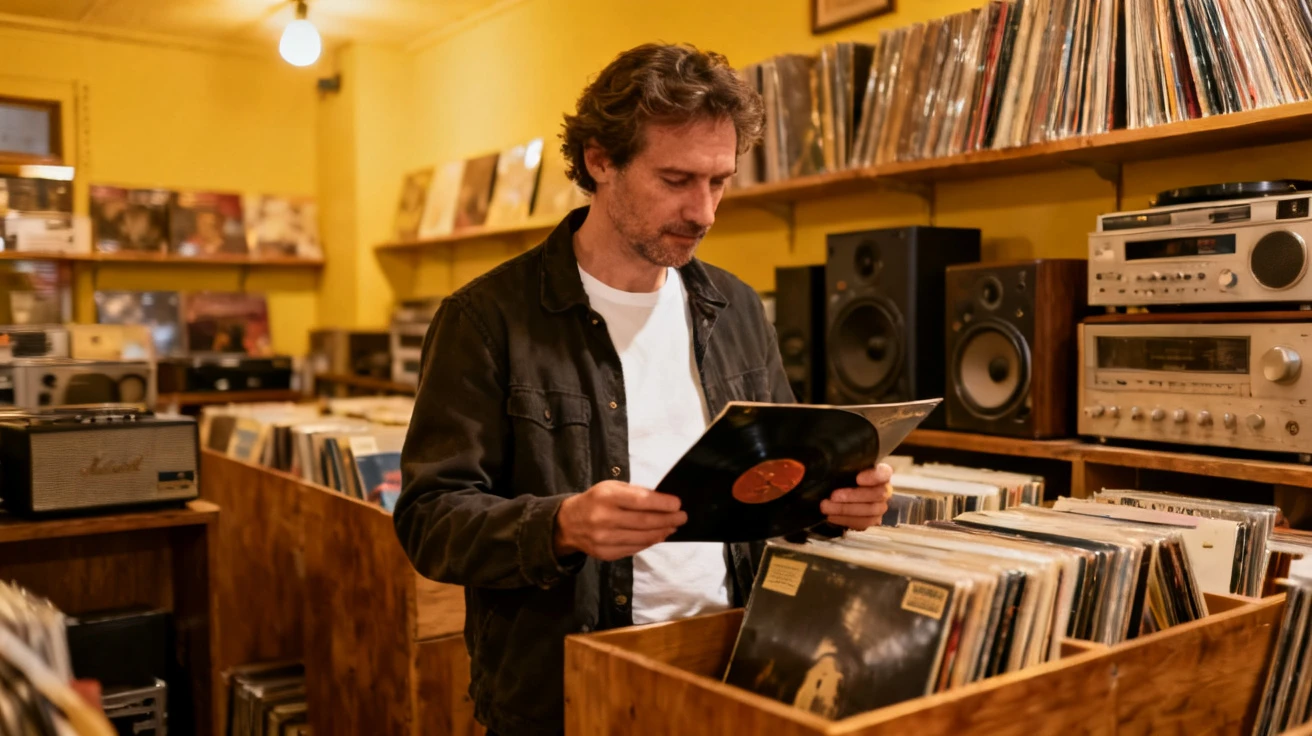
3. Vintage Record Store Lifestyle Shot
Best for: Lifestyle content, music videos, retro content, social media
The adult man slowly pulls one vinyl record from the shelf, looks down at the record sleeve, then gently raises his head with a subtle natural smile. The camera slowly moves forward from the side. Keep the record shelves stable in the background. Keep the man's face, hairstyle, clothing, identity, and the store layout consistent throughout the video. Keep the movement natural and understated.
What it does
The goal here isn't a huge action.
It's about creating the feeling of a real moment captured by a camera.
A simple sequence like:
Pick something up → look at it → look up
can already create a complete lifestyle shot.
AI video doesn't always need dramatic movement to look interesting.
Best for
- Music accounts
- Retro content
- Lifestyle Reels
- Brand storytelling
- Atmospheric videos
Watch out
Retro doesn't mean you need to cover the entire video in heavy film grain, light leaks, and old-film effects.
If the reference image already has a strong retro look, keep the motion prompt focused on the action.
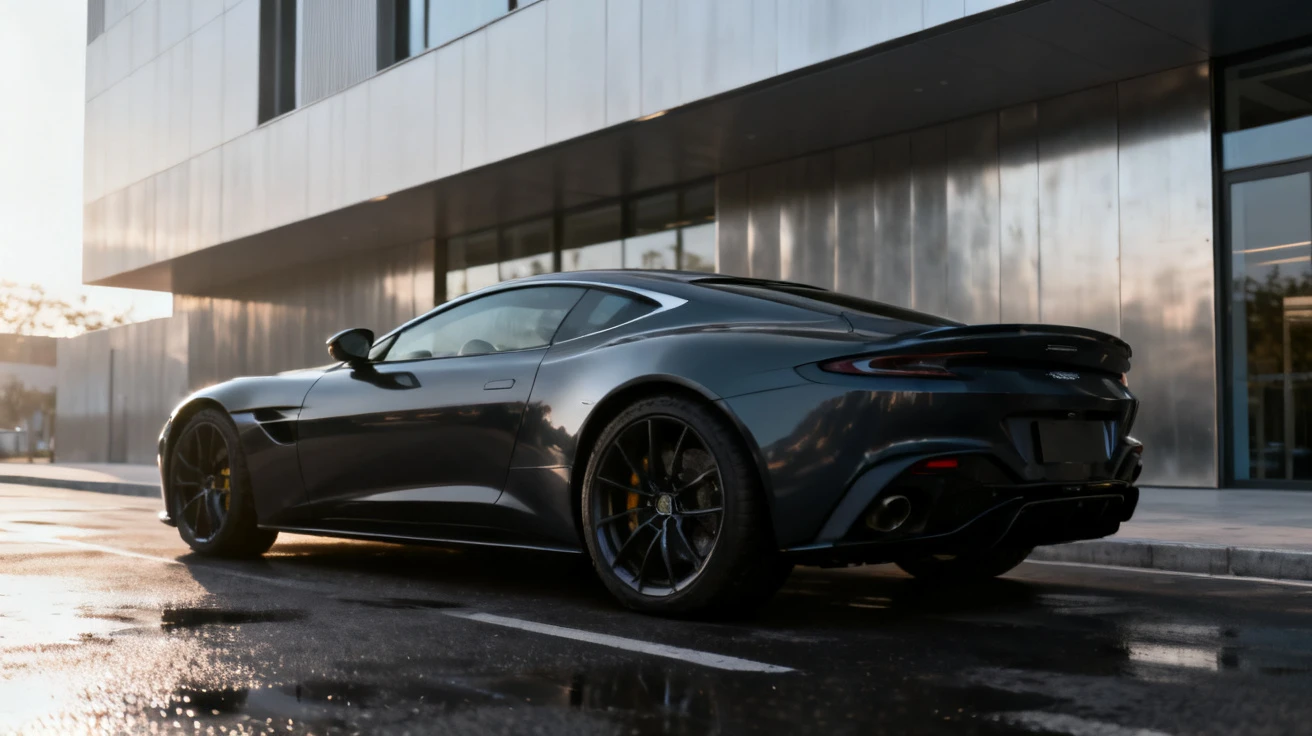
4. Luxury Car Commercial
Best for: Car ads, commercial B-roll, luxury brand videos
Keep the sports car in the same position and preserve its original appearance. The camera slowly moves from the front three-quarter angle toward the side of the vehicle. Reflections naturally move across the body as the camera changes position. The background architecture remains stable while the wet pavement creates subtle reflections. End with a close-up of the front section and headlights. Keep the car color, body proportions, wheels, headlights, and major structural details completely unchanged.
What it does
The main movement happens through the camera and reflections, not through the car itself.
That's useful for products that need to remain visually consistent.
Instead of telling the model:
Make the car look cool.
you're giving it an actual shot to execute.
Best for
- Automotive advertising
- Product commercials
- Luxury brand content
- Website hero videos
Watch out
If the vehicle starts changing shape during generation, reduce the amount of object movement and reinforce the consistency instructions.
5. Sneaker Commercial
Best for: Sports brands, e-commerce, product advertising
The camera slowly moves forward from the front three-quarter angle of the sneaker, then moves slightly toward the sole. The shoelaces and upper material show very subtle natural movement from the air. The background lighting changes gently while the basketball court remains stable. End with a close-up of the shoe sole and material texture. Keep the shoe shape, color, laces, sole pattern, design, and proportions completely unchanged.
What it does
The structure is simple:
Show the product → move closer → reveal the details.
That's much more useful than simply asking an AI model to create a “cool sneaker commercial.”
Best for
- Sneaker ads
- Sports brands
- E-commerce
- Product pages
- Social media advertising
Watch out
If the product contains complex logos or text, don't rely on the video model to redraw them perfectly during movement.
Text is still one of the easiest places for generated video to go wrong.
6. Cake Decorating Close-Up
Best for: Food advertising, restaurants, baking content, food social media
A hand slowly pipes a smooth layer of cream onto the top of the cake, creating a natural soft texture as the cream is applied. The camera slowly moves closer while subtle highlights appear on the fruit and cream. Keep the background stable. The movement should be continuous and physically realistic, emphasizing the texture of the cream and cake in a premium food advertisement style.
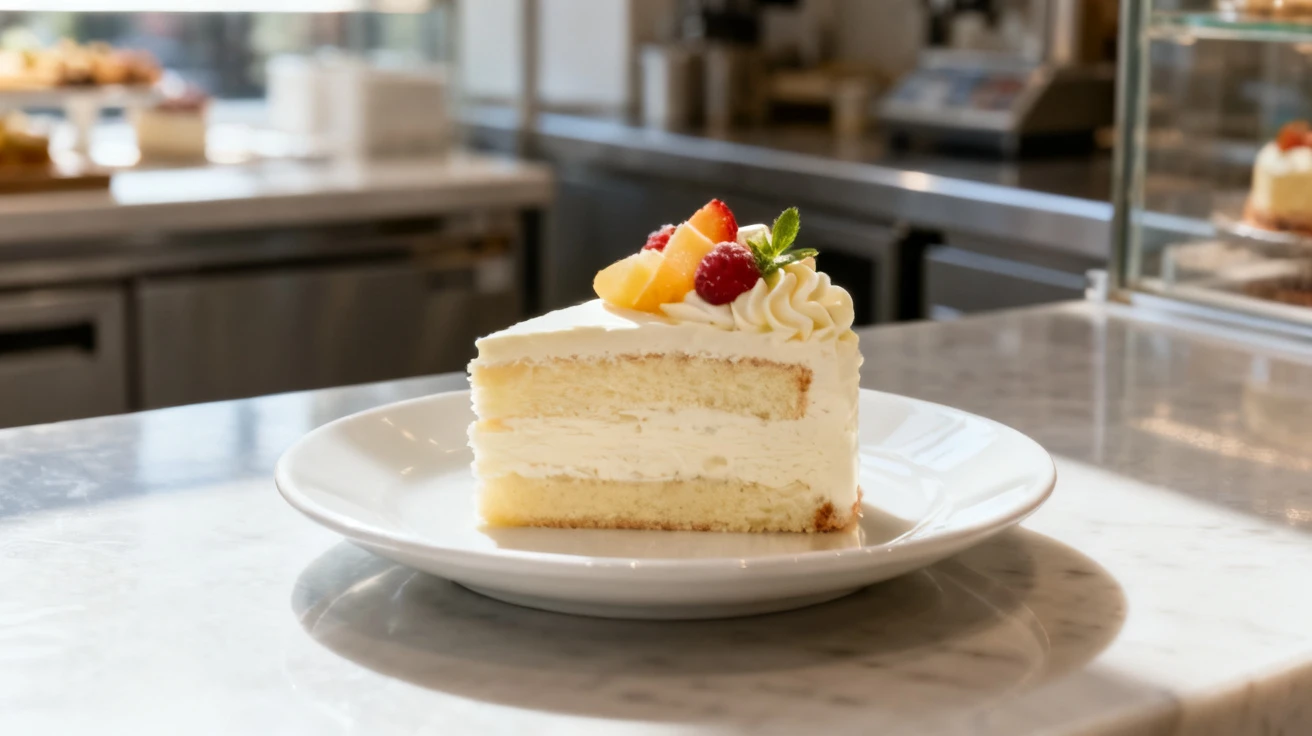
What it does
Food videos work particularly well when the physical action is easy to understand.
Here, the main action is simply:
Cream is applied → texture forms → camera moves closer.
The model doesn't need to invent a complicated sequence.
Best for
- Food advertising
- Restaurant promotion
- Baking content
- Food creators
- Product videos
Watch out
Don't try to make one short clip contain:
Cutting the cake → cream explosion → fruit spinning → 360° camera → someone eating it.
That's less of a prompt and more of an action movie.
4 AI Video Prompt Copy-Paste Examples You Can Try
7. Rainy City Through a Car Window
Best for: Cinematic B-roll, mood videos, music videos, Vlogs
| Reference Image Prompt | Image |
|---|---|
| View of a modern city street at night from inside a car, looking through the side window, small raindrops covering the glass, streetlights and vehicle lights creating soft reflections on the wet pavement, slightly blurred modern buildings in the background, realistic cinematic photography, quiet atmospheric mood, 16:9. | 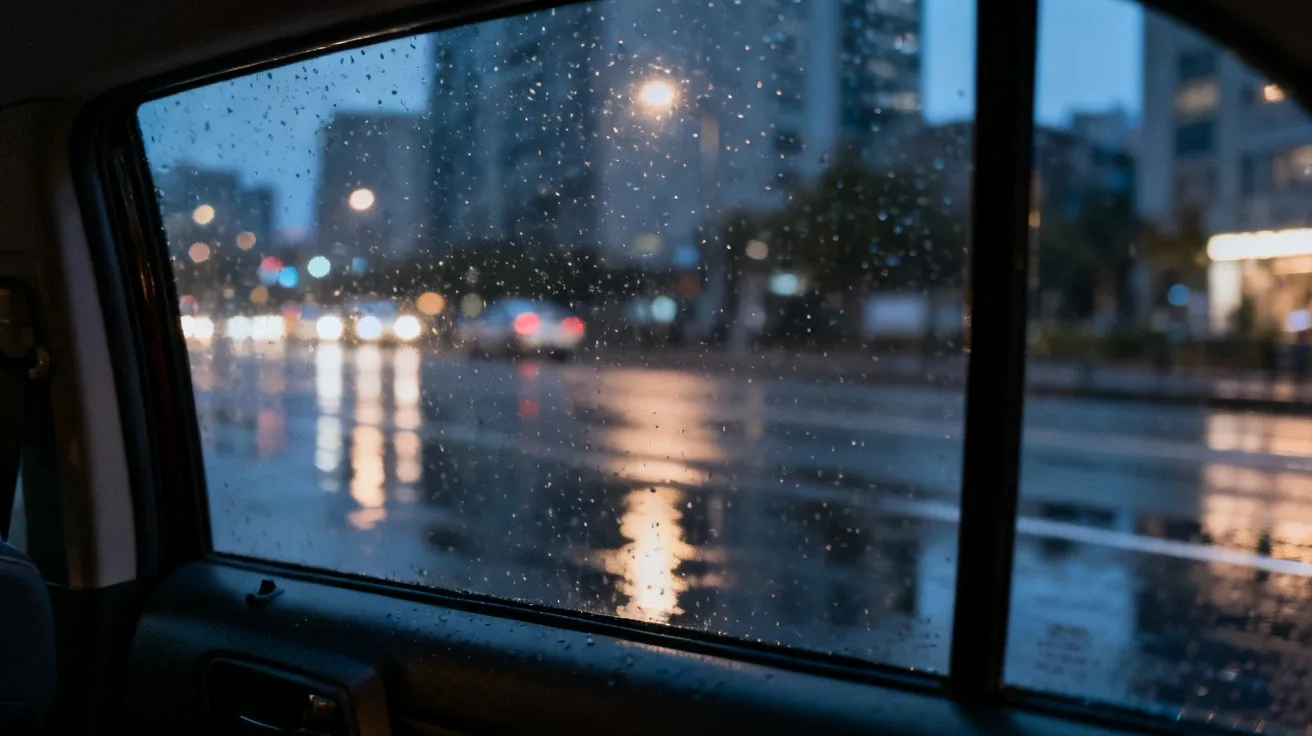 |
Small raindrops slowly slide down the car window while city lights outside create subtle reflections across the wet glass. The car moves slowly forward, causing distant lights to drift naturally through the frame. Keep the camera fixed inside the car without fast movement. Maintain a quiet, realistic, cinematic atmosphere throughout the shot.
What it does
There isn't much physical action here:
- Raindrops move
- Lights move
- The car moves
That's exactly why this type of scene can work well for AI video.
The model doesn't have to manage complex human movement or object interactions.
Best for
- Cinematic B-roll
- Music videos
- Emotional content
- Vlogs
- Atmospheric transitions
Watch out
If you want a calm rainy-night scene, don't add unnecessary camera movement.
A fixed camera with environmental motion can be more cinematic than a complicated camera move.
8. Day Turns Into Night
Best for: Interior design, real estate, atmospheric videos, visual transitions
| Reference Image Prompt | Image |
|---|---|
| A modern minimalist living room with a light-colored sofa, wooden coffee table, large floor-to-ceiling windows, and several green plants, soft afternoon sunlight entering through the windows, clean natural interior, realistic interior photography, 16:9. | 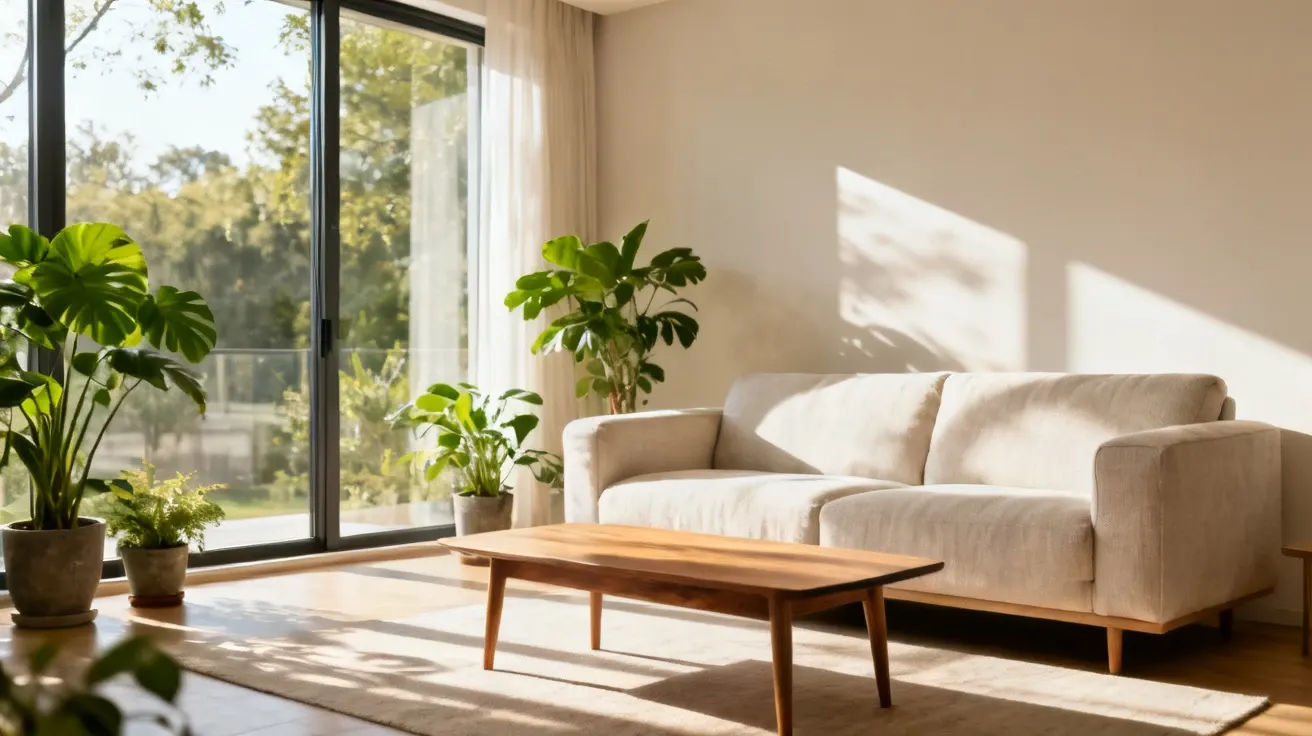 |
Keep the camera completely fixed while the daylight outside gradually becomes darker, transitioning smoothly from bright afternoon to evening. The interior remains unchanged as warm indoor lights slowly turn on. City lights gradually appear outside the windows. Keep the furniture, walls, plants, room layout, and overall architecture completely unchanged throughout the transition.
What it does
Instead of making objects move, this prompt makes time move.
The room stays almost completely still while:
Daylight → sunset → evening → interior lights.
This is a useful technique for before-and-after style videos.
Best for
- Interior design
- Real estate
- Architecture
- Lifestyle content
- Atmospheric B-roll
Watch out
Always reinforce that the room itself stays unchanged.
Otherwise, the model may interpret the transition as an opportunity to generate an entirely different room.
9. A Sculpture Comes Alive
Type: Copy-paste prompt
Best for: AI art, creative advertising, exhibitions, concept videos
| Reference Image Prompt | Image |
|---|---|
| A modern art sculpture placed in the center of a quiet white museum gallery, the sculpture made of smooth white stone, minimalist architectural space, soft skylight illuminating the sculpture, delicate natural shadows on the floor, realistic fine art photography, 16:9. | 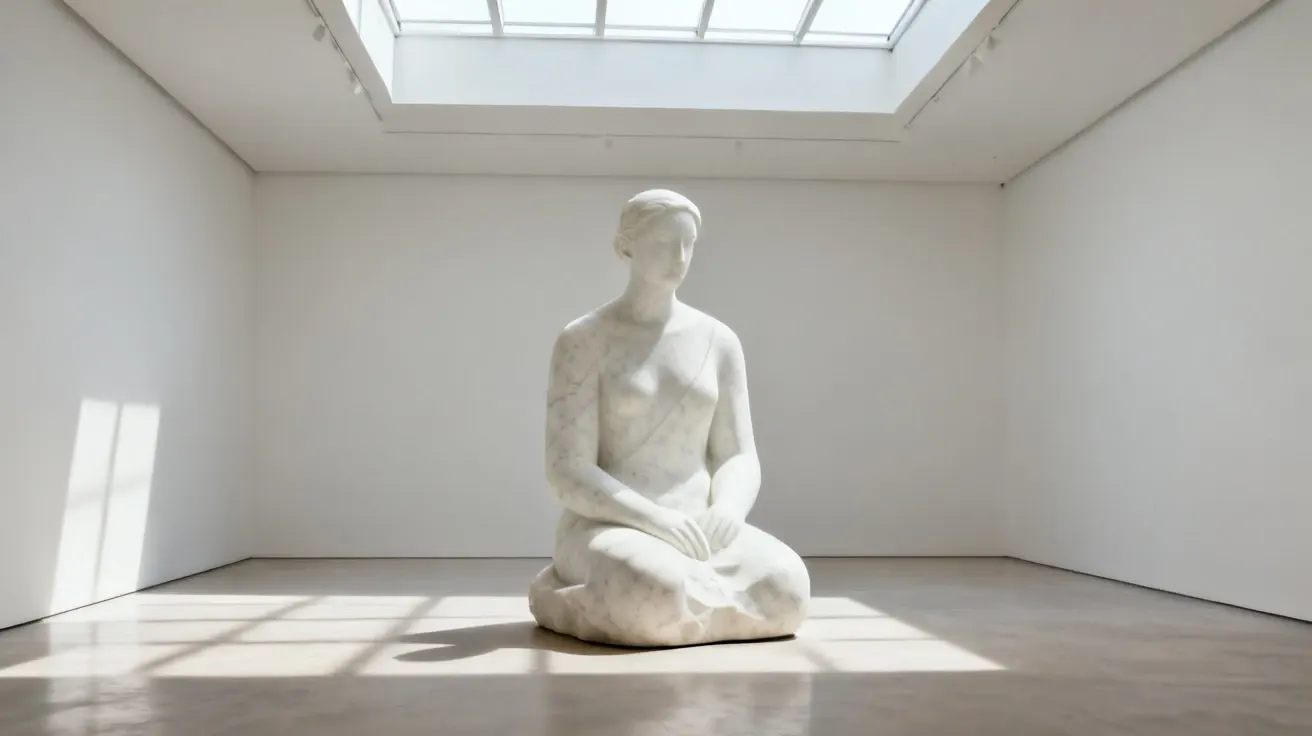 |
Keep the sculpture completely stationary while very subtle changes of light move across its surface. The stone gradually develops an extremely subtle breathing-like movement without significantly changing its shape. Tiny particles of dust float slowly through the surrounding air. The camera moves forward very slowly. Keep the sculpture's original shape, material, structure, and overall proportions consistent throughout the video. The transformation should feel mysterious but restrained.
What it does
This is an example of gradual transformation.
Instead of asking the sculpture to suddenly become alive, the prompt builds the effect in stages:
Light changes → subtle movement → environmental motion → slow camera push.
That gives the AI a clearer progression.
Best for
- AI art
- Concept videos
- Creative advertising
- Museum promotion
- Experimental content
Watch out
“Transformation” doesn't have to mean “complete shape change.”
If you need a dramatic transformation, it may be better to split it into multiple shots rather than forcing everything into one short clip.
10. Paper Map Transforms Into a Real City
Type: Copy-paste prompt
Best for: Travel content, city promotion, creative transitions, real estate
| Reference Image Prompt | Image |
|---|---|
| A vintage city map spread across a clean wooden table, visible paper texture, simple road and building shapes without readable text, warm indoor lighting, uncluttered tabletop, realistic still-life photography, overhead composition, 16:9. | 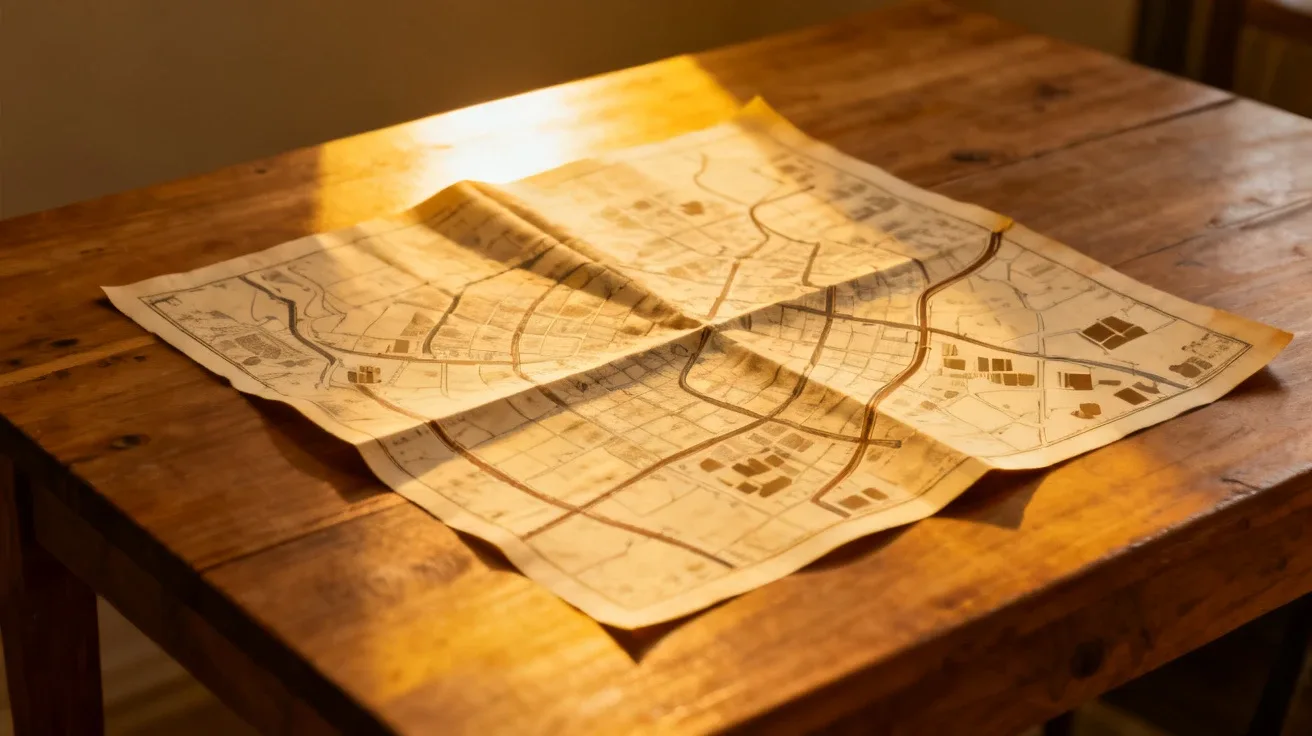 |
Keep the camera fixed above the map as the roads and building shapes slowly begin to rise from the paper, gradually transforming the flat map into a miniature three-dimensional city. The camera then slowly moves closer to the miniature buildings before naturally transitioning into a high aerial view of a real city. Maintain visual continuity in the road directions and major city structures throughout the transition. Keep the transformation smooth without sudden jumps.
What it does
This prompt uses a simple three-stage transformation:
Flat map → miniature city → real city.
The important part is the middle stage.
Instead of telling the AI to jump directly from a map to a real city, we give it an intermediate visual state that connects the two.
Best for
- Travel videos
- City promotion
- Real estate
- Creative transitions
- Brand videos
Watch out
For complex transformations, always consider giving the AI a clear starting state, transition state, and ending state.
Otherwise, it may simply jump from A to C and skip the transformation you actually wanted.
Why These AI Video Prompts Work
After looking through the examples, you may notice something.
They're not stuffed with dozens of fancy adjectives.
The useful information usually falls into a few simple categories.
1. Define the Subject
Tell the AI what the main subject is.
For example:
A skincare bottle A sports car An adult woman A piece of cake
Start by making the main subject clear.
2. Define the Action
Then tell the model what happens.
For example:
Slowly walks toward the camera.
Gently turns her head.
The camera slowly moves forward.
Specific actions are usually more useful than vague instructions such as:
Make it dynamic.
3. Define the Camera
Tell the model how you want the shot captured:
Fixed camera Slow push-in Side tracking shot Overhead shot Slow forward movement
If you don't specify the camera, the model will make that decision for you.
Sometimes it makes a great decision.
Sometimes it decides that your simple product shot needs to become an action movie.
4. Tell the AI What Must Stay the Same
This is one of the most useful parts of an image-to-video prompt.
For a character:
Keep the character's face, hairstyle, clothing, identity, and body proportions consistent throughout the video.For a product:
Keep the product's shape, color, material, structure, and proportions completely unchanged.Your reference image already defines many visual details.
The video prompt should focus on controlling what happens next.
A Simple AI Video Prompt Formula
If you don't want to start from zero every time, use this formula:
Subject + Action + Camera + Environment + Lighting + Keep
For example:
An adult woman standing on a modern city street, slowly walking toward the camera while gently adjusting her hair, the camera smoothly moving backward to follow her, pedestrians moving naturally in the background, warm sunlight between the buildings, keep her face, hairstyle, clothing, and body proportions consistent throughout the video.For a product:
A premium wireless speaker placed on a minimalist display platform, the product remains stationary while the camera slowly moves forward, soft light creates subtle reflections across the surface, the background remains stable, ending with a clean product close-up, keep the product shape, color, material, structure, and proportions completely unchanged.That's already enough to create a useful starting point.
AI Video Prompt Copy-Paste: Quick Cheat Sheet
| Goal | Prompt to add |
|---|---|
| Stable character | Keep the character's face and identity consistent throughout the video. |
| Stable product | Keep the product's shape, color, material, and proportions unchanged. |
| Stable camera | Use a fixed camera with no sudden movement. |
| Cinematic movement | Use a slow tracking shot. |
| Natural motion | Keep body movement subtle and physically realistic. |
| Product close-up | End with a clean close-up of the product. |
| Stable environment | Keep the background layout and major objects unchanged. |
| Image-to-video | Use the reference image as the visual identity and focus the prompt on motion. |
This is the part worth saving.
You can combine one of these lines with almost any AI video prompt when you need more control.
Frequently Asked Questions
Are longer AI video prompts better?
Not necessarily.
The goal isn't to make your prompt long. The goal is to make the instructions clear.
If a short prompt already tells the AI:
Who + what action + how the camera moves
there's no need to add another twenty adjectives.
More words don't automatically mean a better video.
Sometimes they simply give the AI more things to misunderstand.
Why does my AI character suddenly change faces?
If you're using image-to-video, add a clear consistency instruction:
Keep the character's facial features, face shape, hairstyle, clothing, age, and identity consistent throughout the entire video. Do not change the person's identity.You should also avoid overly complicated movements.
The more difficult the action, the harder it can be for the model to maintain the original character.
Why does my product change during the video?
Product videos benefit from explicit consistency instructions:
Keep the product's shape, material, color, structure, and proportions completely unchanged. Do not redesign the product.It's also usually better to move the camera rather than asking the product itself to perform complicated movements.
Why does my video look like a moving photograph?
This usually happens when the prompt describes the subject but doesn't describe what should happen.
For example:
A woman standing on a street.
isn't really a motion prompt.
Try:
An adult woman slowly walks toward the camera while a light breeze moves her hair, with the camera smoothly tracking backward.
Now the AI has an actual action to perform.
Should I use Text to Video or Image to Video?
If you already have a strong image and want to preserve its character, product, or environment, image-to-video is a natural starting point.
If you only have an idea and no reference image, text-to-video can be more convenient.
Try Viyou AI Image to Video
Final Thoughts
Don't think of copy-paste AI video prompts as finished recipes that can never be changed.
Think of them as starting points.
If the first generation looks good but the camera moves too quickly:
Change the camera instruction.
If the character's face changes:
Strengthen the identity instruction.
If the product starts morphing:
Strengthen the product consistency instruction.
If the action feels stiff:
Change the action, not the entire prompt.
In other words, don't rewrite everything every time a generation goes wrong.
Change one variable at a time.
And the next time you open an AI video generator and have no idea what to type, don't start with:
cinematic ultra realistic 4K masterpiece...
Start with four simple questions:
Who is moving? What are they doing? How should the camera move? What must stay the same?
Then let the AI do the hard part.
Create your next AI video with Viyou